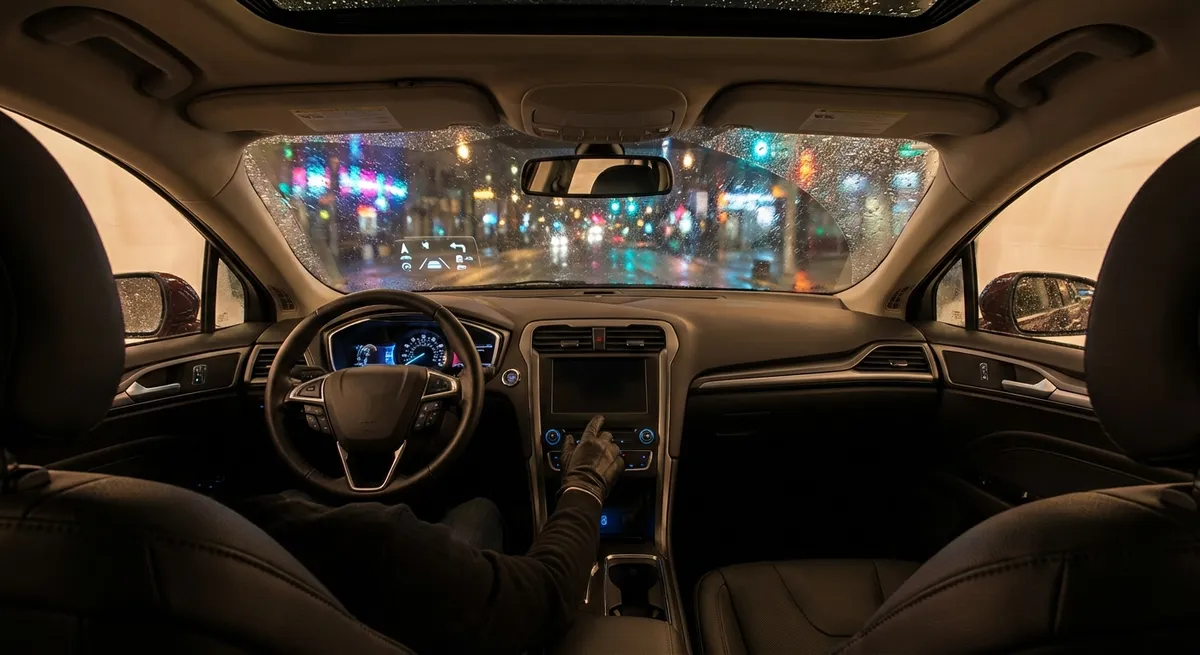
Instead of buying new gadgets or upgrading your car, start by unlocking what’s already there. These tweaks cost nothing, take very little time, and can make your car feel newer, smarter, and more tailored to you.
Dial In Your Driver Profiles (And Actually Use Them)
Most newer vehicles let you create individual driver profiles tied to a key fob, start button, or infotainment login. These profiles can control seat position, mirror angles, steering feel, drive mode, climate preferences, audio presets, and even driver‑assist settings. Take 10–15 minutes to build a profile for each regular driver: you, your partner, maybe even a “valet/guest” profile with reduced access and tamer behavior. Set your ideal seat and steering wheel position, then adjust mirrors to eliminate blind spots instead of just “close enough.”
If your car links profiles to keys, assign the right key to each person so everything auto‑adjusts when they unlock the car. For cars with multiple drive modes (Eco/Normal/Sport/Custom), store your favorite configuration in your profile—like firm steering but normal throttle response, or eco drivetrain with softer suspension. Once set, you won’t waste time re‑tweaking basics every time someone else drives your car, and the car will feel like it “knows” who’s driving from the second you get in.
Clean Up And Customize Your Driver-Assistance Features
Driver-assistance tech (lane keeping, adaptive cruise, collision warnings, etc.) is extremely useful when it’s tuned to how you actually drive—and extremely annoying when it isn’t. Go into the driver-assistance or safety menu and look for options to adjust sensitivity, volume, and intervention level. For example, if lane-keeping assist tugs the wheel too aggressively, switch it to “warning only” instead of full steering assist, or lower its intervention strength if the car allows it. If forward collision alerts are going off constantly in city traffic, try changing the distance setting from “Far” to “Medium” so it warns you at a more realistic gap.
Also check if your car has “alert types”—some let you choose visual-only, chimes, or vibration in the steering wheel or seat. Pick what catches your attention without becoming background noise. Turn off anything you truly don’t use (like a constantly beeping speed warning you ignore) and keep what genuinely helps, like blind spot monitoring and rear cross-traffic alerts. The goal is a clean, trustworthy set of safety aids you actually listen to, not a wall of false alarms you learn to tune out.
Optimize Your Camera Views And Parking Aids
Backup cameras and 360° systems are powerful tools, but most people leave them in the default view and never touch the options. In the camera settings menu, look for different viewing angles: wide-angle, top-down, curb view, trailer assist, or split-screen. Practice switching views while parked so you can quickly choose the most helpful one when squeezing into tight spots or backing out of a busy driveway. If your car has dynamic guidelines (lines that move as you turn the wheel), make sure they’re enabled—they’re especially useful for understanding where your rear corners will end up.
Parking sensors can usually be customized for volume, tone, and activation threshold. If they scream at you constantly in underground garages, reduce sensitivity or turn off the front sensors at low speeds only. On some models, you can choose when the camera auto-activates—reverse only, or at low speeds when you press a button. Set it so the camera comes on when it’s actually useful to you rather than popping up at awkward times. The more confidence you have in your camera and sensor setup, the less you’ll rely on guesswork around curbs, walls, and tight city spaces.
Tame Your Infotainment: Navigation, Voice, And Shortcuts
Your infotainment system can either be a silent co-pilot or a distraction machine, depending on how you configure it. Start with navigation: set your home and common destinations (work, gym, favorite grocery store, family addresses) as favorites so you can start guidance with one tap or one voice command. Check route preferences and decide whether you want the system to prioritize faster routes, avoid tolls, dodge unpaved roads, or stick to highways. This alone can prevent the system from sending you down sketchy side roads or unnecessary detours.
Next, look at voice command training or “learn my voice” options. Many systems improve recognition if you run a brief training sequence, so commands like “Play [artist] on Bluetooth” or “Navigate to [location]” work more reliably. Finally, build shortcut tiles or quick-access buttons for what you use most—often climate menu, phone favorites, audio source, or camera view. Even if your system doesn’t allow full customization, learn the pattern to reach your top three functions quickly. Reducing the number of taps and menu dives means less eyes-off-road time and a lot less frustration on longer drives.
Set Smart Charging, Battery, And Connectivity Habits
If your car is a hybrid, plug-in hybrid, or full EV, your tech settings can heavily influence battery health and running costs. Find the charging schedule or “departure time” feature and set it so the car charges during off-peak electricity hours (if your utility offers cheaper night rates), and finishes near your usual departure time. This keeps the battery at a more optimal state-of-charge while saving money. Many EVs also let you limit max charge level—using 80–90% for daily use can help reduce battery degradation over time.
For all cars with connected services (apps, remote start, vehicle status), confirm your account is properly linked and location services are enabled as needed. Then configure notifications you’ll actually use: low fuel/charge alerts, door-unlocked warnings, maintenance reminders, or “car moved” alerts if your vehicle is towed. Also review automatic software update settings; if you can, schedule updates for late night so you don’t get blocked from driving when you’re in a rush. With just a few tweaks, your car’s tech becomes a quiet assistant in the background, instead of a bunch of unused icons on a screen.
Conclusion
Most drivers assume they need new hardware to upgrade their car, but there’s usually untapped performance hiding behind a few on-screen menus. By setting up driver profiles, tuning your safety systems, customizing cameras, streamlining infotainment, and optimizing charging and connectivity, you turn generic factory settings into a car that’s genuinely tailored to your life.
The best part: all of this uses tech your car already has. Spend one evening in your driveway going through each of these areas, and your next commute will feel like you’re driving a smarter, calmer version of the same car—no new gadgets required.