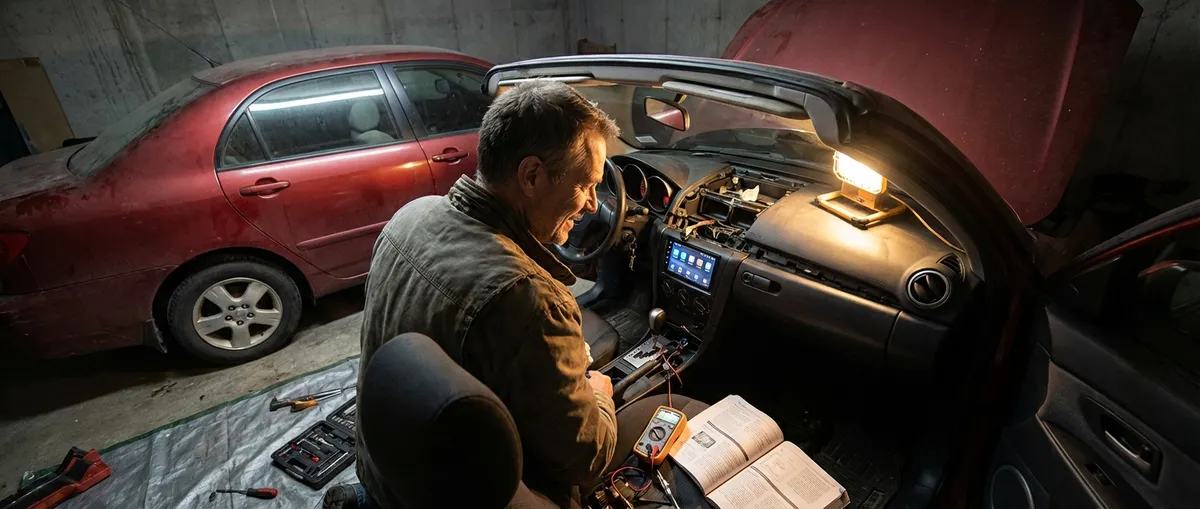
This guide focuses on practical, reliable tech add‑ons that actually improve your drive, not just add another glowing screen. Each point below is something you can install once, learn quickly, and benefit from every time you drive.
Upgrade Your Dash: Smarter Head Units and Phone Integration
The centerpiece of a modern-feeling car is your infotainment. If your current setup is a basic radio with Bluetooth—or nothing at all—you’re missing out on safer navigation, better audio, and cleaner cable management.
Look for an aftermarket head unit that supports Apple CarPlay and/or Android Auto. These systems mirror key functions from your phone—navigation, calls, messages, and music—into a car-optimized interface with large buttons and voice control. That means you keep your hands on the wheel and eyes mostly on the road while still using apps you already know.
Focus on units that:
- Offer wired CarPlay/Android Auto at a minimum (wireless is a bonus)
- Have a capacitive touchscreen (more responsive than resistive)
- Integrate with steering wheel controls via a compatible adapter
- Include at least one dedicated USB port for charging and data
Before buying, verify fitment for your car (single-DIN vs. double-DIN, dash kits needed, wiring harness compatibility). Many owners can handle installation with a dash kit and wiring harness adapter, but professional install is worth considering if your vehicle has a complex factory system or integrated climate controls.
The real win isn’t just “more tech”—it’s turning your phone into a safer, more stable part of your driving routine rather than something you juggle in one hand at red lights.
Add a Dash Cam with Parking Mode for Everyday Protection
A good dash cam is one of the most practical tech add‑ons you can buy. It quietly records what happens on the road and, with the right model, even when you’re parked. That footage can help with insurance claims, hit‑and‑run incidents, or simply documenting an unusual event on the road.
When choosing a dash cam, prioritize:
- Video quality: 1080p minimum; 1440p or 4K improves plate readability
- Wide field of view: Around 140–160 degrees covers multiple lanes without excessive distortion
- Parking mode: Uses motion or impact detection to record while parked
- Capacitor-based power: More heat-resistant than battery-based cameras
- Loop recording and G-sensor: Automatically saves clips from sudden impacts
For full coverage, consider a dual-channel system (front and rear cameras). To use parking mode properly, pair your dash cam with a hardwire kit: it connects to the fuse box and often includes low‑voltage protection so you don’t drain your battery.
Mount the camera high and centered, usually behind the rearview mirror, to keep it out of your line of sight and within legal visibility rules in your area. Once set up, you rarely touch it—just occasionally check footage quality and ensure the memory card is healthy and not full of locked files.
Use an OBD-II Scanner and App to Keep an Eye on Your Car’s Health
Every car sold in the U.S. since 1996 (and many globally) has an OBD-II (On-Board Diagnostics) port. A simple Bluetooth OBD-II adapter plus a smartphone app turns that hidden port into a powerful tool for understanding what’s happening under the hood.
A good OBD-II setup lets you:
- Read and clear check engine light (CEL) codes
- See real-time engine data (coolant temp, fuel trims, O2 sensor readings on many cars)
- Monitor fuel economy more precisely than the dash display, in many cases
- Catch developing issues (misfires, sensor problems) before they become expensive repairs
For most owners, focus on reputable adapters that:
- Are explicitly listed as compatible with your car’s make and year
- Use secure Bluetooth or Wi‑Fi connections
- Have good support from mainstream apps (like Torque Pro, Car Scanner, or manufacturer-specific apps)
Use this tech as a guide, not a replacement for a qualified mechanic. If you pull a code (for example, P0301 for a cylinder misfire), you gain context and can describe the issue clearly when you call a shop. That alone can save time, reduce guesswork, and help you avoid unnecessary parts swapping.
Install a Tire Pressure Monitoring Solution That You Actually Check
Correct tire pressure affects fuel economy, braking distance, handling, and tire life. Many vehicles already have a factory Tire Pressure Monitoring System (TPMS), but some older cars don’t—or they only alert you when things are already too low.
If your car lacks a working TPMS, consider an aftermarket solution. These usually come in two styles:
- Valve cap sensors: Screw onto your existing valve stems; easy DIY install
- Internal sensors: Mounted inside the tire, similar to OEM systems; require tire dismounting
Paired with a small display or a smartphone app, these systems can show live pressure and temperature for each tire. Set alerts so you’re notified if a tire slowly leaks over time or drops quickly due to a puncture.
Even if you keep a manual gauge in the glovebox (you should), a monitoring system adds a passive safety layer. It prompts you to act before a low tire overheats on the highway, or before uneven pressure leads to odd wear patterns and early tire replacement.
Add Connected Safety: Simple GPS Tracking and Location Sharing
Connected car services often bundle navigation, emergency assistance, and tracking—but you can replicate parts of that experience with a small GPS device and smart app settings.
Basic GPS trackers, either OBD-II plug‑in or hardwired, can:
- Show your car’s live location on a map
- Send alerts if the car moves outside a set area (geofencing)
- Log trips, which is useful for business mileage records
If you prefer to avoid subscription fees, even simple habits can add “soft” connected features:
- Use your phone’s built‑in location sharing (e.g., with family) while on road trips
- Share your ETA from navigation apps so others can see your progress without calling or texting
- Use “parked car location” features in many maps apps to find your car in crowded lots
For extra security, mount dedicated trackers in a hidden location rather than the obvious OBD port. If your car is ever towed or stolen, that extra layer of visibility can significantly improve your chances of quick recovery.
Conclusion
You don’t need a brand-new car to enjoy the most useful parts of modern auto tech. By selectively adding a smarter head unit, a reliable dash cam, a good OBD-II setup, practical tire pressure monitoring, and basic connected safety tools, you can bring real-world benefits to your daily drive: safer trips, clearer information, and fewer surprises.
Start with the upgrade that solves your biggest pain point—maybe it’s navigation, maybe it’s peace of mind when parked—and build from there. The best auto tech isn’t about chasing gadgets; it’s about choosing tools that quietly work in the background and make every mile a little easier.
Sources
- [National Highway Traffic Safety Administration (NHTSA) – Driving Safety: Distraction](https://www.nhtsa.gov/risky-driving/distracted-driving) - Background on why integrated phone and infotainment solutions can improve safety compared to handheld use
- [AAA – New Vehicle Technology: Antilock Brakes, Stability Control, TPMS & More](https://www.aaa.com/autorepair/articles/new-vehicle-technology) - Overview of modern in-car technologies, including the role and value of tire pressure monitoring systems
- [U.S. Environmental Protection Agency – Light-Duty Vehicle and Truck OBD Requirements](https://www.epa.gov/vehicle-and-engine-certification/light-duty-vehicle-and-truck-oboard-diagnostics-obd-requirements) - Technical background on OBD-II systems and why that port exists in most modern vehicles
- [Insurance Information Institute – The Benefits of Dashboard Cameras](https://www.iii.org/article/dash-cams) - Explanation of how dash cams can support insurance claims and liability decisions
- [National Institute of Standards and Technology (NIST) – Mobile Device Security](https://www.nist.gov/itl/applied-cybersecurity/mobile-device-security) - General guidance on securing mobile-connected devices, relevant when adding connected auto tech and apps