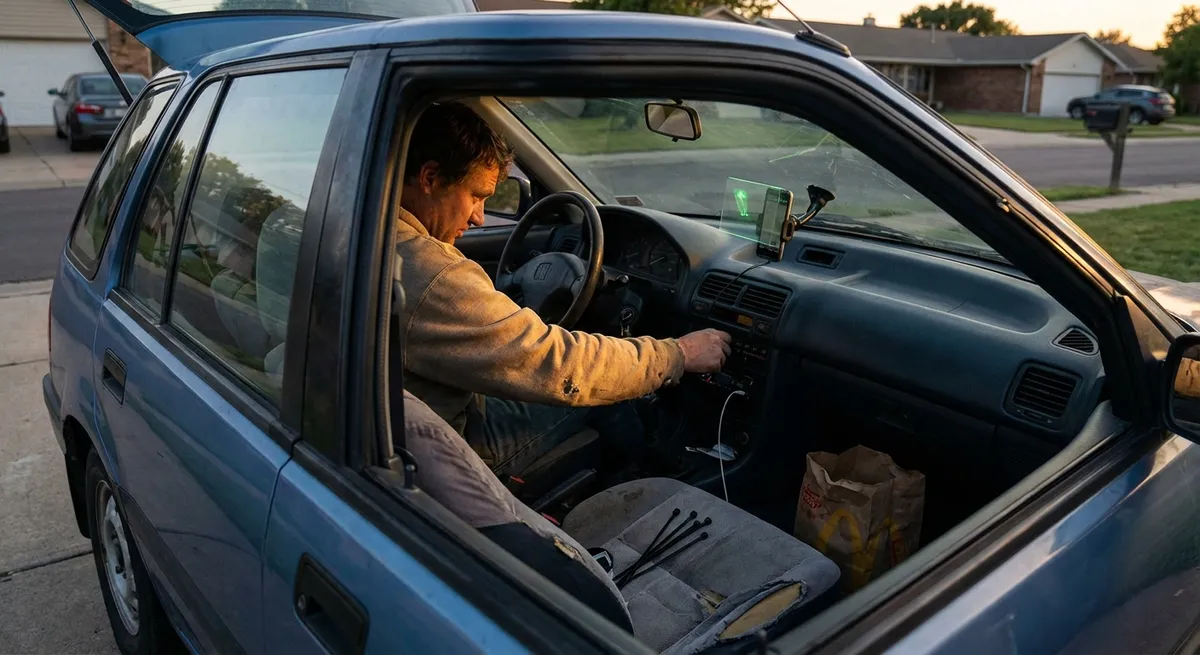
Build a Smarter Phone Mount and Power Setup (So Your Tech Actually Works)
If your phone is sliding around the cabin, every app you rely on immediately becomes less useful—and more dangerous. A solid mounting and power setup is the foundation for everything else you do with in-car tech. Choose a mount that keeps the screen in your natural line of sight, usually near the edge of the dashboard or on an air vent, rather than low on the console or stuck in the middle of the windshield. This reduces the amount of time your eyes leave the road and helps you check navigation or calls with quick glances.
Look for mounts that support MagSafe or strong clamp arms if you drive on rough roads, and avoid cheap suction cups that lose grip in hot or cold weather. Pair the mount with a high-quality USB charger that supports at least 18W fast charging (USB-C is ideal), so your battery doesn’t drain when running GPS, music, and Bluetooth together. Use short, braided cables to prevent tangles around the shifter or steering wheel. Finally, position the cable so it doesn’t cross your body or interfere with the airbag path—run it behind trim gaps or along the side of the console if possible. A clean, thought-out setup makes using maps, calls, and music feel native to the car instead of improvised.
Actionable point #1: Install a stable, eye-level phone mount and a fast USB-C charger, then route a short, durable cable so it never crosses your steering wheel, gear lever, or airbag path.
Turn Your Phone Into Your Primary Infotainment Hub (Even Without CarPlay)
Many older cars don’t have Apple CarPlay or Android Auto, but your phone can still behave like a modern infotainment system if you set it up properly. Start by curating a “driving home screen” with only the apps you actually use on the road: navigation (Google Maps, Waze, or Apple Maps), music or podcast apps, and a voice assistant shortcut. Remove social media and distracting apps from that screen completely. Then enable “Do Not Disturb While Driving” or Android’s “Driving Mode” so notifications are automatically silenced or read out when you’re moving.
If your car has Bluetooth, take a few minutes to rename the connection on your phone and in the car to something clear (e.g., “Civic Audio – John”), then set it as a trusted device so it connects automatically when you start the engine. If you only have AUX input, add a low-latency Bluetooth receiver that plugs into the AUX port, powered from a 12V or USB outlet—this gives you wireless audio without changing the factory head unit. Finally, learn and practice your phone’s voice commands when you’re parked: how to start navigation, call a contact, or play a playlist without touching the screen. Once you’re comfortable, you can run most tasks hands-free.
Actionable point #2: Set up a “driving mode” home screen and voice assistant routine on your phone, then pair it cleanly to your car (Bluetooth or AUX adapter) so navigation, calls, and music are always hands-free and auto-connected.
Use Dash Cams and Parking Cameras as “Passive Insurance”
A dash cam isn’t just a gadget for enthusiasts—it’s often the clearest way to protect yourself in a crash or parking-lot incident. Look for a camera with loop recording, G-sensor (to flag incidents automatically), and at least 1080p resolution. If you frequently park on the street or in crowded lots, consider a dual-channel model that records both front and rear. Mount it high and centered behind the rearview mirror so it doesn’t block your view but still captures a wide angle of the road.
Hardwiring kits let a dash cam run in parking mode, but they must be installed correctly so they don’t drain your battery; many kits include a low-voltage cutoff to prevent this. If you’re not comfortable with interior fuse boxes, have a shop install it. Once installed, test the footage in different lighting—bright daylight, dusk, and at night—to confirm license plates and lane markings are visible. For older cars without any reverse camera, a license-plate-mounted backup camera paired with a small dash or mirror display can greatly improve parking safety, especially if you drive in tight urban spaces or have limited rear visibility.
Actionable point #3: Install a dash cam with loop recording and test its video in day and night conditions, then set a reminder every few months to check the SD card and confirm it’s still saving and overwriting correctly.
Upgrade Lighting and Visibility With Smart, Legal Choices
Tech isn’t just screens and apps—lighting is a major safety system that’s quietly improved over the last decade. Many older cars still use basic halogen bulbs that provide weaker, yellower light compared with modern LEDs. Before buying plug-in LED replacements, check local regulations and your owner’s manual; some aftermarket bulbs can create glare if they’re not designed for your specific housing. A safer starting point is high-quality, OEM-style halogen upgrades from reputable brands that offer more output within legal specs.
Adjust your headlight aim according to the manufacturer’s procedure—misaligned lights can make great bulbs almost useless or blinding to oncoming drivers. Inside the car, consider adding small, motion-activated LED cargo or trunk lights and a brighter (but not harsh) dome light if you often load gear or work out of the car at night. For bad weather, make sure your rear fog lights (if equipped) are used correctly: only in heavy fog, snow, or rain, not in clear conditions where they can annoy drivers behind you. Clean lenses, working bulbs, and properly aimed lights are low-cost, high-impact “tech upgrades” that dramatically change how safe and modern your car feels at night.
Actionable point #4: Inspect your exterior lights at night in a dark area, replace weak or burned-out bulbs with high-quality, legal upgrades, and adjust the headlight aim so your low beams light the road clearly without glaring into oncoming traffic.
Use Simple Monitoring Tech to Stay Ahead of Breakdowns
You don’t need a full shop’s worth of gear to get real data about your car’s health. A basic OBD-II Bluetooth scanner plugged into your diagnostic port (usually under the dash) can pair with your phone and show you engine codes, coolant temperature, and other readings long before a minor issue becomes a big repair. This doesn’t turn you into a mechanic, but it helps you understand whether a “check engine” light is an emissions sensor, a loose gas cap, or something urgent—and that knowledge can keep you from ignoring a real problem or overpaying for something simple.
Tire pressure monitoring is another quiet tech game-changer. If your car doesn’t have a built-in TPMS, external valve-cap-style sensors with a small display can alert you when any tire is slowly losing air. Running on low pressure quietly hurts fuel economy, increases tire wear, and makes emergency handling worse. For older batteries or vehicles that sit for long periods, a smart battery maintainer or trickle charger can monitor and top off the battery, often with app notifications if something looks off. Together, these small devices give you information that used to require a shop visit.
Actionable point #5: Add a basic OBD-II Bluetooth scanner and, if your car lacks TPMS, an external tire pressure monitor, then get in the habit of checking both monthly so you catch early warning signs before they turn into breakdowns.
Conclusion
You don’t need a brand-new dashboard or a luxury badge to have a smart, capable, tech-forward car. By stabilizing your phone setup, turning your device into a safe infotainment hub, adding passive protection with cameras, improving visibility with smarter lighting, and using simple monitoring tech, you can quietly transform the way your car feels and functions every day. The goal isn’t to chase gadgets—it’s to make your existing car safer, easier to live with, and more enjoyable on every drive.
Sources
- NHTSA – Distracted Driving - Explains the safety risks of using phones while driving and supports the need for hands-free setups and driving modes.
- National Safety Council – Defensive Driving Tips - Provides guidance on safe driving behaviors that align with using tech in a less distracting, more protective way.
- IIHS – Headlights and Night Driving - Details how headlight performance affects crash risk and why proper aim and quality bulbs matter.
- FCC – Wireless Devices and Interference - Offers background on wireless devices and regulations relevant to Bluetooth and in-car electronics.
- Edmunds – What to Know About Dash Cams - Covers the benefits, features, and considerations when choosing and installing a dash cam.