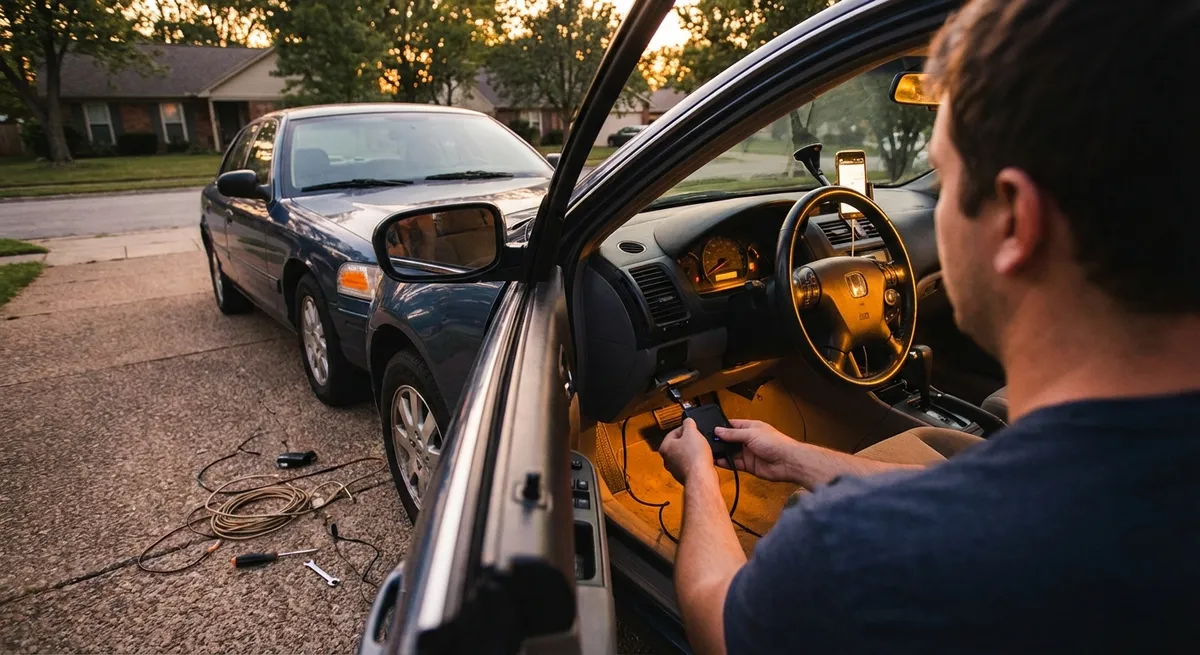
This guide focuses on practical, realistic tech tweaks any car owner can use to make driving safer, more connected, and more enjoyable.
Modern Connectivity Without a New Car
You don’t need a factory screen to get modern connectivity; you just need to bridge your phone and your car in a clean, reliable way.
Start by deciding how you want to connect: wired (USB) or wireless (Bluetooth or a plug-in adapter). Wired is usually more stable and offers better audio quality, especially for music and calls. If your car only has a 12V (cigarette lighter) socket and an aux port, a compact Bluetooth-to-aux adapter can give you hands-free calls and streaming without replacing the head unit.
If your vehicle has an older infotainment system, consider an aftermarket head unit with Apple CarPlay and Android Auto. Many double-DIN units are designed to fit factory openings with model-specific trim kits, and often you can retain steering wheel controls with the right harness. Before buying, check compatibility with your vehicle, verify if a separate CAN bus adapter is needed, and confirm microphone placement options to keep calls clear.
For cars that already have CarPlay/Android Auto but only wired, a small wireless CarPlay/Android Auto adapter can free you from plugging in every trip. Look for adapters that support over-the-air firmware updates and have good user feedback for connection stability, especially on longer drives.
Smarter Power and Cable Management
Tech isn’t just about screens—it’s also about how you power and organize the devices you rely on.
Replace basic 12V chargers with a compact USB-C/USB-A fast charger that supports standards like USB Power Delivery (PD) and Qualcomm Quick Charge. This ensures your phone, tablet, or dash cam charges quickly and consistently, especially important on short trips. If you drive with passengers often, consider a multi-port charger with an extension cable for the rear seats.
Cable clutter can easily turn your cabin into a mess and even become a distraction. Use short, dedicated cables for the car and keep them in a small organizer or center console tray. Magnetic cable clips or low-profile adhesive guides help keep cords from falling under seats or getting tangled in the shifter and handbrake.
For vehicles with older or weaker batteries, be mindful of constantly powered USB ports or hardwired devices. A dash cam or always-on charger can slowly drain the battery if your car’s 12V sockets remain live when the ignition is off. Learn whether your car cuts power to accessories with the key removed, and if not, unplug high-draw devices when you’re done driving or use a hardwire kit that includes low-voltage cut-off protection.
Practical Safety Upgrades That Feel Factory
Some of the most useful “tech” isn’t flashy—it’s quietly improving visibility and awareness every day.
A dash cam is one of the most valuable add-ons you can install. Prioritize options with good low-light performance, a reliable parking mode, and simple file management. A front-only unit is fine for most drivers, but a dual-channel (front/rear) setup gives you much better coverage for rear-end collisions and parking lot incidents. Use a proper hardwire kit connected to accessory power or an add-a-fuse adapter, and route cables along existing trim so the install looks OEM.
If your car lacks a backup camera, a license-plate-mounted camera paired with a rearview-mirror display or aftermarket head unit can dramatically reduce blind spots. Look for cameras with a wide field of view (about 120–170 degrees) and decent water resistance. Tapping into the reverse light circuit allows the camera to activate automatically when you shift into reverse, preserving a “factory-like” experience.
Blind-spot mirrors and basic aftermarket blind-spot monitoring (with LED alerts) can supplement your mirrors, but treat them as helpers, not replacements for proper checks. Any radar-based add-on system needs careful installation and calibration—if you’re not comfortable with that, stick with high-quality stick-on convex mirrors properly aligned to reduce blind spots around the rear three-quarter area.
Using Vehicle Data and Apps for Real-World Insight
A simple OBD-II (On-Board Diagnostics) adapter paired with a smartphone app can give you surprisingly deep visibility into how your car is behaving.
Bluetooth OBD-II adapters plug into the diagnostic port under your dash and can read engine fault codes, basic sensor data, and emissions readiness. Paired with a reputable app, you can see live data like coolant temperature, intake air temp, fuel trims, and more. This helps distinguish between a minor issue (like a loose gas cap triggering the check engine light) and something that needs attention right away.
Enthusiasts can use this data to monitor performance and spot patterns. For example, consistently high engine temperatures under load may indicate a weak cooling system, and unusual fuel trim values can hint at vacuum leaks or sensor problems long before drivability is severely affected. Just remember: data suggests, it doesn’t diagnose by itself—use it to have more informed conversations with your mechanic.
Many manufacturers also offer official smartphone apps for newer vehicles, even in mid-range trims. These can provide remote start, door lock status, tire-pressure readings, software update notifications, and maintenance reminders. Check if your car supports these features via the automaker’s website—sometimes owners don’t realize their vehicle is compatible until they set up an account and add their VIN.
Getting More From Navigation and Driver Assist Features
Even if you don’t have built-in navigation, you likely have access to highly capable routing and assist tools through your phone and existing hardware.
Navigation apps are far more powerful when you enable their full set of features. Keep offline maps downloaded for your region so you’re covered in weak-signal areas, and turn on real-time traffic overlays and incident alerts. Learn how to set route preferences (tolls, ferries, dirt roads) and how to quickly reroute to fuel stations or rest stops—skills that pay off immediately on road trips.
If your car has any driver assistance features—like adaptive cruise control, lane-keeping assist, or forward collision warnings—take the time to read the relevant sections in the owner’s manual. Many drivers never adjust following distance settings, alert sensitivity, or lane-centering strength. Properly tuned, these systems can reduce fatigue on long highway drives; poorly understood, they can be annoying or misused.
Finally, integrate navigation with your audio setup. Use voice guidance through your car’s speakers via Bluetooth or CarPlay/Android Auto, and adjust the settings so the navigation voice lowers music volume instead of fully muting it if that’s your preference. This avoids constantly looking down at your phone and keeps your focus where it should be—on the road.
Conclusion
You don’t need a brand-new car—or a huge budget—to enjoy modern auto tech. With a few smart upgrades and better use of the tools you already have, you can:
- Connect your phone more cleanly and reliably
- Keep devices powered without clutter
- Add meaningful safety and visibility aids
- Monitor your car’s health with real data
- Make navigation and driver assists work the way you actually drive
The real win isn’t chasing every gadget; it’s choosing tech that genuinely improves your daily experience behind the wheel.
Sources
- [National Highway Traffic Safety Administration (NHTSA) – Backing Safety](https://www.nhtsa.gov/road-safety/backing-safety) - Data and guidance on rear visibility, backup cameras, and reversing safety
- [AAA – The Real Risks of Distracted Driving](https://newsroom.aaa.com/2017/03/real-risks-distracted-driving/) - Explains how in-car tech and phone use can affect driver attention
- [Consumer Reports – How to Install a Dash Cam](https://www.consumerreports.org/car-accessories/how-to-install-a-dash-cam-a6436326749/) - Practical advice on dash cam selection, installation, and power options
- [Edmunds – Apple CarPlay and Android Auto Explained](https://www.edmunds.com/car-technology/apple-carplay-android-auto.html) - Overview of smartphone integration systems and what to look for in aftermarket units
- [U.S. Department of Energy – Connected and Automated Vehicles](https://www.energy.gov/eere/vehicles/connected-and-automated-vehicles) - Background on how connected and automated tech is changing driving and vehicle use