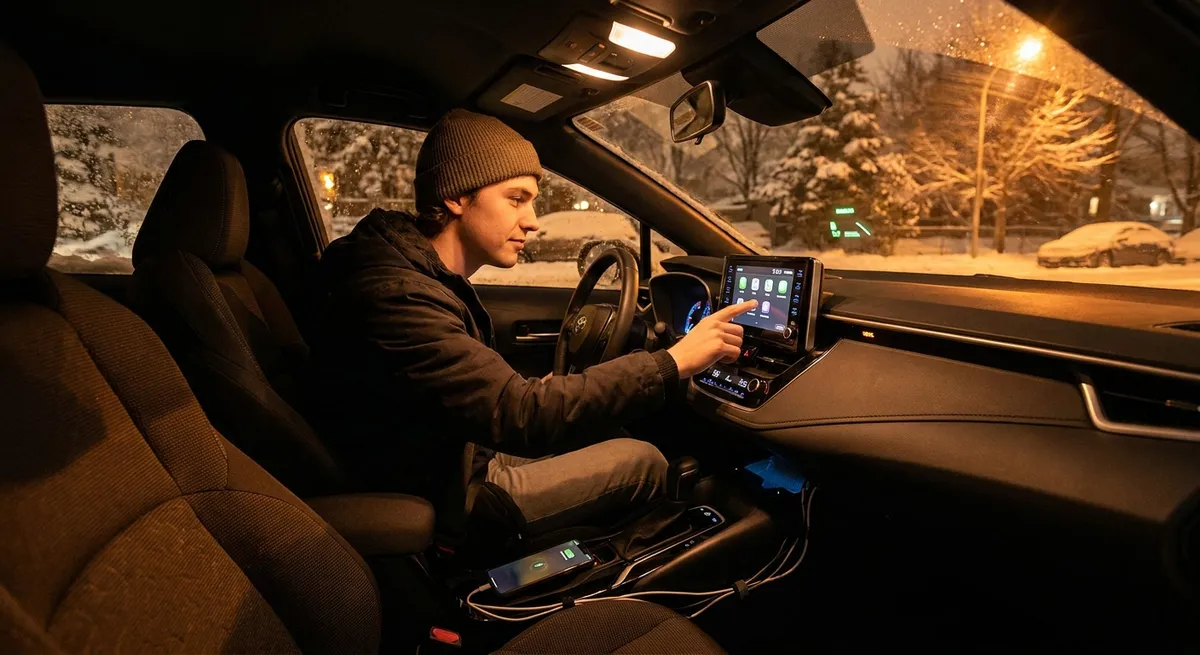
Start With the Hub: Optimizing Your Phone–Car Connection
Your smartphone is already the brain of your personal tech world. Treat it as the central control unit for your car experience, too.
First, get your phone properly integrated. If your car supports Apple CarPlay or Android Auto, use it—these systems give you safer, simplified access to navigation, calls, texts, and audio. If you don’t have them built-in, consider an aftermarket head unit that supports both platforms; they often add Bluetooth, a touchscreen, and better sound in one shot.
Next, clean up what your car sees. Turn off unnecessary phone notifications while driving (social media, games) and keep only essentials active: navigation alerts, calls, messages from key contacts, and your preferred music or podcast apps. This reduces distraction and clutter on the screen.
Finally, pay attention to cable and mount quality. A reliable, short USB cable and a sturdy, eye-level phone mount can make the difference between seamless navigation and constant frustration. Position the screen so you can glance at it without taking your eyes far off the road, and avoid mounts that block airbags or major vents.
Actionable point #1:
Audit your phone–car setup this week: enable CarPlay/Android Auto if available, streamline driving notifications, and invest in a stable mount and high-quality cable if your current setup is inconsistent or distracting.
Add Smart Vision: Dash Cams and Reverse Assistance
Cameras are among the most practical tech upgrades you can add to an older vehicle. A good dash cam can help document accidents, road incidents, parking lot damage, and even theft attempts. Look for models with loop recording, G-sensor impact detection, and decent low-light performance. Dual-channel (front and rear) setups give the best coverage.
If your vehicle lacks a factory backup camera, an aftermarket system is one of the most confidence-boosting additions you can make. Options include license-plate-mounted cameras, wireless kits that use your existing screen or a separate display, and systems that integrate with a replacement head unit. Even a simple camera dramatically improves visibility when backing out of driveways, tight parking spaces, or busy streets.
Installation quality matters as much as the device. Poorly routed wiring or improvisational power connections can cause electrical issues or inconsistent performance. If you’re not comfortable with 12V wiring and trim removal, professional installation is usually worth the cost for safety-related equipment.
Actionable point #2:
Install a dual-channel dash cam or backup camera and test it in low light, rain, and tight parking situations. Take a few minutes to practice using the system so you’re not learning under stress after an actual incident.
Upgrade Daily Comfort: Smarter Charging and Cabin Convenience
Modern devices demand more power than old 12V outlets were ever designed for. Weak chargers can cause your phone to overheat, charge slowly, or even drain while using navigation.
Replace basic cigarette-lighter chargers with a high-output USB or USB-C adapter that supports standards like USB Power Delivery (USB-PD) or Qualcomm Quick Charge if compatible with your devices. If your car doesn’t have enough ports for regular passengers, consider a hub or hardwired solution—but avoid cheap, unbranded accessories that may not meet safety standards.
Cable management is also a small but meaningful upgrade. Magnetic cable organizers or low-profile routing along the console can keep cords from interfering with shifters, cup holders, or climate controls. For regular carpoolers or families, rear-seat charging solutions and simple tablet mounts can reduce “device wars” and keep kids occupied on longer trips.
Finally, think about temperature. Devices left on the dash in direct sun or near heating vents are more likely to overheat and throttle performance. Use vent mounts that don’t blast hot air directly onto your phone in winter, and remove devices from visible mounting points when parked to reduce theft risk and heat exposure.
Actionable point #3:
Upgrade to a certified fast charger for your car, organize your cables so they don’t interfere with driving controls, and adjust device placement to limit heat exposure and theft temptation.
Use Data to Drive Smarter: Apps, Telematics, and Connected Services
You don’t need a full telematics subscription to tap into useful driving data. Start with your phone: many automakers offer companion apps that show fuel or EV charge levels, allow remote lock/unlock, and sometimes provide trip statistics or maintenance reminders. If your car lacks a built-in connected system, third-party apps paired with Bluetooth or OBD-II adapters can give similar insights.
Safe driving apps can track hard braking, rapid acceleration, speed versus limits, and phone use while driving. Some insurance companies offer discounts for participating in usage-based programs, though you should carefully review privacy policies and understand what data is collected and how it’s used.
Navigation apps are another underrated data tool. Live traffic, hazard alerts, and real-time rerouting can save time and fuel. Many routes can be customized for tolls, preferred roads, and even EV charger stops. Learn how to pin frequent destinations, download offline maps, and set up audio-only turn-by-turn instructions to reduce screen-watching.
Critically, avoid turning your drive into a data obsession. The goal is to nudge habits, not to constantly check scores while on the road. Use weekly or monthly summary views instead of driving with a scoring app open in front of you.
Actionable point #4:
Choose one driving-data app or service, set it up properly, and review its summary reports once a week. Use those reports to target a single habit change—like smoother braking or better route planning—rather than trying to fix everything at once.
Make Tech Work With Safety, Not Against It
The best auto tech supports your attention, not replaces it. Advanced driver assistance systems (ADAS) like adaptive cruise control, lane-keeping assist, and automatic emergency braking are increasingly common in newer cars, but even basic tech like Bluetooth, navigation, and voice control require thoughtful use.
Start by learning the safety features your car actually has. Many owners never fully explore menus where sensitivity, alert volume, and assist intensity can be adjusted. Calibrate these systems to your comfort: alerts you constantly ignore are functionally useless, while overly aggressive interventions can be startling and counterproductive.
For cars without built-in ADAS, aftermarket options like blind-spot monitoring kits, parking sensors, and HUD (head-up display) speed projectors can add a layer of awareness. However, be realistic about limitations—these systems rarely match factory calibration and shouldn’t be treated as a substitute for mirrors and proper observation.
Finally, practice “tech discipline”: set destinations before you move, lock in your playlist or podcast in advance, and use voice commands for tasks that can’t wait. If you find yourself constantly reaching for screens, that’s a signal to simplify your setup or change how and when you use various features.
Actionable point #5:
Review your car’s safety-tech settings (or any aftermarket devices you’ve added) and adjust them to be noticeable but not overwhelming. Commit to setting routes and media before shifting into drive, and rely on voice commands instead of manual input whenever possible.
Conclusion
Auto tech doesn’t have to mean chasing the latest gadget or trading in your car for the newest model. By improving how your phone connects to your car, adding smart vision tools, upgrading charging and cabin convenience, using data to refine your driving, and aligning everything with safety, you can turn your existing vehicle into a more capable, comfortable, and confidence-inspiring daily driver.
Focus on a few practical changes at a time, install and configure them properly, and give yourself a couple of weeks to adapt. The right tech should fade into the background—quietly making every trip easier, safer, and more enjoyable.
Sources
- National Highway Traffic Safety Administration – Advanced Driver Assistance Systems (ADAS) - Overview of common driver-assistance features and how they improve safety
- AAA Foundation for Traffic Safety – Distracted Driving Research - Data and reports on how in-vehicle tech and phones affect driver attention
- Insurance Institute for Highway Safety (IIHS) – Front Crash Prevention & AEB - Research on the effectiveness of camera- and radar-based safety systems
- Apple CarPlay Official Site - Details on supported features and compatible apps for iPhone users in vehicles
- Android Auto Official Site - Information on Android Auto capabilities, compatibility, and supported navigation/media apps