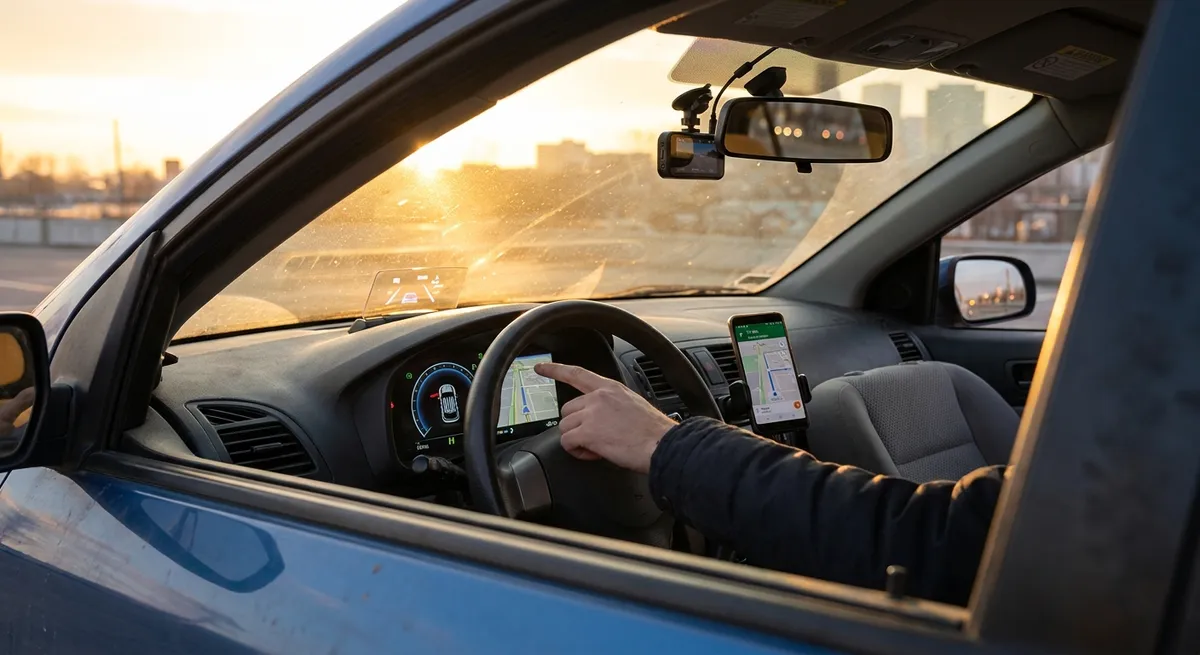
This guide focuses on practical, realistic upgrades and settings you can act on right away. No hype, no gimmicks—just tech that solves real problems.
Start With Your Phone: Build a Safer, Smarter “Driving Hub”
Before you buy anything, optimize the device you already own—your smartphone. For most drivers, your phone is the most powerful piece of auto tech you have.
First, set up a distraction-free driving mode. Both iOS and Android offer “Do Not Disturb While Driving” features that can auto-reply to texts and silence non-urgent notifications while your car is moving. Configure it so calls from key contacts (family, work, emergency) are allowed, but group messages, social apps, and random notifications are blocked. This cuts mental clutter while you’re behind the wheel.
Next, clean up your “driving home screen.” Put only essential apps in one place: navigation (Google Maps, Apple Maps, Waze), music/podcasts, and your manufacturer’s app if you have one (for remote start, lock/unlock, etc.). Turn off “auto-play videos” inside any apps you might open while parked—those can eat data and battery and may tempt you to glance at your screen.
If your car has Bluetooth, rename your phone’s Bluetooth connection to something recognizable and unique (for example, “Alex iPhone – Driver”) and remove old, unused devices from your car’s paired list. This reduces connection glitches and shortens the time it takes for your phone to pair when you start the car. Finally, if you often drive unfamiliar routes, download offline maps for your region. That way if you lose data coverage, your navigation still works.
Actionable Point #1:
Set up a dedicated “driving profile” on your phone today:
- Turn on Do Not Disturb While Driving
- Create a minimal driving home screen
- Pair and rename your phone in the car
- Download offline maps for your home region
Upgrade Your Visibility: Intelligent Lighting and Cameras
Better visibility is one of the most immediate safety and comfort upgrades you can make—and you don’t have to replace your entire vehicle to get it.
If your car has older halogen headlights, consider upgrading to quality LED or HID bulbs that are compatible with your housing and legal in your area. Look for reputable brands with proper beam patterns and DOT-compliant markings; poorly designed bulbs can create glare for other drivers and may be unsafe. Properly aimed headlights make a huge difference in night driving and reduce eye strain.
Many owners underestimate the value of properly calibrated backup and dash cameras. If your car lacks a backup camera, aftermarket kits can integrate with your existing mirror or infotainment screen. Look for models with clear low-light performance and parking guidelines; these help you judge distance more accurately in tight spaces. A forward-facing dash cam, meanwhile, provides objective evidence after a collision and can capture details you might miss in the moment.
If your car already has cameras, learn how to adjust their settings. Some systems let you tweak brightness, contrast, or camera angles and enable features like cross-traffic alerts. Clean your lenses regularly—road grime and winter salt can degrade image quality more than most drivers realize. Make it part of your routine when you fuel up or wash your windshield.
Actionable Point #2:
Audit your visibility tech this week:
- Check headlight condition, aim, and brightness; consider legal LED/HID upgrades
- Install or tune backup and dash cameras
- Clean camera lenses and headlight housings as part of regular maintenance
Put Your Infotainment System to Work (Instead of Fighting It)
Modern infotainment systems can be powerful—but only if they’re configured to your needs. Many drivers leave them on factory defaults, then complain they’re slow, confusing, or distracting.
Start with the basics: update your system’s software if your vehicle supports over-the-air or dealer-installed updates. Updates can improve stability, add features, and fix glitches that make the system feel sluggish. Check your owner’s portal or manufacturer’s app for update notices.
Next, customize your home screen and shortcuts. Most systems let you set favorites for navigation addresses (home, work, frequent destinations), radio or streaming presets, and quick-access apps. Think about what you actually use: if you listen to podcasts daily, put that app one tap away rather than buried in a menu. Remove or hide sources you never use, like SiriusXM, AM, or USB, so you scroll less while driving.
Then, adjust voice control to your speech patterns. Many systems let you turn on “short commands” so you don’t need to say the full keyword phrase every time. Train the system to recognize your voice, and learn a handful of commands you’ll actually use—such as “navigate to [favorite place],” “call [contact],” or “play [artist].” Done right, this reduces how often you touch the screen or look away from the road.
Don’t ignore audio settings either. A few minutes spent adjusting EQ or choosing a sound profile can improve clarity for calls and reduce fatigue on long drives. If you frequently use Bluetooth, check the audio priority settings so that navigation prompts don’t blast at full volume over music, or disappear entirely when you need them most.
Actionable Point #3:
Spend 20 minutes customizing your infotainment:
- Update system software if available
- Set navigation favorites and app shortcuts
- Train and test voice control for 3–5 common tasks
- Fine-tune audio settings for calls and navigation prompts
Use Connected Features to Prevent Problems, Not Just React to Them
Connected car features and telematics aren’t just toys—they can help you catch problems early, track maintenance, and even protect your car if it’s stolen. Whether your car has built-in connectivity or you’re using an OBD-II dongle, think of this tech as “preventive maintenance intelligence.”
If your vehicle has an official app, log in and explore all of its alerts and notifications. Enable maintenance reminders based on mileage or time, not just the basic oil-change reminder. Turn on low-tire, battery health, and service alerts if they’re available. This can help you catch issues (like a slow tire leak or weak 12V battery) before they leave you stranded.
For older vehicles, a quality OBD-II scanner with a companion app can show live data like coolant temperature, battery voltage, and fuel trims. You don’t need to become a mechanic to benefit from this info; even basic awareness—such as noticing that your engine runs hotter than usual on long grades—can prompt a timely inspection. Some apps can also log trouble codes when your check engine light appears, giving you more informed conversations with your shop.
Location-based features can also protect your car. Geofencing and movement alerts can notify you if your vehicle moves unexpectedly, which is useful in theft situations or if others borrow your car. If you use street parking in dense cities, a parked-location feature can save you from wandering around looking for your vehicle after a long day.
Finally, take advantage of digital records. Many apps allow you to log service visits, tire rotations, and inspections. This helps you avoid over- or under-servicing your car and can support resale value if you later show a digital maintenance history to a buyer.
Actionable Point #4:
Turn your car’s connectivity into a maintenance and security ally:
- Enable maintenance, tire, and battery alerts in your manufacturer app or OBD app
- Use an OBD-II scanner to read and log basic trouble codes
- Set up movement/geofence alerts if parking in riskier areas
- Keep a digital log of maintenance tied to your VIN
Balance Driver-Assistance Tech with Real-World Driving Skills
Advanced driver-assistance systems (ADAS) like adaptive cruise control, lane-keeping assist, blind-spot monitoring, and automatic emergency braking are becoming standard across more vehicles. They can be powerful safety tools—but only when you understand what they can and cannot do.
Start by reading the ADAS section of your owner’s manual or a quick-start guide from the manufacturer’s website. Each brand has its own behavior, limitations, and quirks. For example, some lane-keeping systems only warn you when you drift, while others actively steer; some adaptive cruise systems work down to a stop, others disengage below a certain speed.
In daily driving, treat these systems as “assistants,” not replacements. Adaptive cruise can reduce fatigue on highways, but you should still scan the road and keep your feet ready to brake. Lane-keeping can help reduce weaving, but rely on visual lane reading yourself—especially in construction zones or poor weather, where sensors struggle. Blind-spot monitoring is helpful, but always confirm visually with mirrors and shoulder checks.
Customize their sensitivity to match your comfort level. If lane-departure alerts feel too aggressive, adjust warning intensity or steering assist, rather than turning the system off entirely. Many drivers either leave everything at factory settings (even if it annoys them) or disable it outright. A middle ground—tuned to your driving style—usually leads to the best safety benefits.
Finally, consider pairing ADAS with your own skill-building. A defensive driving course or performance driving clinic can teach you how your car behaves at the limit and what to do in emergencies. When you combine human skill with smart assist systems, you get the best safety outcome.
Actionable Point #5:
Integrate ADAS into your driving instead of ignoring or over-trusting it:
- Read your vehicle’s ADAS guide or online explainer for your exact model
- Test systems in low-stress conditions (empty roads, clear weather) to learn behavior
- Adjust sensitivity/settings to reduce annoyance while keeping core safety features on
- Consider a defensive driving course to complement the tech with real skills
Conclusion
Auto tech doesn’t have to be overwhelming, expensive, or gimmicky. When you focus on what directly improves your daily drive—cleaner interfaces, better visibility, smarter alerts, and realistic driver assistance—you get tangible safety and comfort gains without chasing every new trend.
The key is intentional setup, not just buying more gadgets. Configure your phone as a driving tool, upgrade visibility where it counts, tune your infotainment to your habits, use connectivity to stay ahead of problems, and treat driver-assistance features as partners rather than autopilots.
With a bit of one-time effort, your existing car can feel noticeably smarter, safer, and less stressful—no dealership visit required.
Sources
- NHTSA – Advanced Driver Assistance Systems (ADAS) - Overview of common driver-assistance features, their purpose, and limitations
- IIHS – Headlights: Ratings and Research - Research on how headlight performance affects visibility and crash risk
- Apple – Use Do Not Disturb While Driving - Official guidance on configuring driving focus and auto-replies on iOS
- Android – Set up Driving Mode / Do Not Disturb - Instructions for minimizing distractions on Android devices while driving
- FTC – Connected Cars: Privacy, Security Issues - Discussion of how connected car data is used and why security and configuration matter