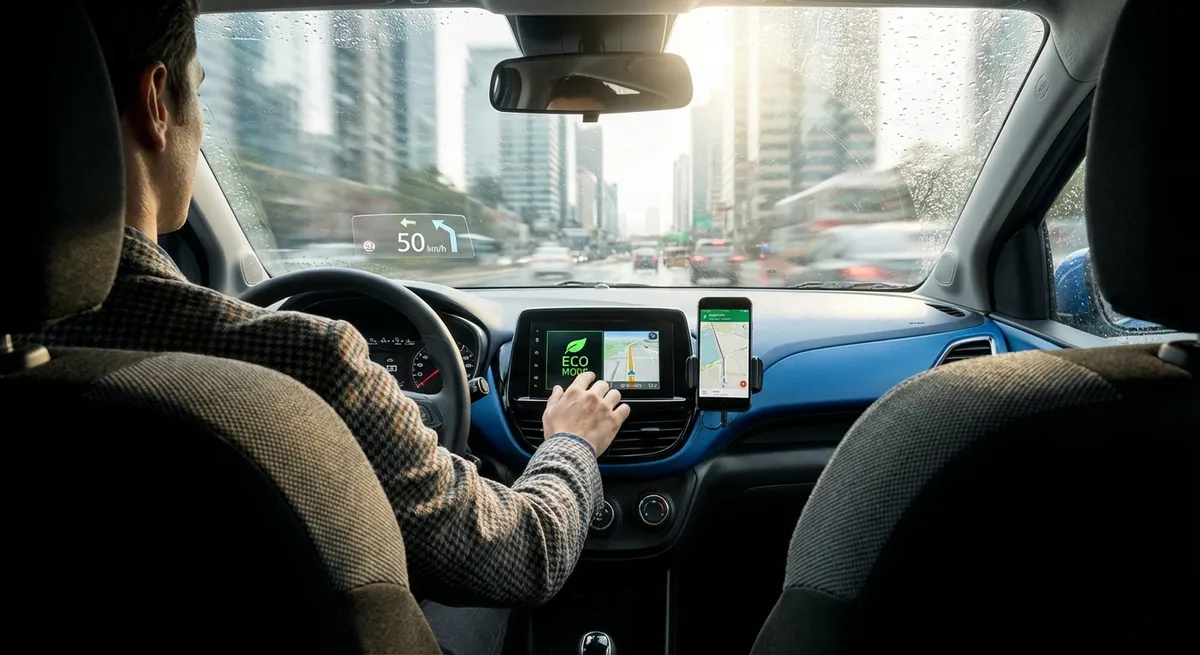
Below are five practical, tech-centered habits you can build into your routine to make your current car feel more capable and easier to live with.
Calibrate Your Driver Assistance, Don’t Just Turn It On
Advanced driver-assistance systems (ADAS) like lane-keeping assist, adaptive cruise control, and forward collision warning are only as helpful as their settings. Too many drivers either leave the factory defaults alone or disable the features completely because they find them annoying.
Start with a focused setup session:
- Go into the vehicle settings menu and find the driver-assistance section. Adjust lane-keeping sensitivity and steering support strength to a level that feels natural rather than intrusive.
- For forward collision warning, set the alert timing to “medium” first. A “far” setting may trigger too often in dense traffic; “near” can be too late for your comfort.
- With adaptive cruise control, experiment with following-distance settings at highway speeds. A longer distance is safer but may invite frequent cut-ins in busy traffic; find a balance you can live with.
- If your car offers different drive modes (Eco/Normal/Sport), check whether they affect ADAS behavior or steering effort. Some cars bundle assist levels with drive mode selection.
- After adjusting, take a controlled test drive on familiar roads, one feature at a time, so you can judge what’s helping versus what’s distracting.
Treat driver assistance like a tool you tune, not a switch you either love or hate. Once dialed in, these systems can reduce fatigue and help you maintain better consistency on long drives.
Use Your Phone and Infotainment as a Safety System, Not a Distraction
Infotainment often gets blamed for distraction, but used strategically it can make driving safer and less stressful. The key is to configure it to reduce decision-making and screen time while you’re moving.
Set up a “drive-ready” configuration before you leave:
- If your car supports Apple CarPlay or Android Auto, plug in or connect wirelessly before shifting into gear. Put your phone out of reach so you’re not tempted to interact directly with it.
- Customize your CarPlay/Android Auto home screen to show only your core apps: navigation, calls, music/podcasts, and perhaps one EV or fuel app. Remove social media and messaging apps from the display if possible.
- Turn on “Do Not Disturb While Driving” (iOS) or Android’s driving mode so only critical calls and notifications break through. This reduces the urge to glance at your phone for every alert.
- Pre-build a few playlists or podcast queues so you’re not browsing media while driving. The fewer taps you need while in motion, the better.
- Learn the basic voice commands for your system: setting destinations, calling contacts, and changing music. Voice control is one of the most powerful, underused safety tools in the cabin.
Think of your infotainment system as a driving appliance—pre-configured and predictable—rather than a live entertainment hub you constantly tweak on the move.
Turn Built-In Data into a Simple Maintenance Plan
Today’s cars quietly collect and display useful data that can extend vehicle life and prevent surprise repairs—if you actually check it and act on it. You don’t need a shop’s scan tool to get value out of your car’s electronics.
Make the car’s own information the backbone of your maintenance routine:
- Learn how to access the vehicle information or “car status” screen on your dash or infotainment system. Look for tire pressures, oil life, and any stored alerts. Check this screen weekly, just like you’d check weather or email.
- Use tire pressure monitoring system (TPMS) readings to catch slow leaks early. If one tire consistently runs lower than the others, inspect it for nails or damage before it becomes a roadside problem.
- If your car shows oil life percentage or service countdowns, don’t ignore them. Combine this data with your owner’s manual to schedule service at a shop you trust—before warning messages go red or start chiming.
- For cars with battery or charging status screens (especially hybrids and EVs), note typical state-of-charge (SOC) ranges and how quickly the level drops during your normal use. Large deviations can signal an emerging issue.
- Keep a simple log in your notes app: date, mileage, any warning lights, and notable changes (e.g., “TPMS warning—right rear at 25 psi”). Over time, patterns will jump out, helping you catch problems earlier.
By building a habit around the car’s built-in diagnostics and status pages, you let the electronics do what they’re best at: spotting trends long before you feel something is “off” from the driver’s seat.
Use Navigation Tech to Save Time, Not Just Find Roads
Navigation has evolved from “turn left in 500 feet” to a real-time logistics tool. Used thoughtfully, it can reduce stress, fuel use, and wear on your vehicle.
Refine how you use mapping and routing:
- Even on familiar commutes, run navigation during peak traffic days. Live traffic data can reroute you around accidents or slowdowns that waste time and fuel.
- Explore route options beyond “fastest” and “shortest.” Many systems offer options to avoid tolls, unpaved roads, or heavy traffic corridors. Picking smoother, less congested roads can reduce stop-and-go strain on brakes and transmissions.
- If you drive an EV, use navigation that understands your specific model’s range and charging profile. OEM navigation and some third-party apps can plan routes around compatible fast chargers and estimate arrival SOC.
- Look at predicted arrival times and compare them across routes. A route that’s only 3–5 minutes slower but avoids repeated heavy braking and steep climbs might be kinder to your car and more relaxing to drive.
- When planning longer trips, use desktop or tablet versions of mapping tools first. Set your preferred waypoints (rest stops, food, chargers, fuel stations) and then send the route to your car or phone app, so you’re not planning on the fly.
Treat navigation less as a simple “get me there” tool and more as a planning partner for smoother, more efficient trips that put less stress on both you and your vehicle.
Add Only the Tech Upgrades That Solve Real Problems
The aftermarket is full of gadgets promising smarter, safer, more connected driving. Instead of bolting on tech for its own sake, target add-ons that address specific weaknesses in your current car.
Approach upgrades with a problem-first mindset:
- If your car lacks a backup camera, consider a quality retrofit system that integrates cleanly with your existing screen or rearview mirror. This can materially improve visibility in tight spaces and crowded driveways.
- For older vehicles without Bluetooth, a reputable Bluetooth adapter (plugging into your AUX or replacing your head unit) can dramatically reduce phone-handling distraction without replacing the whole car.
- Use an OBD-II Bluetooth dongle and a trusted app carefully: focus on basic data like coolant temperature, misfire counts, or simple trouble-code reading. This can help you understand a check-engine light before heading to the shop.
- If night driving is stressful, look into OEM-quality headlight upgrades (e.g., better halogen bulbs, proper LED retrofit kits, or cleaning/restoring cloudy headlight lenses) rather than questionable “ultra-bright” alternatives.
- For cars parked outside or in busy areas, smart dash cams with parking mode can provide evidence after incidents and deter minor vandalism. Prioritize units with good low-light performance and reliable loop recording over flashy extra features.
Every added device increases system complexity, so prioritize reliability, integration quality, and how well the new tech actually improves your day-to-day driving.
Conclusion
You don’t need a brand-new car or a dashboard full of gadgets to drive with modern capability. By tuning your driver assistance systems, configuring infotainment for safety, using built-in vehicle data, planning smarter routes, and choosing upgrades that solve real problems, you turn existing tech into a practical advantage instead of background noise.
The best auto tech isn’t the flashiest—it’s the tech you’ve taken the time to configure, understand, and fold into your driving habits in a way that makes every trip smoother, safer, and more predictable.
Sources
- [NHTSA – Overview of Vehicle Safety Technologies](https://www.nhtsa.gov/vehicle-safety/vehicle-safety-technologies) - Explains major driver-assistance systems and how they contribute to safety
- [IIHS – Advanced Driver Assistance Features](https://www.iihs.org/ratings/features) - Breaks down how different ADAS features work and what to expect from them
- [AAA – Infotainment and Driver Distraction Research](https://newsroom.aaa.com/tag/hands-free-and-infotainment-systems/) - Summarizes studies on in-car tech, distraction, and safer usage practices
- [U.S. Department of Energy – Fuel-Efficient Driving Tips](https://www.fueleconomy.gov/feg/driveHabits.jsp) - Covers how route choice, driving style, and planning affect fuel consumption
- [Consumer Reports – Guide to Car Maintenance and Reliability](https://www.consumerreports.org/cars/car-repair-maintenance/guide-to-car-maintenance-a6334130248/) - Provides practical advice on using vehicle information and service intervals to prevent breakdowns