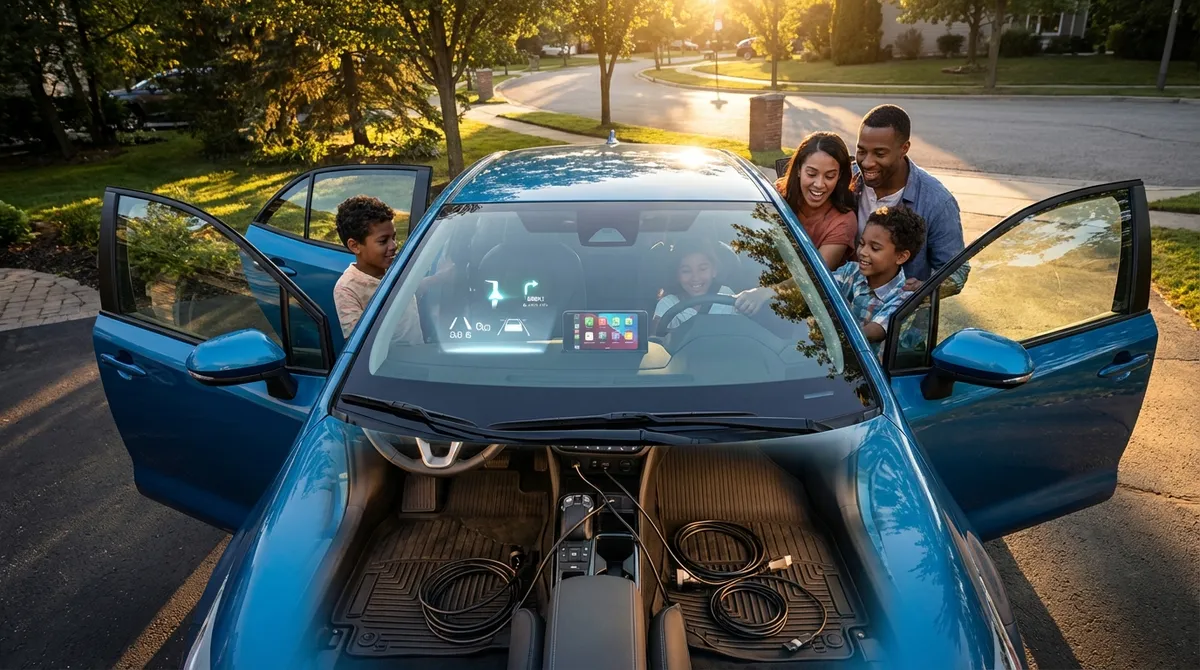
Instead of chasing the latest gadget, start by unlocking the tech your car already has. You’ll drive safer, spend less on maintenance, and actually enjoy some of the features that came with your monthly payment.
Below are five practical, tech-driven habits you can start using this week—no engineering degree required.
1. Turn Driver-Assistance Features Into Everyday Habits
Most newer cars (and many used ones from the last 5–8 years) come with driver-assistance systems that owners either don’t know about, don’t trust, or barely use. When used correctly, they can reduce fatigue and help prevent collisions.
Common systems to look for in your settings or owner’s manual:
- Forward Collision Warning (FCW) – Alerts you if you’re closing in too quickly on a vehicle or obstacle.
- Automatic Emergency Braking (AEB) – Can apply the brakes automatically to avoid or lessen a crash.
- Lane Departure Warning / Lane Keeping Assist – Warns or gently steers if you drift out of your lane.
- Blind Spot Monitoring – Lights or alerts when a vehicle is in your blind spot.
- Rear Cross-Traffic Alert – Warns of cars or pedestrians crossing behind you when reversing.
- Adaptive Cruise Control (ACC) – Maintains both speed and distance to the car ahead.
Actionable ways to use these systems better:
- Go through the driver-assistance menu at home, not on the road.
Sit in your parked car and scroll through the settings slowly. Note which alerts are visual, which are audible, and which can intervene (like braking or steering).
- Customize sensitivity instead of turning features off.
If lane-keeping feels “too grabby,” reduce its level or set it to “warning only” rather than disabling it entirely. Same for alert volumes and sensitivity.
- Use adaptive cruise on longer commutes, not just road trips.
On highways and well-marked expressways, ACC can reduce fatigue and help you maintain safer following distances.
- Train yourself to glance at blind spot indicators, not just mirrors.
Don’t rely on them alone, but integrate them into your mirror check routine. They’re a backup, not a replacement.
- Know the limits.
These are driver-assistance systems, not autopilot. They perform best on clear road markings, in good weather, and at reasonable speeds; you should always be prepared to override them.
2. Use Built-In Connectivity to Reduce Distractions (Not Add Them)
Connectivity features are often treated as entertainment, but set up properly they actually reduce distractions and make driving less stressful.
Key tools you probably already have:
- Apple CarPlay / Android Auto
- Bluetooth hands-free calling and audio
- Integrated voice assistant (car’s own or via your phone)
- Built-in navigation or connected maps
Practical ways to make them work for you:
- Set up your phone integration once, then leave it alone.
Pair your phone over Bluetooth or enable wireless/wired CarPlay/Android Auto during a quiet moment in your driveway. Save your favorite apps (maps, music, podcasts) on the home screen so you’re not hunting while driving.
- Use voice commands for the three big distractions: navigation, calls, and audio.
Learn a few simple phrases:
- “Navigate to [address/business].”
- “Call [contact name].”
- “Play [artist/playlist/podcast].”
Do not type destinations or scroll playlists while in motion.
- Default to your car’s navigation if cell coverage is spotty.
Many factory systems use GPS that doesn’t depend on mobile data. For road trips, set your route in the built-in system and keep your phone as a backup, not the primary screen.
- Limit your apps intentionally.
In CarPlay/Android Auto, hide or rearrange apps so only genuinely useful ones show: maps, audio, messages (with read-aloud), and maybe one EV or parking app. Fewer icons = fewer temptations.
- Use “Do Not Disturb While Driving” modes.
Both iOS and Android can auto-reply to texts while your phone is connected to your car. This makes it easier to ignore incoming notifications because your phone helps manage expectations for anyone trying to reach you.
3. Turn Vehicle Data Into Simple Maintenance Wins
You don’t need to be a mechanic to use your car’s data intelligently. Modern vehicles constantly monitor their own health—you just need a simple routine to interpret what they’re telling you.
Useful data sources you already have:
- Instrument cluster and warning lights
- Tire Pressure Monitoring System (TPMS)
- Trip computer (fuel economy, average speed, engine hours)
- Oil life or service interval indicators
- Optional: OBD-II scanner or app (for enthusiasts or high-mileage drivers)
Ways to put this information to work:
- Make TPMS part of your monthly ritual.
Even though TPMS alerts you when pressure is significantly low, don’t wait for the warning light. Once a month, check actual PSI with a quality gauge and compare to the sticker in your door jamb. Proper tire pressure improves safety, fuel economy, and tire life.
- Use fuel economy data to spot issues early.
If your usual route and driving style haven’t changed but your average MPG drops significantly and stays there, it can indicate underinflated tires, a dragging brake, or engine issues. It’s an early warning that something deserves a closer look.
- Respect—but verify—oil life monitors.
Many cars display a remaining oil life percentage based on algorithms, not just mileage. Use it as a guideline, but consider:
- Lots of short trips or extreme temperatures? Change oil a bit earlier than the monitor suggests.
- Mostly highway miles? The monitor may be accurate or even conservative.
- Document service through your car’s system when possible.
Some vehicles let you log oil changes, tire rotations, and inspections in an onboard menu or connected app. Keep this updated—it’s useful for you and adds credibility if you sell the car later.
- If you’re an enthusiast, pair an OBD-II scanner with a good app.
A basic Bluetooth OBD-II dongle plus a reputable app can read error codes, track coolant temps, and monitor other parameters. This doesn’t replace a mechanic, but it helps you understand whether a warning light is urgent or can wait for an appointment.
4. Use Camera and Parking Tech to Avoid Low-Speed Damage
A lot of real-world damage happens at low speed: parking lot scrapes, curb rash, backing into unseen objects. The tech to avoid this is often already baked into your car.
Common systems to leverage:
- Rearview camera (now mandatory on most newer vehicles)
- 360°/bird’s-eye-view camera systems
- Front and rear parking sensors
- Automatic parking assist (parallel and perpendicular)
- Guidelines with steering angle display
How to make these systems genuinely useful:
- Treat cameras as an extension of your mirrors, not a replacement.
Use the rear camera to confirm what your mirrors suggest, especially for low obstacles (curbs, posts, small objects). Always start your maneuver by checking mirrors and surroundings.
- Understand your guidelines.
Drive slowly in an empty lot and see how the colored lines line up with actual distances behind your car. Learn where “red line” on your screen equals about 6–12 inches in the real world.
- Use 360° view for tight spaces and high curbs.
Many drivers forget they have this. It’s especially helpful for:
- Parking next to expensive cars
- Avoiding scraping front bumper lips on high curbs
- Maneuvering in narrow garages
- Let parking sensors teach you your car’s true dimensions.
In a safe space, inch toward a wall or obstacle and listen/feel how the beeps change. You’ll learn how much room you really have when the system is at max alert. This pays off later in tight urban spots.
- Practice automatic parking when you’re not rushed.
Auto-park features can feel slow and awkward at first. Try them on an empty street or quiet lot to understand the prompts and steering behavior. Once you trust the system, you’ll actually use it when a tight parallel spot is all that’s available.
5. Make Your Climate and Energy Systems Work Smarter, Not Harder
Comfort tech isn’t just about luxury—it can help with safety (clear windows), reduce fatigue, and even improve energy efficiency in EVs and hybrids.
Features to look for:
- Automatic climate control with dual or tri-zone settings
- Heated seats/steering wheel and, in some cars, cooled seats
- Remote start or remote pre-conditioning
- Defrost/defog modes and heated mirrors
- Eco climate modes (especially in EVs)
- Vehicle companion app (for remote control and scheduling)
Practical ways to use them more effectively:
- Use automatic climate instead of constantly fiddling.
Set a comfortable temperature, choose “Auto,” and let the system manage fan speed and airflow. It’s better at balancing cooling/heating, noise, and humidity than constant manual tweaks.
- Prioritize seat and wheel heaters in cold weather.
Heating your body directly is more efficient than cranking cabin air to high. In EVs and hybrids, this can noticeably extend range; in gas cars, it can reduce engine warm-up time and fuel waste.
- Pre-condition your car while it’s plugged in or parked safely.
If your car or app allows it:
- In winter, pre-heat cabin and defrost windows while plugged in or before you leave.
- In summer, pre-cool the cabin so you’re not blasting max A/C for the first 10 minutes.
This is especially beneficial for EVs (less battery drain on the road) but is also practical for comfort and visibility in any car.
- Use proper defog settings instead of guesswork.
When windows fog:
- Turn on front defrost mode and A/C (yes, even in winter—A/C dehumidifies).
- Use a moderate temperature and fan speed.
Avoid recirculation in this situation, as it often worsens fogging by trapping moist air.
- For EVs and plug-in hybrids, explore scheduled charging and climate.
Many vehicles let you:
- Start charging when electricity is cheaper (off-peak hours).
- Finish charging and pre-condition the cabin right before departure.
This can save money on electricity, preserve battery health, and give you a comfortable, ready-to-go car every morning.
Conclusion
You don’t have to wait for the “next big thing” in auto tech—your current car probably has more capability than you’re using today. By:
- Turning driver-assistance into smart habits
- Using connectivity to cut distractions
- Letting vehicle data guide simple maintenance
- Leaning on cameras and sensors to avoid low-speed damage
- And making climate systems work smarter
…you can make your daily driving safer, cheaper, and less stressful without buying a single new gadget.
The next time you’re parked with a few spare minutes, explore your car’s menus, flip through the owner’s manual, or open the companion app. Treat it like learning a new phone—once you push past the initial setup, you’ll wonder why you didn’t start sooner.
Sources
- [National Highway Traffic Safety Administration – Driver Assistance Technologies](https://www.nhtsa.gov/equipment/driver-assistance-technologies) – Overview of common advanced driver-assistance systems and how they work
- [Insurance Institute for Highway Safety – Rearview Cameras and Parking Sensors](https://www.iihs.org/topics/rearview-cameras-and-parking-sensors) – Research on the effectiveness of cameras and sensors in reducing backing crashes
- [U.S. Department of Energy – Fuel Economy Guide](https://www.fueleconomy.gov/feg/driveHabits.jsp) – Explains how driving habits, tire pressure, and maintenance affect fuel consumption
- [National Renewable Energy Laboratory – Electric Vehicle Preconditioning](https://www.nrel.gov/transportation/electric-vehicle-preconditioning.html) – Details on how preconditioning affects EV range and energy use
- [Apple CarPlay – Apple Official Site](https://www.apple.com/ios/carplay/) and [Android Auto – Google Official Site](https://www.android.com/auto/) – Official information on smartphone integration features and capabilities in modern vehicles