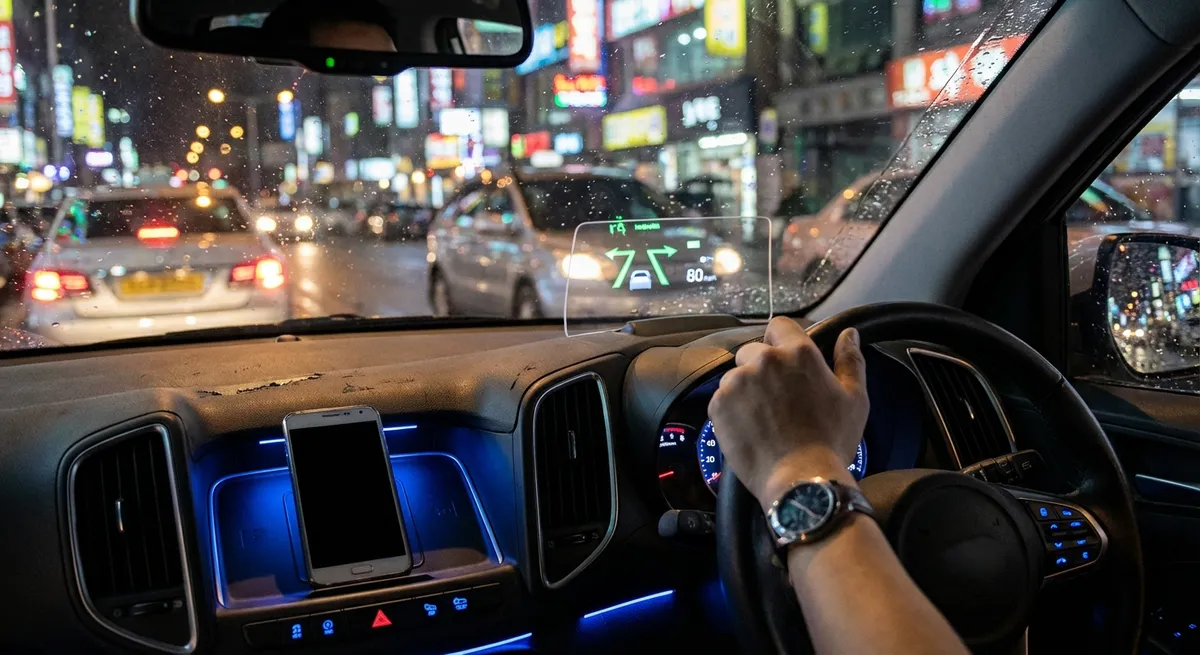
This guide focuses on practical, real-world auto tech upgrades and settings you can use right now. No hype—just tools that make your commute, road trips, and weekend runs meaningfully better.
Turn Your Phone Into a Safer, Smarter Control Center
Most drivers are barely scratching the surface of what Apple CarPlay, Android Auto, and Bluetooth integration can do. Done right, your phone becomes a safe, voice-controlled hub—not a dangerous distraction in your hand.
Actionable steps:
- Set up CarPlay or Android Auto properly (wired or wireless).
- Plug in once (or pair wirelessly) and follow the prompts.
- On your phone, hide or rearrange apps you don’t need on the car screen (TikTok has no business there; navigation and audio do).
- Lock down notifications while driving.
- Enable “Do Not Disturb While Driving” (iOS) or Android’s driving mode to silence non-urgent alerts.
- Allow only critical contacts or navigation alerts to break through.
- Build a “driving home screen.”
- Pin your go-to apps: maps, main music/podcast app, EV or fuel app, and messaging (for voice-only use).
- Disable notifications for social media apps entirely when connected to your car.
- Use voice commands for everything you reasonably can.
- Learn 5–10 key phrases: “Call…,” “Text…,” “Navigate to…,” “Play…,” “Read new messages.”
- Avoid manual typing—if it requires more than one tap, use your voice.
- Use your phone as a trip log and expense tracker.
- Apps like Fuelly, MileIQ, or manufacturer apps let you track mileage, fuel use, and maintenance.
- This pays off for warranty claims, resale value, and tax records if you drive for work.
Well-configured phone integration gives you modern in-car tech even if your built-in infotainment is basic or outdated.
Use Advanced Driver Assistance as a Co-Pilot, Not an Autopilot
Modern vehicles increasingly include ADAS (Advanced Driver Assistance Systems) like lane-keeping assist, adaptive cruise control, blind-spot monitoring, and automatic emergency braking. Used well, these systems reduce fatigue and catch what you miss—but they’re not self-driving.
Actionable steps:
- Learn exactly what your system can and cannot do.
- Read the “Driver Assistance” section of your owner’s manual or look up your model on the manufacturer’s site.
- Note speed limits, weather limitations, and types of roads where features work best (many need clear lane markings).
- Customize sensitivity and alerts.
- If lane-keep is “tugging” too aggressively, dial it back in settings instead of turning it off entirely.
- Choose alert types (chimes vs steering vibration) that you’ll actually notice without being annoyed.
- Use adaptive cruise control for long highway stretches.
- Set a slightly longer following distance than you think you need; it’s smoother and safer.
- Keep your hands on the wheel and eyes forward—treat it as an assistant managing speed, not a self-driving mode.
- Treat blind-spot monitoring as a backup, not your primary check.
- Keep doing shoulder checks; the radar can be blocked by dirt, snow, or unusual angles.
- Clean the sensors (often in the rear bumper) periodically to reduce false positives/negatives.
- Review your alerts after a long drive.
- Some cars log lane departure warnings, forward collision alerts, or hard braking.
- If you’re getting frequent alerts in the same scenarios, that’s a sign to adjust your driving—or your system settings.
The goal is to let tech reduce your workload, not your awareness.
Upgrade Your Lighting and Visibility for Real-World Night Driving
You don’t need a full headlight retrofit to see and be seen better. A few focused tech-related tweaks can make night driving less tiring and much safer.
Actionable steps:
- Check and optimize your headlight aim.
- Mis-aimed headlights are common, even on new cars.
- Use a flat wall and level surface: park about 25 feet away and adjust so the beam cutoffs are slightly below headlight height.
- Or have a shop check alignment during your next service.
- Choose the right bulbs before “going brighter.”
- Use bulbs that meet local regulations (e.g., DOT-approved in the U.S.).
- Avoid ultra-blue “style” bulbs; they often reduce actual usable light and increase glare.
- If upgrading to LED or HID in a halogen housing, research carefully—many kits cause excessive glare and are illegal.
- Turn on auto high beams if you have them—and know when to override.
- Auto high beams can significantly improve rural and highway visibility.
- Be ready to switch them off in mist, heavy traffic, or when they’re slow to react to oncoming cars.
- Leverage built-in visibility tech you may have ignored.
- Enable auto-dimming mirrors to cut glare from cars behind you.
- Use rear cross-traffic alert and parking sensors in poorly lit parking lots, not just in daylight.
- Track weather visibility in your navigation and apps.
- Apps with live weather overlays can help you anticipate fog or heavy rain sections on longer trips.
- In bad conditions, switch your instrument cluster to a simpler layout—fewer distractions equals better focus.
Improving visibility is one of the most cost-effective, tech-adjacent upgrades you can make for real-world safety and comfort.
Get More From Your Car’s Data: Apps, OBD-II, and Energy/Fuel Tracking
Every modern car constantly generates data. A little effort turns that data into useful insight—whether you’re optimizing fuel economy, monitoring health, or just keeping an eye on expensive components.
Actionable steps:
- Install your manufacturer’s official app and actually explore it.
- Features may include remote start/lock, tire pressure status, software update notifications, and maintenance reminders.
- For EVs and plug-in hybrids, you can schedule charging for off-peak hours and pre-condition the cabin while plugged in.
- Use an OBD-II adapter and app for deeper diagnostics.
- A basic Bluetooth OBD-II dongle plus an app (like Torque Pro, Car Scanner, or Carista) can read error codes and live data.
- This helps you distinguish a serious issue from a simple sensor glitch before heading to a shop.
- Monitor real-time fuel or energy usage to improve your driving.
- Watch short-term fuel economy readouts or kWh/100 miles averages.
- Experiment with smoother acceleration, earlier upshifts (or gentler throttle on automatics), and coasting to red lights. You’ll see immediate feedback in the data.
- Set up tire pressure and temperature alerts.
- Many cars with TPMS (tire pressure monitoring systems) allow custom thresholds.
- Slightly low pressure wastes fuel and accelerates tire wear; early alerts prevent blowouts and uneven wear.
- Track battery health and charging patterns in EVs and hybrids.
- Avoid frequent 100% fast charges if your manufacturer recommends staying below full for daily use.
- Use the app to schedule charging to reach near-full just before departure rather than sitting at 100% for hours.
Data-driven decisions save money over time and help you catch small problems before they turn into big repairs.
Make Your Car Harder to Steal With Simple Tech Habits
Today’s thieves often use tech themselves—relay attacks on keyless systems, OBD hacking, or signal jamming. You don’t need a full security overhaul to raise the difficulty level significantly.
Actionable steps:
- Harden your keyless entry system.
- Store key fobs away from doors and windows, ideally in a signal-blocking pouch or metal box to reduce relay attack risk.
- If your car allows it, disable passive keyless entry and require a button press on the fob to unlock.
- Turn on every available built-in security feature.
- Enable alarm systems, motion sensors, and tilt sensors.
- Activate any manufacturer tracking or “Find My Car” features and ensure they’re linked to your current phone and email.
- Use visible deterrents even if you have advanced systems.
- A simple steering wheel lock, pedal lock, or parking boot is still extremely effective and highly visible.
- Thieves often skip the “extra work” cars and move on.
- Secure your OBD-II port if theft is a concern in your area.
- Some cars can be programmed only to accept authorized keys or ECUs.
- Aftermarket OBD locks or relocation kits make it harder to plug in a programmer quickly.
- Back up your tech with old-fashioned good habits.
- Don’t leave keys in the car, even in push-button models.
- Avoid leaving garage door openers in visible spots.
- Park in well-lit, camera-covered areas whenever possible—even the smartest alarm is better with witnesses.
Security tech works best as a layered system: electronic defenses plus physical deterrents plus smart behavior.
Conclusion
Auto tech isn’t just about futuristic features—it’s about using the tools you already have (or can easily add) to drive safer, spend less, and reduce stress.
If you:
- Configure your phone and infotainment for safe, focused driving,
- Treat driver assistance systems as skilled helpers instead of pilots,
- Improve visibility with smarter lighting and settings,
- Pay attention to your car’s data instead of ignoring it, and
- Layer simple tech-based security with good habits,
you’ll end up with a car that feels smarter every day—without needing to trade it in for the latest model.
Sources
- [NHTSA – Advanced Driver Assistance Systems (ADAS)](https://www.nhtsa.gov/equipment/advanced-driver-assistance-systems-adas) – Overview of common driver assistance features, their benefits, and limitations.
- [AAA – Vehicle Technology Resources](https://www.aaa.com/autorepair/articles/understanding-advanced-driver-assistance-systems) – Practical explanations of modern in-car technologies and how to use them safely.
- [IIHS – Headlight Ratings and Importance](https://www.iihs.org/ratings/headlights) – Research on how headlight performance affects real-world crash risk and nighttime visibility.
- [FTC – Consumer Advice on Connected Cars](https://www.consumer.ftc.gov/articles/connected-cars) – Guidance on data, security, and privacy issues related to connected vehicle technology.
- [US Department of Energy – Fuel Economy.gov Driving Tips](https://www.fueleconomy.gov/feg/driveHabits.jsp) – Evidence-based tips on driving habits and vehicle use that impact fuel consumption and efficiency.