Use Your Driver Alerts as a Safety System, Not Background Noise
A lot of cars now come with driver assistance features like lane departure warning, blind-spot monitoring, rear cross-traffic alert, and forward collision warning. Many drivers find the beeps annoying and turn them off—or tune them out. That’s a mistake if you drive in busy traffic or on long commutes.
Start by going into your vehicle’s settings menu (usually via the infotainment screen or a “Vehicle”/“Driver Assist” submenu) and reviewing every assistance feature your car offers. Customize the sensitivity where possible: for example, some systems let you change when lane departure warnings activate or how early a forward collision alert triggers. If you find visual alerts easier than tones, switch to that where possible so you’re less tempted to disable them.
On multi-lane highways, pay attention to how blind-spot monitoring behaves when you overtake or get overtaken. Treat the warning as a second set of eyes, not a replacement for mirror checks. If your car has rear cross-traffic alert, make it a habit to reverse slowly from parking spaces and let the system scan—especially in crowded lots where sight lines are blocked. When tuned to your preferences and used consciously, these alerts become a layered safety net instead of random noise.
Turn Your Phone and Car into a Routing Team, Not Just a Map
Navigation isn’t just “type address, follow directions.” Used well, it can cut stress, save fuel, and keep you out of trouble. Most newer vehicles offer built-in navigation, Apple CarPlay, Android Auto, or at least Bluetooth connectivity—and each has strengths.
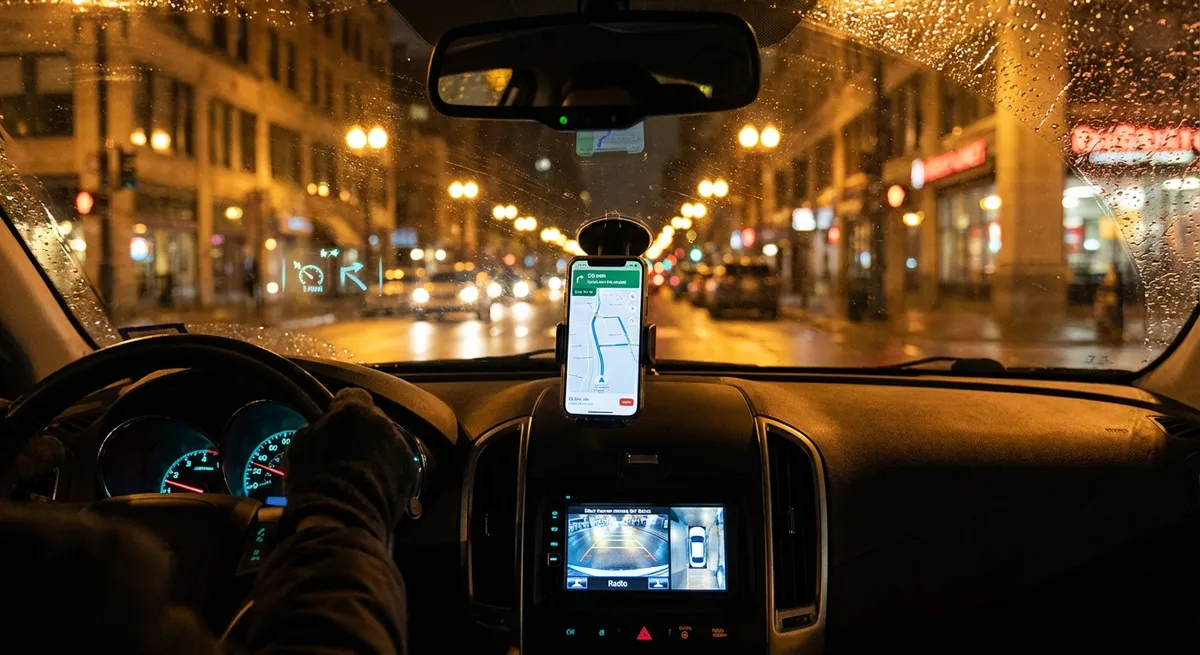
If you have CarPlay or Android Auto, use your favorite live-traffic app (Apple Maps, Google Maps, or Waze) for route planning. These apps use real-time data to re-route around incidents and adjust ETAs based on conditions. Before starting the engine, set your destination while parked; this avoids fumbling at lights and keeps you focused once you’re moving. For frequent trips (work, gym, daycare), save locations and let the app suggest departure times based on typical traffic patterns.
Where possible, choose routes that balance time and complexity. Shaving two minutes off a commute in exchange for five tricky turns and three aggressive merges often isn’t worth it. Many apps allow you to avoid tolls, ferries, or unpaved roads—tweak these in settings to match your preferences and fuel budget. If your car has built-in navigation with offline maps, keep those maps updated; they’re a reliable backup when cell service drops, such as on rural road trips or mountain drives.
Use Real-Time Data to Drive More Efficiently (Without Hypermiling)
You don’t need to “hypermile” or drive like a robot to get better fuel economy or range. Small, tech-informed adjustments add up. Most modern dashboards and infotainment systems show average fuel economy, instantaneous fuel use, and sometimes “eco-score” or efficiency coaching graphics.
Start by resetting your trip computer at each fill-up or long drive to see realistic fuel economy for that driving cycle. Watch how the instantaneous MPG (or L/100 km) readout reacts when you accelerate hard, cruise at different speeds, or tailgate versus leaving a smooth following distance. This visual feedback trains your right foot to be smoother: gentle throttle inputs, earlier upshifts (if you have manual control), and anticipating traffic lights so you can coast instead of brake hard.
If your vehicle has selectable drive modes (Eco, Normal, Sport), experiment with Eco or “Comfort” mode in city driving. These often soften throttle response and optimize transmission behavior to lower fuel use, while still being perfectly usable day-to-day. On EVs and many hybrids, adjust regenerative braking settings and watch how much energy you recapture in stop-and-go traffic. Over a few weeks, you’ll find a driving style that feels natural yet consistently beats your previous fuel or energy consumption numbers.
Treat Over-the-Air Updates and Software Settings Like Maintenance
Cars are increasingly software-defined. Even if you don’t own a Tesla or cutting-edge EV, your vehicle may receive software updates at the dealer or, in newer models, over-the-air (OTA) via Wi-Fi or cellular. These updates can quietly improve performance, fix bugs, and update safety system behavior.
Check your owner’s manual or manufacturer’s website to see how your specific model gets updates. If OTA is supported, connect the car to your home Wi-Fi when parked in the garage or driveway and allow scheduled updates during off-hours. For vehicles that require dealer updates, ask about software checks during routine service appointments—not all dealers apply every optional update by default unless it’s a safety recall.
Beyond updates, spend time in your settings menu as if you were setting up a new phone. Adjust headlight auto-on sensitivity, auto-lock behavior, wiper sensitivity, mirror tilt in reverse, and seat/steering memory profiles. Properly set auto-high beams and automatic emergency braking can improve both comfort and safety at night. If your car supports user profiles linked to keys or phone keys, set them up so each driver gets their preferred seating, climate, and assist settings instantly instead of constantly compromising.
Add Smart Aftermarket Tech Where Your Car Falls Short
You don’t need to trade in your vehicle to get many of the benefits seen in newer models. A few well-chosen aftermarket tech upgrades can modernize an older car in a very practical way, especially if the fundamentals (engine, transmission, structure) are still solid.
If your car lacks modern infotainment, consider a quality head unit with Apple CarPlay/Android Auto from a reputable brand (Pioneer, Kenwood, Sony, etc.). This instantly upgrades navigation, hands-free calling, and audio streaming while keeping your phone’s interface familiar. For vehicles without a backup camera, an aftermarket camera integrated into the license plate area or trunk handle, feeding into a dash display or replacement head unit, can significantly improve safety when reversing.
Dash cams are another high-value upgrade. Look for units with loop recording, G-sensor impact detection, and, if parked on busy streets, parking mode. This tech doesn’t just capture accidents—it can help document hit-and-runs, parking lot damage, and road incidents. If you drive an older car with no tire pressure monitoring system (TPMS), external TPMS kits with valve-cap sensors and a small in-cabin display are inexpensive and can prevent blowouts and uneven tire wear. The key is to choose a few upgrades that solve real problems you face (like blind spots, parking anxiety, or poor connectivity) rather than bolting on every gadget you see online.
Conclusion
Auto tech isn’t just about the newest EV or the flashiest dashboard. Used intentionally, the technology in almost any modern car—plus a few smart add-ons—can make everyday driving safer, cheaper, and less stressful. Dial in your driver alerts, let your navigation do more of the planning, drive with live feedback from your gauges, treat software as part of maintenance, and selectively upgrade where your car falls short. Over time, these small, practical moves add up to a smarter daily drive without needing a brand-new car.
Sources
- [NHTSA: Advanced Driver Assistance Systems (ADAS)](https://www.nhtsa.gov/equipment/driver-assistance-technologies) - Overview of common driver assistance technologies and how they enhance safety
- [IIHS: Front Crash Prevention and Other Crash Avoidance Technologies](https://www.iihs.org/topics/advanced-driver-assistance) - Research-based information on the effectiveness of crash avoidance systems
- [U.S. Department of Energy: Fuel-Efficient Driving Tips](https://www.fueleconomy.gov/feg/driveHabits.jsp) - Practical guidance on driving behaviors that improve fuel economy, including using in-car feedback
- [AAA: In-Car Technology Usage and Safety](https://www.aaa.com/autorepair/articles/understanding-your-cars-advanced-safety-features) - Explains how to use modern safety and driver assistance features effectively
- [Consumer Reports: Aftermarket Car Tech Upgrades](https://www.consumerreports.org/cars/buying-guide/ways-to-modernize-an-old-car-a6936038592/) - Independent review and advice on upgrading older vehicles with newer tech features