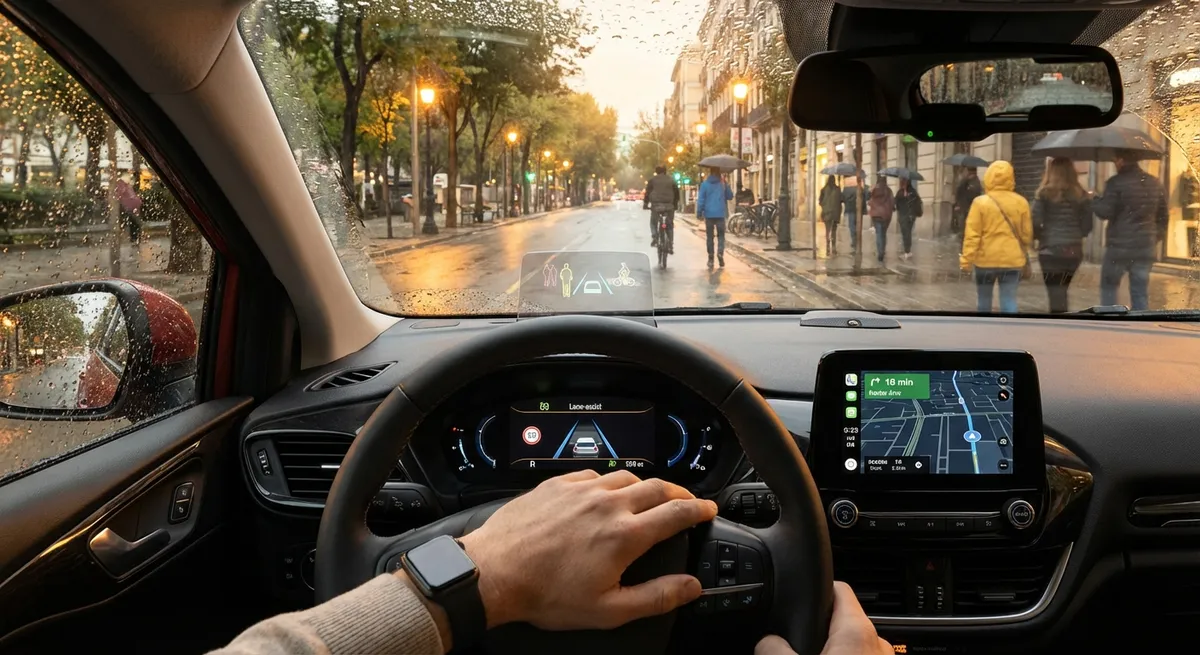
Make Driver-Assistance Work With You, Not Instead of You
Advanced driver-assistance systems (ADAS) are meant to support an attentive driver, not replace one. Understanding what your car’s systems do—and don’t do—is the difference between safer driving and dangerous over-confidence.
Many cars now include features like adaptive cruise control, lane-keeping assist, blind-spot monitoring, and automatic emergency braking. These are not “autopilot” tools; they’re guardrails. Before you rely on anything, dig into your owner’s manual or the manufacturer’s online guide for your exact model. Look up how your system detects vehicles (camera, radar, lidar), when it works (day/night, in rain, at low speeds), and its limitations (sharp curves, poor lane markings, glare).
On your next highway drive, activate one system at a time and note how it behaves: when adaptive cruise slows down, how smoothly lane-keeping adjusts the wheel, and when alerts trigger. If something feels intrusive, adjust sensitivity instead of turning it off completely; most vehicles let you tune alert volume, warning timing, and steering assist strength. Treat the car’s warnings as early cues to check mirrors, speed, and following distance, not as a reason to relax your attention.
Actionable point #1:
Set aside 30–45 minutes to go through your car’s driver-assistance settings and manual, then test each major feature in low-traffic conditions. Customize alerts so they’re early enough to be useful but not so frequent that you ignore them.
Use Your Phone and Infotainment Without Becoming a Hazard
In-car touchscreens and smartphones are now as distracting as billboards once were—except they’re inside your field of view and tempting you constantly. The practical goal is to offload the “fiddling” before you shift into Drive.
Before leaving, set your navigation destination, choose your playlist or podcast, and connect your phone via Apple CarPlay or Android Auto if available. Use your car’s built-in voice assistant or the phone’s assistant (Siri, Google Assistant) for mid-drive changes: “Call home,” “Text I’m 10 minutes away,” or “Find nearby gas stations.” This keeps your hands on the wheel and your eyes on the road.
If your car doesn’t support CarPlay or Android Auto, a quality phone mount placed near your natural line of sight is a simple upgrade. Combine it with Do Not Disturb While Driving (or Focus modes) so only important calls or messages get through. The key is creating a setup where you rarely have to look down or navigate menus.
Actionable point #2:
Configure a “drive profile” on your phone today: enable Do Not Disturb While Driving, set allowed contacts, and pin your most-used navigation and audio apps to the first screen you see when the phone is mounted.
Turn Basic Sensors and Cameras Into Parking Tools, Not Noise
Parking sensors and cameras are more than just beeping gadgets—they can reduce minor accidents, avoid curb rash, and save money on repairs and tires. But they only help if you understand what they’re telling you and trust them enough to use them.
Learn the distance behind each warning tone or color indicator. In an empty parking lot, slowly reverse toward a wall or large object while watching your backup camera and listening to the beeps. Note when the system shows yellow, orange, or red, and how much space is actually left when it reaches its “stop” alert. This gives you a mental calibration of your car’s size.
If your car has a 360° (surround-view) camera, practice using it to center yourself within parking lines and avoid wheel damage on curbs. Many systems also have cross-traffic alert—pay attention to how early it warns you about cars or pedestrians when backing out of a space. Try not to rely on one view alone; use mirrors, camera, and sensors together like extra layers of awareness.
Actionable point #3:
Spend 15 minutes in an empty lot calibrating your parking aids: back slowly toward a target, note each warning stage, and check how much real distance is left. This makes sensor beeps meaningful instead of annoying noise.
Use Connected-Car Data to Spot Problems Early
Connected-car services and onboard diagnostics (OBD-II) are quiet goldmines of information about your vehicle’s health. Instead of ignoring warning lights until something fails, you can catch trends early and fix issues before they become expensive.
If your car manufacturer offers a companion app, explore the maintenance, alerts, and vehicle-health sections. Many apps show tire pressures, oil-life estimates, upcoming service intervals, and even remote diagnostic reports. Set reminders for mileage-based maintenance and turn on push notifications for any warning indicators or recall notices.
For older cars or models without a robust app, an inexpensive Bluetooth OBD-II adapter plus a reputable app can show fault codes, coolant temperature, misfires, and more in plain language. While you’ll still want a professional diagnosis for serious issues, seeing a persistent misfire or a slow rise in engine operating temperature gives you time to schedule service instead of waiting for a breakdown.
Actionable point #4:
Install your carmaker’s official app (or pair a trusted OBD-II adapter) and enable notifications. Check your “vehicle health” or code-readout screen once a week—right after fueling up is an easy habit point.
Let Navigation and Traffic Data Do the Boring Thinking
Navigation today is more than maps and turn-by-turn directions; it’s live traffic, road-closure updates, and even weather-aware routing. Used well, it can cut stress, smooth your commute, and even save fuel.
Even if you know your route, keep navigation active in congested or unfamiliar areas. Apps like Google Maps, Waze, or your car’s built-in system can warn you about sudden slowdowns, accidents, or hazards in real time, often in time to choose a better lane or an alternate exit. Many systems adjust ETAs dynamically and suggest reroutes when a road becomes heavily congested.
Pair live navigation with your fuel and charging strategy. Some vehicles and apps highlight efficient fueling spots along your path, and EV-specific routing tools plan stops based on charger availability, your current state of charge, and terrain. If your car supports it, use eco-routing modes that slightly lengthen the distance but cut idle time and harsh stop-and-go, improving both fuel economy and your mood.
Actionable point #5:
Use live navigation on your regular commute for one week, even if you know the way. Watch how often traffic alerts, reroutes, and hazard reports would have changed your lane choice, departure time, or route.
Conclusion
Car tech only delivers value when it’s understood and used with intention. Driver-assistance features are extra eyes and hands—not a replacement for yours. Your phone and infotainment can be tools or distractions, depending on the rules you set. Sensors and cameras can transform tricky parking into a precise, low-stress task. Connected data reveals problems early. And live navigation quietly optimizes every trip in the background.
Take an hour this week to tune how your tech works for you: explore your ADAS settings, organize your phone’s driving setup, calibrate your parking aids, enable vehicle-health monitoring, and run navigation even on familiar routes. Those small, deliberate changes can add up to safer, calmer, and more efficient miles in the car you already drive.
Sources
- NHTSA – Driver Assistance Technologies - Overview of common ADAS features, capabilities, and limitations
- IIHS – Crash Avoidance Technologies - Research on the effectiveness of advanced driver-assistance systems
- AAA – Vehicle Technology Resources - Plain-language explanations of modern in-car safety features and how to use them
- National Safety Council – Distracted Driving - Data and guidance on using mobile devices more safely while driving
- U.S. Department of Energy – Fuel-Efficient Driving Tips - How routing, traffic, and driving habits affect fuel economy