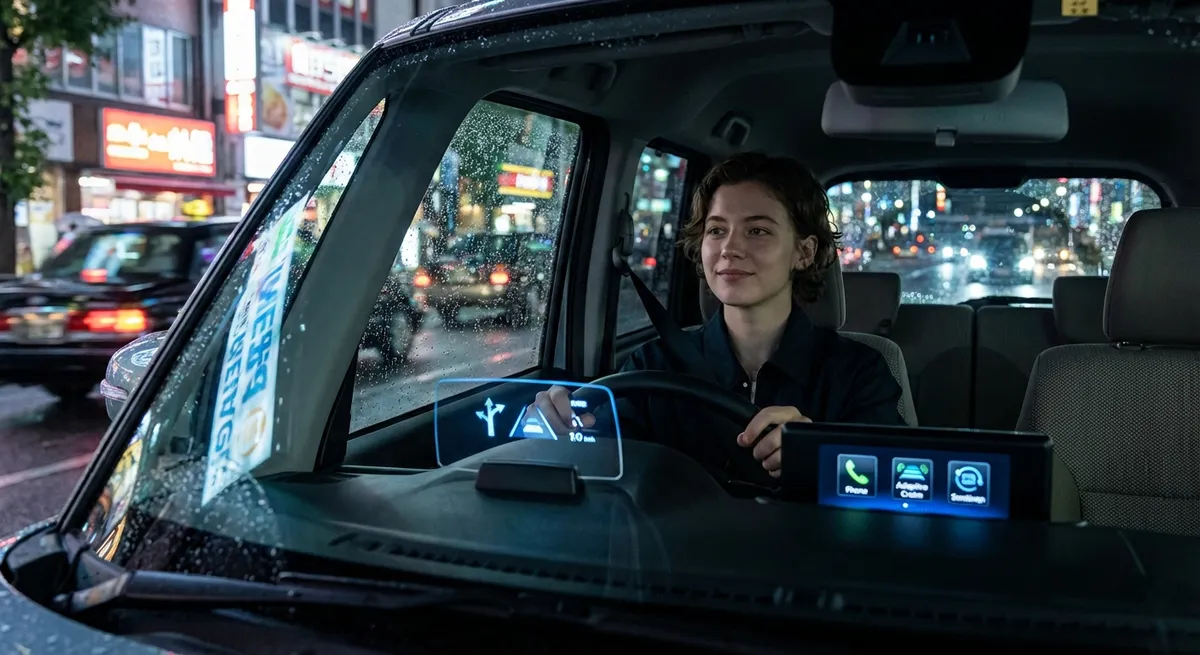
This guide walks through five practical, tech-focused moves you can start using right away—whether you’re in a new EV, a mid-2010s commuter, or something in between.
Turn Driver-Assistance from Annoyance into a Real Co‑Pilot
Many drivers switch off features like lane-keeping assist or adaptive cruise because they “feel weird” or beep too much. With a few adjustments, these can become genuinely helpful instead of distracting.
First, find your vehicle’s driver-assistance settings menu (often under “Driver Assist,” “Safety & Driving Assistance,” or similar). Adjust alert volume and sensitivity: set lane departure warnings to “vibration only” (steering wheel or seat) if audible beeps stress you out. For adaptive cruise control, increase following distance by at least one notch in heavy traffic to reduce constant braking and re-accelerating.
Use lane-keeping and adaptive cruise together on highways you know well. Keep your hands on the wheel and treat the systems as a smoother cruise control, not as “self-driving.” If you feel the car “fighting” you in construction zones or back roads, temporarily disable lane-keeping for that stretch—most cars let you toggle it off with a steering-wheel button.
The goal isn’t to let the car drive itself—it’s to reduce fatigue on long drives and help you catch lapses in attention before they become dangerous. With the right settings, these systems quietly back you up instead of nagging you.
Make Your Phone and Car Work as One System, Not Two
Most drivers pair their phone once, then never revisit the setup. You can get a lot more out of Apple CarPlay, Android Auto, or your car’s native system with a one-time tune-up.
Start by cleaning your paired devices list in the infotainment settings. Remove old phones and guest devices so your primary phone always connects first and fastest. Set a single default navigation app (Google Maps, Apple Maps, or Waze) and stick with it in the car to build consistent habits and saved locations.
Next, customize your CarPlay or Android Auto home screen to show only your most-used apps: maps, music/podcasts, and one messaging app. Hide or remove everything else to reduce distraction. Disable message previews on the car screen where possible, and rely on voice read-outs and dictation instead.
If your car supports wireless CarPlay/Android Auto but you’re noticing lag or random drops, switch to a good-quality wired cable for road trips. Wired connections are often more stable and charge faster, especially on older systems.
Think of your phone-and-car combo as a single platform: one navigation app, one primary audio app, and a clean, minimal interface. The less you poke the screen, the more you’ll trust the setup.
Use Built-In Energy and Fuel Data to Cut Real Costs
Even if you don’t drive a hybrid or EV, your car likely has more useful fuel/energy data than you realize—and it can directly change what you pay at the pump or charger.
On gasoline cars, locate your “trip computer” or fuel economy screen. Reset Trip A at every fill-up and watch your average MPG over the tank, not just in real time. This smooths out the noise from hills and stoplights and shows whether your changes in driving style actually matter. Try one change per tank—like accelerating gentler to 2,000–2,500 RPM—and see if the average shifts by the next fill-up.
If you drive a hybrid or EV, pay attention to trip consumption and regenerative braking stats. Use “eco” or “efficiency” modes in city driving and hilly areas where regen can recover more energy. In an EV, precondition the cabin while plugged in (if your car supports it) so heating or cooling uses grid power instead of chewing through your battery at the start of your drive.
For all powertrains, tire pressure monitoring systems (TPMS) are underrated fuel tools. Set a recurring reminder in your phone to check pressures monthly and before long trips. Even 3–4 PSI under the recommended pressure can noticeably hit your efficiency numbers and responsiveness, especially on smaller engines or EVs.
When you actually watch the data by trip or tank—and make one deliberate change at a time—you can turn abstract “fuel economy” talk into visible savings.
Treat Your Camera and Sensor Suite Like a Second Set of Eyes
Backup cameras and parking sensors are now standard, but they’re capable of more than just not hitting the car behind you at the grocery store.
First, clean the lenses regularly. A quick wipe with a microfiber cloth or lens-safe wipe once a week (and after bad weather) restores clarity and low-light performance. Dirty cameras can make you misjudge distance, especially at night or in rain.
If your car has multiple camera views (wide-angle, top-down, or split-screen), learn when each is most useful. Use the wide-angle rear view for busy parking lots, top-down/360 view for tight parallel parking, and front camera (if equipped) when pulling slowly out of alleys or past large parked vehicles that block your sightline.
Calibrate your parking sensors mentally: in an empty lot, slowly approach a cone, trash can, or other object while listening to the beeps. Note how close you actually are when the beeps become continuous. This quick test helps you trust the alerts instead of either ignoring them or panicking.
Finally, use cameras as a double-check, not a replacement, for shoulder checks and mirrors. Let sensors warn you about low objects, kids’ bikes, or posts you might miss—but always build your view in this order: mirrors → over-the-shoulder → camera.
Used this way, your tech augments your awareness instead of replacing it.
Put Over-the-Air Updates and Apps on Your Maintenance Calendar
Cars are increasingly software-defined, and that software quietly changes over time. Treat updates like an extension of maintenance instead of an afterthought.
If your car supports over-the-air (OTA) updates, go into the settings and enable automatic downloads but manual install confirmations. That way, you can choose a safe time (like overnight in your driveway) to actually apply updates. Many manufacturers publish release notes—look them up on the brand’s app or website so you know what changed, especially for anything touching driver-assistance or charging behavior.
Install the official app for your car’s brand, even if you think you won’t use “remote start from your phone.” These apps often surface service campaigns, recall notices, or recommended maintenance early. They may also let you check tire pressures, battery state of charge, and lock status without getting in the car.
Set calendar reminders—every three or six months—to open your car’s app and scroll through all tabs: service, notifications, software, and vehicle health reports. For EVs and plug-in hybrids, also review charging history and any alerts about charging speed or connector errors.
Combine this digital checkup with your physical maintenance habits (oil changes, tire rotations, etc.). Thinking about software, apps, and connectivity as part of your “maintenance stack” keeps your car safer, more efficient, and sometimes more feature-rich than when you bought it.
Conclusion
Auto tech doesn’t have to mean chasing the latest gadget or trading into something new every few years. Most drivers are sitting on features that can measurably improve safety, comfort, and costs—they just need a bit of setup and intentional use.
Dial in your driver-assistance settings, simplify your phone integration, actually watch your efficiency data, retrain how you use cameras and sensors, and fold software/apps into your regular maintenance habits. Do those five things, and your current car will feel noticeably more capable and less stressful to live with—no new hardware required.
Sources
- NHTSA: Driver Assistance Technologies - Overview of common driver-assistance systems and how they’re intended to be used
- IIHS: Rearview Cameras and Other Backup Aids - Research and guidance on using cameras and parking aids to reduce backing crashes
- U.S. Department of Energy: Fuel Economy Guide - Practical advice on driving habits and vehicle features that improve fuel efficiency
- Energy.gov: Electric Vehicle Basics - Technical but accessible explanations of EV-specific features and efficiency considerations
- Consumer Reports: Car Software Updates Explained - Discussion of over-the-air updates, why they matter, and what owners should know