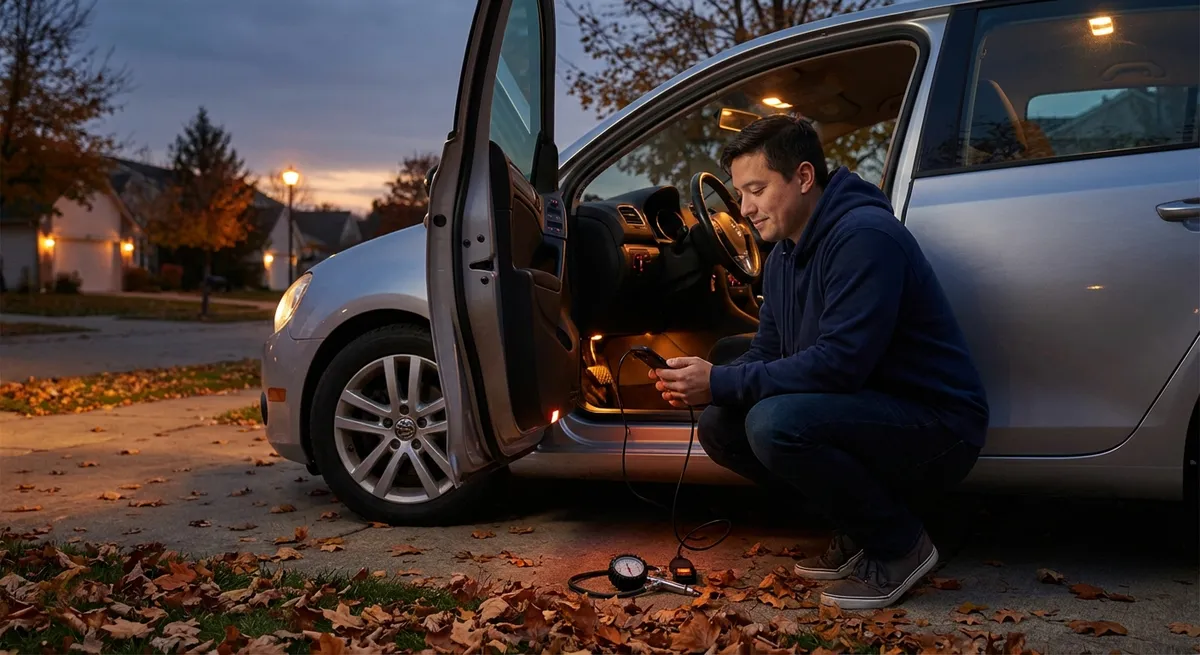
Below are five practical, tech-focused habits you can build into your routine, whether you’re a daily commuter, weekend road-tripper, or just serious about taking better care of your car.
Make Your Dashboard Work for You, Not Against You
If your instrument cluster and center screen feel cluttered, that’s not just annoying—it can quietly undermine your attention on the road.
Start by customizing your digital display (or the limited options you have, if it’s an older car). Most vehicles let you choose what’s shown in the main view: trip info, fuel economy, navigation prompts, or driver-assist status. Pick only what you actually glance at while driving and hide everything else. For many drivers, a simple layout—speed, current speed limit if available, and navigation directions—is more than enough.
In vehicles with a head-up display (HUD), keep it minimal and low in your field of view. Avoid packing it with radio info, phone calls, or flashy graphics; focus on speed and navigation prompts. This reduces the urge to constantly peek at your center screen.
If your cluster supports “driver profiles,” set up separate views for different needs: one for daily commuting (traffic and fuel/EV range focus), another for highway trips (navigation and driver-assist status), and one for performance driving (tachometer and temperature readouts, if applicable). Lock these profiles so you don’t have to fiddle with menus while in motion.
Finally, learn how to quickly cycle between views using steering wheel buttons. Spending five minutes parked, pressing every button and watching what changes, often pays off in fewer distracted moments at 70 mph.
Actionable habit: Once a month, spend 10 minutes parked adjusting your display layout and removing anything you don’t actually use while driving.
Treat Your Phone and Car as a Single System
Your car’s tech doesn’t live in isolation—your phone is now part of the vehicle ecosystem. Managing that relationship is one of the most practical ways to smooth out daily driving.
Start with your infotainment connection: Apple CarPlay, Android Auto, or your built-in Bluetooth system. Hardwire with a USB cable when possible; it’s usually more stable, faster to connect, and charges your phone. If you use wireless CarPlay or Android Auto, check your car’s software support notes (via the owner’s portal or manufacturer app) and keep your phone’s OS updated; compatibility issues are most common after big updates.
Pair only the phones you actually use in the car and delete old devices from the Bluetooth list. A long list of past devices can cause slower or failed connections and can confuse which phone the car should use for calls. Set the primary driver’s phone as the default for calls and messaging to avoid surprises.
Use your phone’s “Driving Focus” or “Do Not Disturb While Driving” mode. Configure it so calls from favorites (or specific contacts, like family) get through, but social media and nonessential notifications stay silent. This alone can make your in-car tech feel calmer and more purposeful.
Finally, secure the phone physically. A stable, air-vent or dash-mounted holder that doesn’t block your view is more than a convenience—it keeps your navigation glance predictable and safe, and reduces the temptation to pick up the device.
Actionable habit: Once every three months, clean up your car’s Bluetooth/CarPlay/Android Auto settings and your phone’s driving mode so only the devices and alerts you actually need are active.
Use Built-In Driver Assistance as a Tool, Not an Autopilot
Advanced driver-assistance systems (ADAS)—like adaptive cruise control, lane-keeping assist, and blind-spot monitoring—can be game-changing, but only if you understand exactly what they can and cannot do.
Start by going back to your owner’s manual or the official online guide for your exact trim level. Look for sections on “limitations” and “conditions where operation may be limited.” That’s where you’ll learn about things like camera confusion in heavy rain, radar issues in dirty or icy conditions, or lane-keeping that disengages on faded lane markings or sharp curves.
On a clear day, on a familiar stretch of highway, turn on each feature one at a time and observe. With adaptive cruise control, note how quickly the car reacts when a vehicle cuts in front of you and how conservatively it follows at different distance settings. With lane centering, feel how strongly it steers, and confirm that your hands must still stay on the wheel—this is support, not self-driving.
Adjust the settings to match your driving environment:
- In dense traffic, a longer following distance on adaptive cruise can reduce jerky braking.
- In construction zones or narrow lanes, it might be safer to temporarily disable lane centering if it fights you near barriers.
- For blind-spot monitoring, set the warning timing to “early” if available, especially on highways.
Keep your cameras and sensors clean. Wipe the front radar cover, rear camera, and side cameras (if equipped) with a microfiber cloth when you fuel up or charge. Many “sensor malfunction” warnings are simply dirt, bugs, or road grime.
Actionable habit: Before a long trip, intentionally test each driver-assist system on a safe, quiet road and adjust settings so they support how you actually drive, instead of surprising you.
Turn Vehicle Data Into Preventive Maintenance, Not Just Warnings
Your car is constantly generating data: oil life, tire pressure, fuel or battery usage, and diagnostic codes. Most drivers only interact with this data when a warning light appears, which is the worst time to start paying attention.
Begin with tire pressure monitoring. Instead of waiting for a low-pressure alert, check the actual PSI values on your dashboard once a month when the tires are cold. Compare what you see to the spec on the door jamb. A slow trend downward in one tire may reveal a small leak before it becomes a roadside problem. Slightly low pressures also hurt fuel economy and handling long before the warning light comes on.
If your car has an “oil life” or “service due” monitor, treat it as a guide, not an absolute. Frequent short trips, extreme temperatures, or towing can justify servicing a bit earlier than the system suggests. Record services in a simple notes app or the manufacturer’s official app so you have a clear history if you sell the car later.
Consider a simple OBD-II Bluetooth scanner if your vehicle is out of warranty or older. Paired with a reputable app, it can read basic trouble codes when a check-engine light appears. That doesn’t replace a technician, but it gives you a sense of urgency: is this an emissions sensor that can wait a few days, or a misfire that could damage the catalytic converter if ignored?
For EVs and plug-in hybrids, regularly review energy use screens. Note how climate control, speed, and route affect your range. If your estimated range starts to drop noticeably over time under similar conditions, that’s worth mentioning at your next service visit.
Actionable habit: Set a recurring calendar reminder once a month to check tire pressures, oil life (or next service countdown), and any stored alerts or warnings—even if no lights are on.
Use Navigation and Traffic Tech to Drive Strategically, Not Just Faster
Modern navigation goes far beyond “shortest route.” Used well, it can reduce stress, save fuel, and cut down on last-minute lane changes that cause close calls.
Always set your destination before you move, and enable live traffic if your system supports it. If your built-in system is outdated, use CarPlay/Android Auto with up-to-date apps like Google Maps, Apple Maps, or Waze. These pull in live incident reports, construction, and speed changes far more accurately than many older factory systems.
Customize guidance settings. In the nav app or vehicle menu, you can usually prioritize “avoid tolls,” “avoid ferries,” or “eco routes.” Eco routing may favor steadier speeds and fewer stops, which helps both fuel and EV range. In dense urban areas, sometimes a slightly longer route with fewer complex turns is actually safer and less stressful.
Use lane guidance and junction views where available. These visual cues—showing which lane you need for an upcoming exit—give you more time to position yourself calmly. For regular commutes, even if you know the way, run navigation during major weather events or rush hours to catch unexpected closures or accidents.
If your vehicle has predictive features (like predictive energy use in EVs or predictive shifting on some automatics), keeping navigation active helps the car plan ahead—preconditioning the battery, adjusting regen, or shifting earlier or later depending on terrain.
Actionable habit: Get in the habit of starting navigation for any drive longer than 15 minutes, even if you “know the way,” so you can use live traffic, lane guidance, and predictive features to reduce surprises.
Conclusion
Auto tech doesn’t have to be overwhelming or gimmicky. When you see your car’s screens, sensors, and apps as tools—not toys—you can carve out real gains in safety, comfort, and confidence behind the wheel. By tuning your displays, managing your phone connection, understanding driver assistance limits, watching your vehicle data, and using navigation strategically, you’re turning existing technology into everyday value.
You don’t need a new car to start; you just need a little time parked in your driveway, exploring menus with a purpose. The more intentional you are with your in-car tech, the more it quietly disappears into the background—and simply makes driving better.
Sources
- [NHTSA – Advanced Driver Assistance Systems (ADAS)](https://www.nhtsa.gov/equipment/advanced-driver-assistance-systems-adas) - Overview of common driver-assistance features, capabilities, and limitations
- [AAA – New Vehicle Technologies: What You Need to Know](https://www.aaa.com/autorepair/articles/new-vehicle-technologies-what-you-need-to-know) - Practical explanations of modern in-car tech and how drivers should interact with it
- [IIHS – Crash Avoidance Technologies](https://www.iihs.org/topics/crash-avoidance) - Research-based evaluation of how driver-assistance and safety technologies reduce crash risk
- [U.S. Department of Energy – Fuel Economy: Keeping Your Car in Shape](https://www.energy.gov/energysaver/keeping-your-car-shape) - Details on how tire pressure, maintenance, and driving habits impact fuel efficiency
- [Apple – Use Focus to Help You Concentrate](https://support.apple.com/en-us/HT212608) - Official guide for setting up Driving Focus to manage notifications while using in-car tech