Make Driver-Assistance Settings Match Your Driving Style
Driver-assistance tech (often grouped as ADAS—Advanced Driver Assistance Systems) is most effective when it’s tuned to you, not left on factory defaults. Features like adaptive cruise control, lane-keeping assist, and collision warnings usually have adjustable sensitivity and behavior buried in the settings menu. Take 10–15 minutes when parked to explore these options: increase following distance if you commute in heavy traffic, adjust lane-keep strength if the steering corrections feel “tuggy,” and fine-tune forward-collision alerts so they’re early enough to be useful without constantly nagging.
If your car allows, create separate driver profiles so each regular driver gets their own set of assistance behaviors, mirror positions, and seat memory. Learn how to quickly toggle or temporarily override systems—such as holding the lane-keep button to disable it on poorly marked roads—so you’re in control instead of fighting the tech. Review your owner’s manual or the in-car “Help” section to understand what each system can’t do; that keeps you from over-trusting it in bad weather, on sharp curves, or in construction zones.
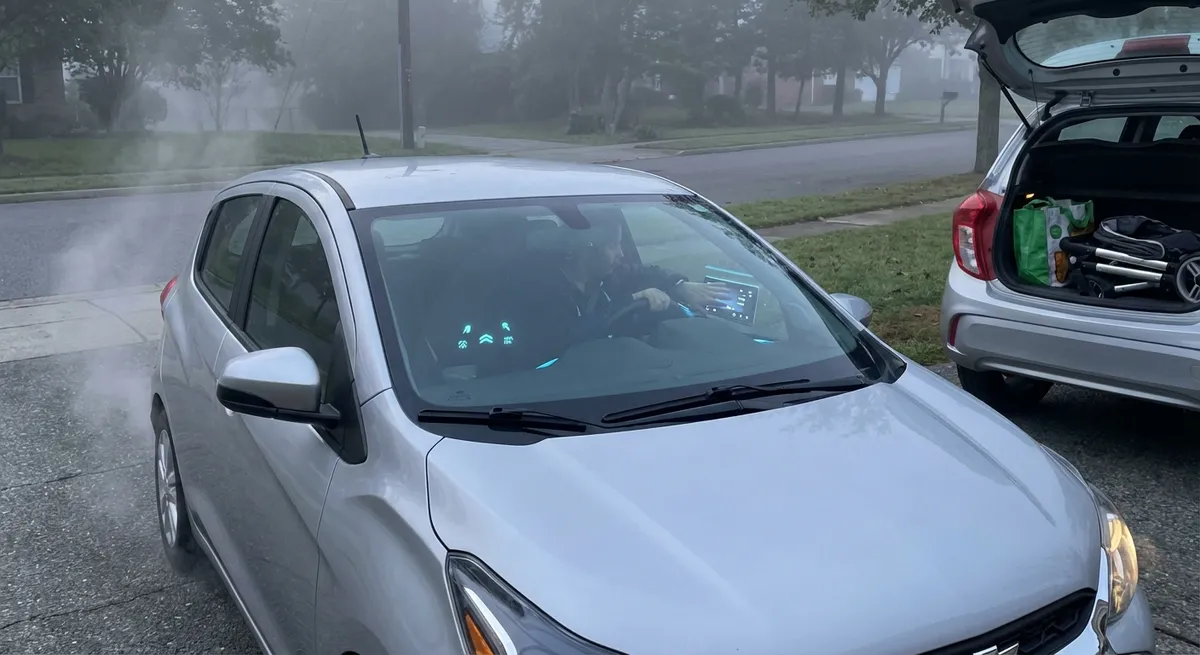
Actionable move: Sit in your driveway, ignition on, and go through every driver-assistance menu once. Adjust one setting at a time, then test it on a short, familiar route so you can feel the difference safely.
Turn Your Phone Into a True Extension of the Car
Most drivers pair their phone over Bluetooth and stop there, leaving a lot of integration power unused. If your vehicle supports Apple CarPlay or Android Auto, use the wired or wireless connection instead of basic Bluetooth whenever possible—it gives you safer voice access to navigation, media, and messaging. Rearrange the CarPlay/Android Auto home screen so your primary apps (maps, music, charging or fuel apps, and your favorite podcast app) are on the first panel, and hide or move anything you don’t use to reduce distraction.
Dig into your phone’s auto-reply and Do Not Disturb features while driving. Configure automatic text replies that tell people you’re on the road and will respond later, and set your device to read out messages only from priority contacts if your platform supports it. Location-sharing with a trusted contact can make breakdowns or unfamiliar trips less stressful, especially if your car doesn’t have built-in telematics. Finally, keep navigation apps updated and download offline maps for your usual regions so you aren’t stranded when cell coverage drops.
Actionable move: Customize your CarPlay or Android Auto layout this week: one screen for navigation and commute apps, one screen for entertainment, and remove at least three unused apps to simplify the interface.
Use Built-In Data to Actually Improve Efficiency
Onboard computers quietly collect useful data about your driving—average speed, fuel consumption or energy use, trip lengths, and even how often stop-start engages. Instead of glancing at the MPG or mi/kWh once and ignoring it, start using it as a feedback tool. Reset a trip computer at the start of your workweek, then drive normally and note the final consumption number. The following week, make one deliberate change: smoother acceleration, less hard braking, or using eco mode in city traffic. Compare results at the end of the week; even modest improvements can translate into real savings over a year.
If you drive an EV or plug-in hybrid, explore your car’s energy breakdown screens. Many models show how much power goes to propulsion, climate control, and accessories. Use that information to decide when to precondition the cabin while plugged in, adjust climate settings on longer trips, or choose speeds that hit the “sweet spot” for range. For gas and diesel vehicles, check if your infotainment or companion app offers eco-driving tips based on your specific patterns rather than generic advice.
Actionable move: Pick one trip meter and dedicate it to “experiment weeks.” Change only one variable at a time (speed, route, AC usage, drive mode), and record the difference in a simple note or spreadsheet to see what helps your real-world efficiency.
Treat Over-the-Air Updates Like Safety and Comfort Upgrades
If your car supports over-the-air (OTA) software updates, they’re more than bug fixes; they can genuinely enhance driving and ownership. These updates might improve driver-assistance tuning, fix glitches in the infotainment system, optimize battery management in EVs, or add new app support. Too many owners postpone them indefinitely, either out of habit or fear something will break. Instead, treat OTA updates like you would a phone OS update: review the release notes, schedule installation for a time you don’t need the car (overnight is ideal), and keep your car’s battery sufficiently charged beforehand.
For vehicles without full OTA capability, check the automaker’s website or app and register your vehicle to receive service campaign notices, map updates, and recall alerts promptly. Navigation map updates matter more than many people realize—outdated maps can miss new speed limits, road changes, or routing improvements that affect both safety and fuel use. When your dealer or service center mentions a “software campaign” during a visit, ask what’s being updated and whether it affects drivability, charging, or safety systems.
Actionable move: Log into your automaker’s owner portal or mobile app and verify your car’s software status. If an update is available, read the release notes and schedule a convenient install window instead of dismissing the notification.
Build a Smart Ecosystem Around Your Car, Not Just Inside It
Your car’s built-in tech is only one part of the experience; the tools around it can make ownership smoother and cheaper. Start by using a reputable maintenance or telematics app—either the official automaker app or a trusted third-party tool paired with a Bluetooth OBD-II adapter—to track service intervals, monitor basic diagnostics, and log fuel or energy use. This gives you early warning signs (like frequent misfire codes or minor sensor alerts) before they snowball into major repairs.
Pair your car with your home ecosystem where it makes sense: preheating or precooling via app when the car is plugged in at home, checking range or fuel level before deciding whether to stop on the way, or confirming that you locked the doors without walking back to the driveway. Smart chargers for EVs can coordinate with dynamic electricity pricing or solar production, reducing running costs without any extra effort once set up. For urban or apartment dwellers, use parking and charging apps proactively to find reliable spots, compare pricing, and avoid last-minute scrambles.
Actionable move: Choose one “outside the car” tool to set up this week—a maintenance tracker, a smart charging schedule, or a parking/charging locator—and integrate it into your routine until it becomes as natural as checking the weather before a trip.
Conclusion
Today’s auto tech isn’t just about flashy screens or futuristic features; it’s a toolbox that can quietly make every drive safer, cheaper, and less stressful when you actually put it to work. By tailoring driver-assistance to your style, turning your phone into a truly integrated companion, using data to refine efficiency, staying current with software updates, and building a smart ecosystem around the vehicle, you turn tech from background noise into a real advantage. The gear is already in your garage—the difference comes from how thoughtfully you use it.
Sources
- NHTSA – Overview of Advanced Driver Assistance Systems (ADAS) - Explains common driver-assistance features and their limitations
- IIHS – Partial Automation and Driver Assistance - Research-based guidance on using and understanding driver-assistance tech
- U.S. Department of Energy – Fuel Economy Tips - Details how driving behavior and speed affect efficiency
- Consumer Reports – What Over-the-Air Updates Can Do for Your Car - Overview of OTA updates and why they matter for safety and performance
- U.S. Department of Energy – Electric Vehicle Charging at Home - Practical information on EV home charging, timing, and cost optimization