Make Your Phone the Brain of Your Car (Safely and Cleanly)
If your car doesn’t have a built‑in infotainment system you love, your smartphone can quietly take over that role—without messy wires or clunky mounts.
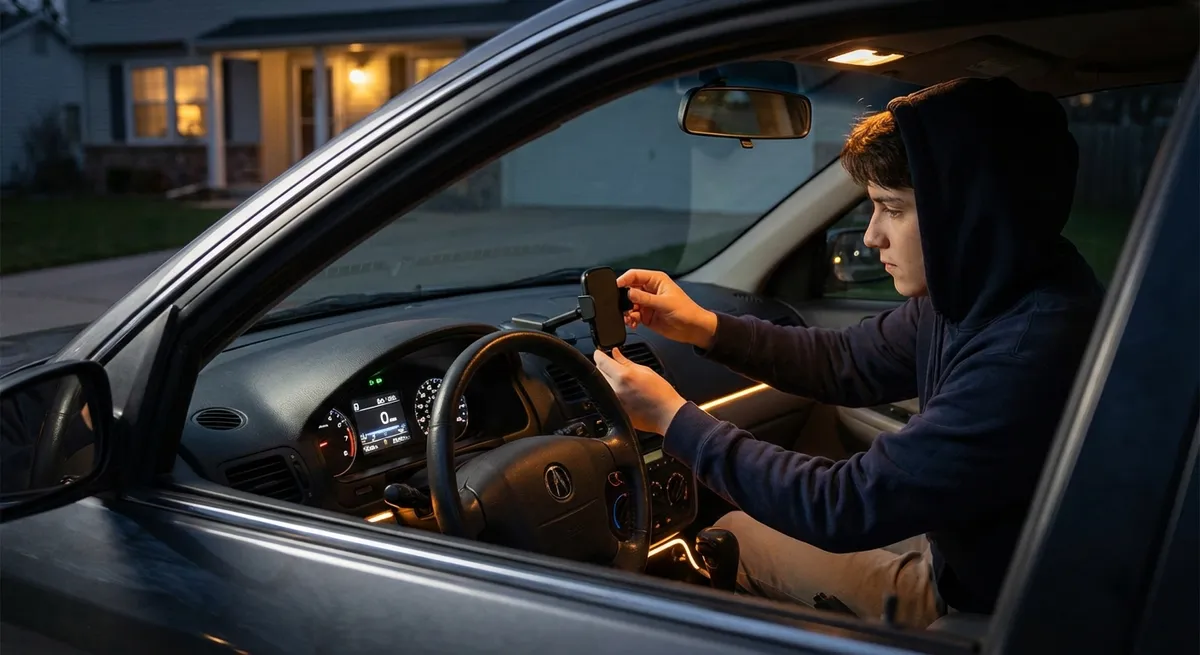
Start with a solid phone mount that sits high enough to be in your line of sight but not blocking the road or airbag deployment. Look for dash or vent mounts with strong magnetic or clamp-style grips, and avoid cheap suction cups that tend to shake, fall, or leave residue.
Next, organize your charging: use a quality USB or USB‑C car charger that delivers enough wattage for fast charging (check your phone’s recommended specs). Route cables so they don’t drape across the steering wheel, shifter, or cupholders; inexpensive cable clips or under‑trim routing can keep everything tidy.
If your car supports Apple CarPlay or Android Auto, take time to customize the interface—rearrange your apps so navigation, music, and calls are front and center, and silence notifications that don’t belong on the road. If it doesn’t support these systems, consider a modern head unit upgrade. Many aftermarket stereos now offer wired or wireless CarPlay/Android Auto, better hands‑free calling, and improved audio, often for less than you might expect a “factory‑style” upgrade to cost.
The key is to make your phone and car work together as a single, predictable system: minimal distraction, clean wiring, and only the information you actually need when driving.
Turn Your Dash into a Real Information Center
Most drivers barely scratch the surface of what their dash can show. Even on older cars, you can access more useful real‑time data with either built‑in menus or an inexpensive “OBD-II” dongle (the port usually sits under the dash near the steering column).
Start by exploring your existing instrument cluster and infotainment settings. Many vehicles let you change what’s displayed in the center screen: average fuel economy, real‑time fuel use, tire pressures, digital speed, lane-keeping status, or distance-to-empty. Choose readouts that support your goals—fuel economy if you’re trying to save money, tire pressures and temperature if you drive long distances or in extreme weather.
If your car doesn’t offer much information natively, an OBD-II Bluetooth adapter paired with a reputable app can show engine temperature, battery voltage, intake air temperature, and more. This can help you spot issues early—like a weak battery or unusual engine temperatures—before they become roadside breakdowns.
Importantly, treat this as a tool, not entertainment. Configure one or two useful screens you glance at occasionally, not a dozen gauges that tempt you into constantly watching your phone. Use the data to guide maintenance decisions, recognize patterns (like when fuel economy drops), and catch subtle changes over time.
Use Driver-Assistance Features Intentionally, Not on Default
Advanced driver-assistance systems (ADAS) like lane-keeping assist, adaptive cruise control, blind-spot monitoring, and automatic emergency braking can be incredibly useful—but only if they’re set up intentionally.
Start by reading the specific section of your owner’s manual that covers driver-assistance tech. Note what each system is designed to do, and especially what it cannot do. Many systems only function properly within certain speed ranges, road markings, or weather conditions.
Next, go into the settings menu and tailor the behavior:
- Adjust following distance on adaptive cruise so it matches your comfort level and traffic environment.
- Set lane-keeping alerts to a level that nudges you without feeling like the car is fighting you.
- Turn on visual alerts (lights in mirrors or on the dash) for blind-spot monitoring and rear cross-traffic alerts if available.
- Check whether your car allows you to save a “profile” that remembers your assistance settings.
Practice using one feature at a time on a familiar stretch of road—like a regular highway commute—so you can understand how it behaves. The objective isn’t to let the car drive for you, but to reduce fatigue and add extra layers of warning in situations where humans are more prone to mistakes, such as long highway trips or dense traffic.
If your older car lacks any ADAS, you can still improve awareness with add‑on tech like aftermarket backup cameras, parking sensors, or dashcams with rear‑view displays. These don’t replace careful driving, but they can help with tasks like tight parking, hitching trailers, or backing out of busy driveways.
Upgrade Your “Analog” Tech: Lights, Cameras, and Visibility
Some of the most impactful tech upgrades aren’t digital screens—they’re the things that change what you can see, and how clearly you can see it.
Consider improving your lighting. If your car’s headlights are dim, start with basic maintenance: clean the headlight lenses, restore cloudy plastic with a restoration kit, and ensure bulbs are not aging or mismatched. If legal in your area and compatible with your housing, you can upgrade to higher-quality halogen or OEM‑grade LED units. Avoid cheap, overly bright retrofit bulbs that scatter light and can blind other drivers; beam pattern and regulatory compliance matter more than raw brightness.
A quality dashcam is another practical upgrade. Modern models can record front and rear views, offer parking mode to capture incidents when you’re away, and automatically save clips when they detect an impact. Choose a unit with good low‑light performance and secure mounting, and use a properly rated memory card to avoid file corruption. Hardwiring kits can keep the setup clean and free up your 12V outlet for other uses.
Inside the car, small changes like an auto-dimming rearview mirror, better wiper blades, or a rain‑repellent treatment on the windshield can dramatically improve night and wet‑weather driving. None of these feel flashy, but together they make every trip safer and less tiring.
Use Apps and Alerts to Stay Ahead of Problems, Not Chase Them
You don’t need to memorize your entire service manual—but you can use tech to keep maintenance and costs under control instead of reacting only when something breaks.
Start by digitizing your car’s life. Create a simple log in a notes app or dedicated car‑care app where you record oil changes, tire rotations, brake work, battery replacements, and inspections. Add reminders based on time and mileage for critical services: oil changes, coolant, transmission service (if recommended), brake fluid, and filters.
Many manufacturers offer official apps that can track recalls, service campaigns, and even remote diagnostics in newer models. If your car supports telematics, set up alerts for low battery, scheduled service, or abnormal warning lights. For older vehicles, combine your OBD-II adapter with a reputable app to read and clear codes—but treat that as a diagnostic clue, not a full answer. Use it to decide whether the problem is urgent and to have a more informed conversation with a trusted mechanic.
Fuel and trip‑tracking apps can help you notice patterns like gradually worsening fuel economy, which may signal tire pressure issues, alignment problems, or a need for basic tune‑up work. Set a monthly reminder to review your logs and see what’s coming up next, so maintenance becomes planned and predictable rather than a financial surprise.
By turning your phone and car into a simple maintenance hub, you reduce guesswork, spot small issues earlier, and spread out costs over time—without obsessing over every data point.
Conclusion
You don’t need the latest model year or a luxury badge to enjoy smarter driving. With a few targeted tech improvements—clean phone integration, better use of your existing displays, intentionally set driver-assistance systems, clearer visibility, and smart maintenance tracking—you can make almost any car feel more modern, safer, and easier to live with.
The best upgrades aren’t always the flashiest. They’re the ones that quietly work in the background, support the way you actually drive, and help your car stay road‑ready for years longer than you might expect.
Sources
- [NHTSA: Driver Assistance Technologies](https://www.nhtsa.gov/equipment/driver-assistance-technologies) - Overview of common driver-assistance systems, their purpose, and limitations
- [IIHS: Headlight Ratings and Visibility](https://www.iihs.org/ratings/headlights) - Research on headlight performance and why proper lighting upgrades matter for safety
- [FTC: Vehicle Data Recorders and OBD-II Information](https://www.consumer.ftc.gov/articles/vehicle-data-recorders-and-privacy) - Background on vehicle data systems and OBD-II access for diagnostics
- [AAA: Car Technology and Driver Assistance Features](https://aaa.com/autorepair/articles/understanding-advanced-driver-assistance-systems) - Plain-language explanations of modern in-car tech and how drivers should use it
- [Edmunds: Apple CarPlay and Android Auto Guide](https://www.edmunds.com/car-technology/apple-carplay-and-android-auto.html) - Practical overview of smartphone integration options and benefits for drivers