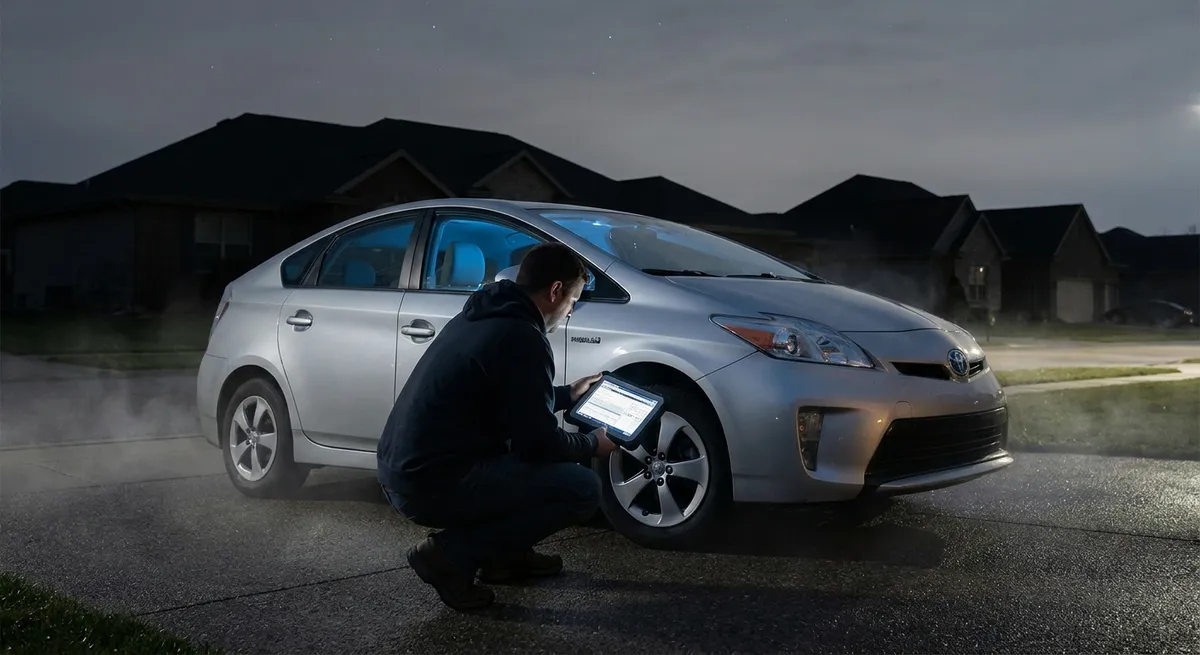
This guide walks through practical, tech-focused moves you can take today, using features most cars or affordable add-ons already have.
Locking Isn’t Enough: Secure Your Key Signals
If your car uses a key fob, you’re driving a wireless unlock system—and criminals target that wireless signal with “relay attacks.” They amplify your fob’s signal from inside your house so the car thinks the key is right next to it.
Actionable steps:
Use a Faraday pouch or box at home
A Faraday pouch blocks the radio signals coming from your key. Store your main key and spare key in it every night and when at work. This is particularly important for push-button start vehicles.
Disable passive entry if your car allows it
Many cars let you turn off “passive” keyless entry (where touching the door handle unlocks the car). Check your owner’s manual or in-car settings. With passive entry off, thieves can’t just relay the “always on” signal.
Avoid leaving keys near doors or windows
Wireless range can be enough for a relay team standing outside. Keep the keys deeper inside your home, ideally on another floor.
Reprogram keys after buying used
On a used car, previous owners or dealers may still have working fobs. Ask a dealer or qualified locksmith to erase all keys and reprogram only the ones you own.
Watch for “jam and grab” at parking lots
Thieves sometimes block your key fob signal so the car never locks, then steal items once you walk away. Always confirm lock status: listen for the beep, watch for mirror fold-in, or check the app if your vehicle supports it.
Use Your Car’s Built-In Tracking and Alerts (Don’t Leave Them Off)
Many modern vehicles ship with connected services—apps that talk to your car using cellular data. Too many owners skip the setup because it feels optional. In a theft, those few minutes you didn’t spend on setup can cost you the whole car.
Actionable steps:
Create and log into the official brand app
Whether it’s FordPass, myChevrolet, Hyundai Bluelink, BMW ConnectedDrive, or another, register your VIN and make sure your car is actually linked. Do this when you buy the car, not “later.”
Enable location and security notifications
Turn on alerts for: - Doors unlocked - Alarm triggered - Vehicle moved without engine on (if supported) - Ignition on outside set hours
Set up “valet” or “curfew” mode if available
Some systems let you restrict speed, revs, or driving area, or alert you if the car goes outside a geofenced zone. This can quietly warn you if someone takes your car where it shouldn’t go.
Confirm remote lock works from your phone
Test remote lock/unlock and, if available, remote engine disable or “stolen vehicle assistance.” Knowing how to use these when calm makes a critical difference under stress.
Keep your contact info updated with the automaker
If your car sends a theft or tampering alert to the manufacturer’s service, outdated phone or email means lost time and missed warnings.
Add Smart Layers: Aftermarket Tech That Actually Makes a Difference
Factory tech is a strong base, but a few well-chosen aftermarket tools can turn your car into a much harder target—without turning it into a science project.
Actionable steps:
Install an OBD-II lock or relocate the port
Many modern thefts involve plugging into the OBD-II diagnostic port to program a new key. An OBD lock (a cover that physically blocks the port) or relocating the port out of sight forces thieves to spend more time—often enough to make them walk away.
Use a quality GPS tracker with its own battery
Choose a tracker with: - Built-in LTE/cellular connection - Internal battery (so it works even if the main battery is disconnected) - Geo-fencing and movement alerts via app
Hide it in a non-obvious location and don’t share that spot publicly.
Consider a professional alarm with tilt and motion sensors
Basic factory alarms often trigger only when doors open. Higher-end systems detect: - Window breakage - Towing/tilt (wheel theft or flatbed tow) - Interior movement
Use visible deterrents smartly
A basic steering wheel lock isn’t advanced tech, but paired with hidden electronics, it sends a message: “this car will take time.” Thieves in a hurry often choose easier targets.
Record everything with parking-mode dash cams
Choose a dash cam system that: - Offers motion and impact detection while parked - Has a buffered recording (captures a few seconds before the event) - Writes to a reliable, high-endurance SD card
When properly wired (with battery protection), it can catch plate numbers or faces if someone tampers with your car.
Harden the Digital Doors: Update, Audit, and Lock Down Your Car’s Data
Your car now stores personal information: contacts, home address, call logs, sometimes even Wi‑Fi passwords. That data is valuable—not just to you, but to anyone who can get to it.
Actionable steps:
Regularly update your infotainment and telematics software
Many automakers push security patches through: - Over-the-air (OTA) updates - Dealership service visits - USB download from the manufacturer’s website
Check at least twice a year or whenever your brand announces a software update.
Limit what your phone shares with the car
When pairing your phone, deselect permissions you don’t need: - Full contact sync - Text message access - Calendar data
You can still use Bluetooth audio and basic calling without giving your car your full digital identity.
Delete personal data before selling or servicing
- Use the “factory reset” option in the infotainment system when selling or trading in - Before major service or body shop work, clear navigation favorites that reveal your home and workplace if you’re uncomfortable with that access
Protect app access with strong logins
The app that controls your locks and remote start is effectively a digital key: - Use a long, unique password - Turn on two-factor authentication (2FA) if available - Avoid logging into your car app on shared or public devices
Review which third-party apps can access your car
Some insurance, fleet, or convenience apps ask for vehicle data access. Periodically audit connected services in your automaker’s portal and revoke anything you don’t recognize or no longer use.
Let Tech Work With, Not Replace, Old-School Habits
Even the best tech can’t fix careless habits. When you combine basic common sense with the tools baked into your car, you create a protection system that’s more than the sum of its parts.
Actionable steps:
Park strategically for your tech
If your car has motion-detecting dash cams or an alarm with shock sensors, choose spots that: - Are visible to security cameras or building entrances - Aren’t so tight that passing cars constantly bump or trigger false alarms
Don’t advertise your gadgets inside the car
Hide power cables and mounts for: - Radar detectors - Portable GPS units - High-end dash cams
Visible accessories can suggest there’s something worth breaking in for, even if you took the main unit with you.
Use “valet mode” and “privacy mode” whenever handing over keys
- Limit access to your trunk or glovebox if the car supports it - Hide trip history and navigation destinations
Maintain your 12V battery and electrical system
A weak battery can disable alarms, tracking, and locks. If your car is mainly used for short trips or sits for long periods, consider: - A quality battery maintainer - Regular electrical system checks
Talk to your insurer about telematics-based discounts
Some insurers give lower rates if you install a plug-in or app-based tracker. Beyond cost savings, this often gives you theft location assistance and driving data that can help if you ever need to prove your side of an incident.
Conclusion
Your car’s tech can either open doors for thieves or shut them firmly. By tightening up your key security, actually using built-in connected features, adding smart aftermarket layers, locking down your data, and pairing it all with solid everyday habits, you quietly move your vehicle out of the “easy target” category.
You don’t need to install exotic gear or learn to code your car. Start with the features you already have, add a couple of well-chosen tools, and treat your phone and fob as seriously as a physical key. In a world where car theft is increasingly digital, that mindset—and these practical steps—are your best defense.
Sources
- National Highway Traffic Safety Administration – Preventing Vehicle Theft - U.S. government guidance on common theft methods and prevention basics
- FBI – Crime Data Explorer: Motor Vehicle Theft - Official statistics and trends on vehicle theft in the United States
- UK Police – Keyless Car Theft Crime Prevention Advice - Practical recommendations focused on keyless entry and relay attacks
- AAA – Protecting Your Vehicle From Theft - Overview of layered security and practical anti-theft tactics
- Consumer Reports – How to Protect Your Car From Thieves - Independent testing organization’s advice on factory and aftermarket security tech