Tame Noise Fatigue with Smart Audio and Simple Add‑Ons
Long drives on coarse pavement, in heavy rain, or at highway speeds can wear you down more than you realize. That “worn out for no reason” feeling often comes from noise fatigue: your brain constantly working to filter out droning tire and wind noise. You can’t eliminate noise completely, but you can make it more manageable with a few tech-leaning tweaks.
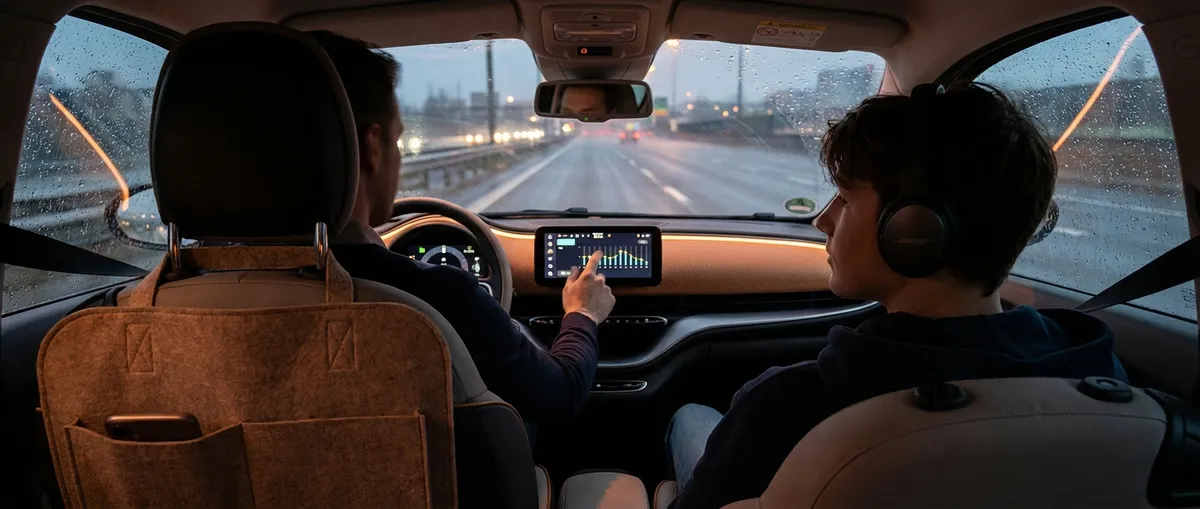
Start with your head unit or infotainment system. Many newer systems include basic EQ (equalizer) and preset sound modes. Instead of cranking the volume to drown out road noise, adjust the mid and high frequencies down slightly and keep the soundstage front-focused (fade a bit to the front). This makes speech and navigation prompts easier to hear at lower overall volume, which reduces fatigue over time. If your system offers a “speech” or “podcast” mode, use it for talk content—it makes voices clearer without extra loudness.
Next, look into active noise cancelling (ANC) or noise-reducing gear. Some newer vehicles include built‑in ANC that counteracts low-frequency engine and road noise. If your car doesn’t have it, noise‑reducing over‑ear headphones (used by passengers, not the driver) can dramatically improve comfort on long trips. For the driver, keep both ears open for safety, but you can still improve things by sealing obvious cabin leaks: add inexpensive foam gaskets around doors if needed, make sure weatherstripping is intact, and use quality floor mats that absorb some resonance.
Finally, don’t ignore tires. “Touring” or “comfort” tires often have tread patterns and rubber compounds designed to reduce noise, and some even use foam inserts to absorb cavity resonance. When it’s time to replace tires, research models tested for low noise. Pair quieter tires with a quick sound test: drive the same stretch of road at the same speed before and after, and notice how much less you need to raise your voice or audio volume. That’s real progress in the fight against noise fatigue.
Use Driver-Assistance Tech as a Co‑Pilot, Not an Autopilot
Modern driver-assistance features—adaptive cruise control, lane keeping, blind spot monitoring, and traffic sign recognition—can either make you a calmer, sharper driver or lull you into zoning out. The difference comes down to how you configure and use them day to day.
Start by reading your specific system’s manual or online guide, not just relying on dealership explanations. Every brand tunes alerts, steering inputs, and braking assistance differently. Spend 10–15 minutes learning what each icon and chime actually means. Then, on a low-traffic drive, test each feature one at a time so you understand its behavior when you’re not under pressure. For example, see how soon adaptive cruise begins to slow for a lead car and how firmly it brakes when someone cuts in front.
Customize sensitivity and alert styles to fit your driving environment. If you commute in dense city traffic, you may want more frequent blind spot warnings but a less aggressive lane-keeping assist that doesn’t constantly tug at the wheel. On the highway, consider a longer following distance in adaptive cruise than the default; giving your car more space to react helps the system feel smoother and less “jerky.” If the system allows, switch from loud beeps to haptic feedback (like steering-wheel or seat vibration) so you get alerts without constant audio stress.
Most importantly, mentally frame assistance tech as a “second set of eyes,” not a driver replacement. Keep your hands and attention fully engaged, and use every alert as a prompt to check your own observations rather than immediately trusting the car. If you notice the system routinely misreading certain road conditions—poor lane markings, sharp curves, or construction zones—make it a habit to turn those specific aids off temporarily and take full manual control. This way, tech enhances your awareness rather than replacing it.
Turn Your Phone into a Safer Driving Companion, Not a Distraction Machine
Your smartphone is simultaneously one of the best driving tools available and the biggest threat to your focus. Used deliberately, it can streamline navigation, keep your hands on the wheel, and reduce cognitive overload. Used casually, it can pull your attention away at the worst possible moment.
Begin with a proper mount, positioned high enough that you don’t significantly shift your gaze from the road (near eye level, just off your primary line of sight). A steady, well-positioned mount instantly makes navigation cues and incoming call information easier to glance at briefly. Avoid vent mounts that droop or windshield mounts that block your forward view. Once mounted, commit to a rule: no holding the phone in your hand while the car is moving—ever.
Next, set up your phone’s driving or “focus” mode. On both iOS and Android, you can automatically silence non-critical notifications when your phone detects you’re in a vehicle. Allow calls or messages only from select contacts or emergency numbers. Pair this with your vehicle’s Bluetooth or with Apple CarPlay/Android Auto if available. These interfaces mirror key apps (maps, calls, audio) in a simplified, large-button layout designed to minimize distraction. Before moving the car, start your route, cue your playlist or podcast, and close any unnecessary apps so you’re not tempted to fiddle mid-drive.
Finally, think of voice control as your primary input method once you’re rolling. Learn a few core commands: starting a new route, calling a contact, sending a short reply (“On my way”), and changing audio sources or volume. If you find your phone’s voice assistant mishears you, spend a couple of minutes in the settings training voice recognition; small improvements there pay off on every future trip. Your goal is to handle 90% of in-car phone tasks with voice and steering-wheel buttons, not touchscreens and taps.
Use Live Data and Simple Sensors to Stay Ahead of Problems
The dashboard lights that most drivers notice—check engine, low fuel, TPMS—are just the tip of the data iceberg. With a small investment in basic tech tools, you can see much earlier warning signs and avoid expensive surprises.
A Bluetooth OBD-II scanner is a practical starting point. This small device plugs into the diagnostic port under your dash and pairs with an app on your phone. When a check engine light appears, you can immediately read the trouble code rather than guessing or waiting for an appointment. Many apps also show live engine data like coolant temperature, fuel trims, and battery voltage. Over time, you can learn what “normal” looks like for your car and spot trends: for instance, a gradual rise in operating temperature on long climbs might signal a marginal cooling system before it becomes an overheating incident.
Don’t neglect built-in sensors that already exist in your car. Tire pressure monitoring systems (TPMS) do more than prevent flats; keeping tires near the recommended pressure improves fuel economy, braking, and handling. Instead of just reacting to a low-pressure warning, periodically check the exact PSI readings if your car displays them, or use a digital gauge to confirm. Track pressures seasonally—air contracts in cold weather and expands in heat—and adjust proactively. Similarly, keep an eye on average fuel economy readouts; sudden changes can hint at issues like sticking brakes, underinflated tires, or sensor problems affecting the engine’s air-fuel mixture.
For owners who like deeper insight, consider an app or service that logs driving and maintenance data. Some telematics dongles (often used for insurance discounts) provide trip summaries, hard braking alerts, and engine health reports. Used thoughtfully, they can highlight bad habits (like frequent full-throttle starts or hard stops) and identify problem patterns (such as recurring misfires only under certain conditions). Over a couple of months, you’ll have a clearer picture of how your driving style and conditions affect your car’s health and operating costs.
Calibrate Displays and Alerts to Support Your Attention, Not Fight It
New cars bombard drivers with screens, lights, and chimes. Even older vehicles retrofitted with aftermarket head units can end up with brightly lit displays and aggressive alerts that fight for your attention. With a few deliberate adjustments, you can make your cockpit feel calmer and more intuitive.
First, tackle screen brightness and color. At night, a bright, high-contrast display can cause eye strain and reduce your effective night vision by making the dark road outside seem even darker. Switch your infotainment and gauge cluster to “dark” or “night” themes if available and lower brightness until text is still easy to read but not glaring. During the day, avoid maximal brightness if it washes out colors or causes reflections; aim for a level that’s legible in sunlight without looking like a mirror.
Next, rationalize your alerts. Go into settings and categorize them: safety-critical (collision warnings, seatbelt reminders), vehicle health (low oil pressure, overheating), convenience (incoming calls, messages), and “noise” (app notifications, low priority reminders). Keep safety and health alerts fully enabled. For convenience and noise, either change sounds to softer tones, switch to vibration or visual-only indicators, or disable them while driving. The fewer chimes you hear, the more seriously your brain will treat the ones that actually matter.
Finally, simplify what’s shown on your main display and cluster. If your car allows custom instrument layouts, choose one that highlights only essential data: speed, fuel, engine temperature, and current navigation directions. Hide or move secondary information (album art, animated tachometer, unnecessary graphs) off your primary field of view. For heads‑up displays (HUDs), resist the urge to show everything; speed and a simple next-turn arrow are usually enough. This “information diet” makes it easier to stay locked on the road while still getting the cues you need.
Conclusion
You don’t need a brand-new car or expensive gadgets to make modern auto tech work for you. By taming noise, treating assistance systems as partners rather than pilots, using your phone deliberately, tapping into hidden data, and calming your displays and alerts, you can turn the tech you already have into a real advantage on every drive. The payoff is subtle but powerful: fewer surprises, less fatigue, and a car that feels more like an extension of your intentions than a collection of beeps and screens.
Sources
- [NHTSA – Driver Assistance Technologies](https://www.nhtsa.gov/equipment/driver-assistance-technologies) - Explains common advanced driver-assistance systems and how they’re intended to be used
- [AAA – The Impact of Vehicle Technologies on Driving Safety](https://newsroom.aaa.com/2018/09/new-aaa-research-finds-driver-assist-technologies/) - Research on how drivers interact with driver-assist features and where misuse can occur
- [Edmunds – How to Use a Car’s Advanced Safety Features](https://www.edmunds.com/car-safety/how-to-use-advanced-safety-features.html) - Practical guidance on getting real-world benefits from modern safety tech
- [Consumer Reports – Active Noise Reduction and Quiet Car Design](https://www.consumerreports.org/cars-driving/cabin-noise-what-makes-some-cars-quieter-than-others-a1028378479/) - Overview of how tires, insulation, and active systems affect cabin noise
- [U.S. Department of Transportation – Distracted Driving](https://www.transportation.gov/mission/safety/distracted-driving) - Official information on phone use, in-vehicle tech, and their impact on driver attention