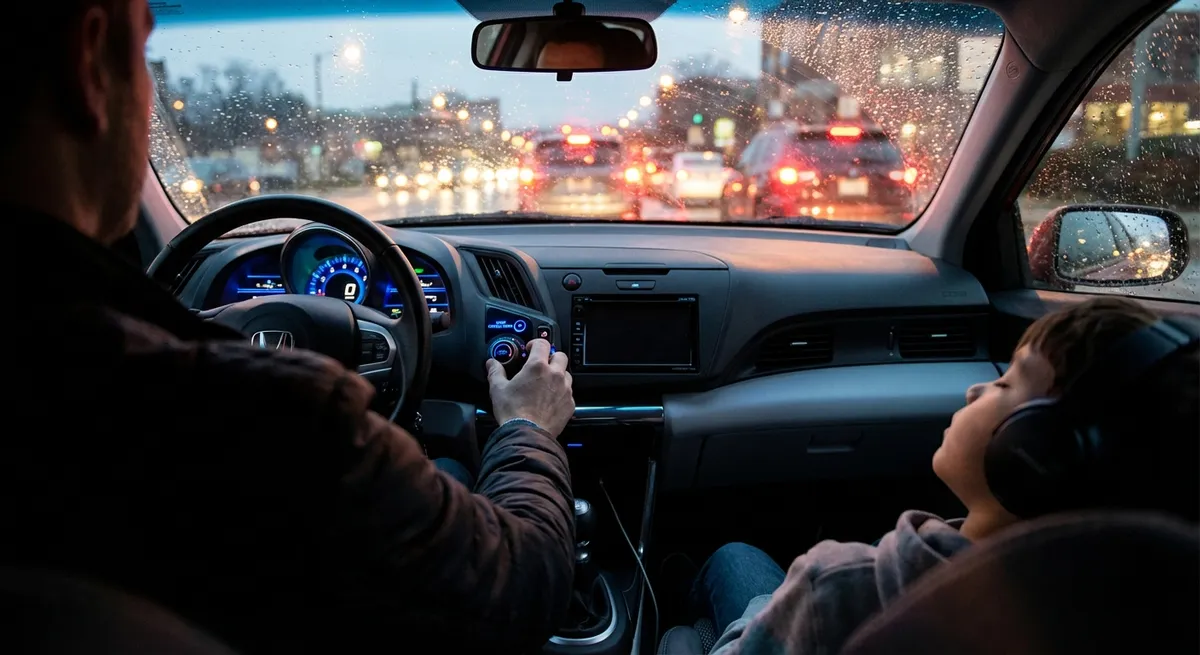
This guide focuses on practical, real-world changes you can make in a weekend: from noise control to smart use of driver-assist systems. All five points are actionable, relatively affordable, and designed for people who actually live with their cars, not just review them.
Start With Silence: Using Tech to Quiet the Cabin
A quieter cabin doesn’t just “feel nicer”—it also reduces fatigue and makes your safety tech (like voice commands and alerts) work better.
Modern cars already use smart materials and design to cut noise, but you can enhance that:
- Use built‑in sound settings intelligently. Many cars let you adjust system alerts, navigation guidance volume, and microphone sensitivity for phone calls. Set warnings to be audible but not startling, and lower non-essential sounds (like system chimes) so they don’t compete with critical alerts.
- Pair noise‑reducing hardware with tech. If your car supports it, use active noise cancellation (ANC) or choose ANC-enabled headphones for passengers (never for the driver). Combined with simple sound-deadening mats in the trunk or under floor mats, you can noticeably cut tire and road noise.
- Choose the right tires with tech in mind. Many “touring” and “EV” tires are engineered for lower road noise. Your car’s TPMS (tire pressure monitoring system) only protects against extremes, not comfort. Once a month, manually confirm your pressures with a gauge and keep them within spec—overinflated tires are louder and harsher, and underinflation can make the car feel vague and noisy over bumps.
- Calibrate voice systems for a quieter environment. After reducing background noise, re‑train your car’s voice recognition (if available) in normal driving conditions. A quieter cabin improves accuracy, so you spend less time shouting commands and more time focused on the road.
Actionable point #1:
Spend one drive with the sole goal of tuning sound: adjust alerts, mic sensitivity, and navigation volume, then verify tire pressures and reduce cabin clutter that rattles (loose tools, bottles, coins). This takes less than an hour and pays off every single commute.
Make Driver-Assistance Work With You, Not Against You
Driver-assistance tech (ADAS) is only helpful if it’s set up to match your driving environment. Leave it at default, and you either get annoyed by constant warnings—or overconfident and complacent.
Focus on three systems most owners already have:
- Forward collision warning & automatic emergency braking (AEB).
Check your vehicle menu for sensitivity options. In heavy city traffic, a “high sensitivity” setting might trigger false alarms; in highway commuting, more sensitivity can buy extra reaction time. Make a note of where the sensors are located (often behind the windshield or in the grille) and keep those areas clean.
- Lane-keeping assistance.
- Steer assist + alert
- Alert only
- Off
If your lane-keeping constantly nudges you or beeps, most systems allow:
In areas with poor lane markings, switching to alert-only can be less annoying while still giving a useful safety net.
- Blind-spot monitoring.
Treat this as backup, not a substitute for mirror checks. Position your side mirrors properly (tilted slightly out so a car leaving the rear-view just enters the side mirror), then confirm that the blind-spot indicators illuminate at the expected time on an empty, multi-lane road.
Actionable point #2:
Set aside 30 minutes to go through your driver-assist menu. For each feature, answer:
Do I understand how it works?
Can I adjust its sensitivity or behavior?
Is it actually helping, or just annoying me?
Tune these settings to your main driving environment (city vs highway), not the factory default.
Smarter Screens: Reducing Distraction Without Losing Features
Modern infotainment systems are powerful—but they can easily become the biggest source of distraction in the car.
Instead of turning everything off, configure your screens to be predictable and simple:
- Create a “default drive layout.”
- Navigation (primary)
- Audio controls (secondary)
- Minimal extra icons or widgets
Whether you’re using the built-in system, Apple CarPlay, or Android Auto, set a default screen that prioritizes:
Make this your “home base” and avoid bouncing between apps while driving.
- Limit active apps while moving.
Many systems let you restrict certain functions when the vehicle is in motion. Use that to your advantage: disable video playback, social media mirroring, and unnecessary pop-ups. This keeps your attention on the road and prevents passengers from turning your cabin into a rolling movie theater in your line of sight.
- Tweak brightness and night mode properly.
Overly bright screens at night cause eye strain and slower adaptation to dark roads. Turn on auto-dimming and “night mode” maps, then test them on an actual dark drive. Adjust until the screen is readable but not the brightest object in your field of view.
- Customize shortcut buttons.
- Next/previous track
- Voice assistant
- Mute/unmute
If your car has steering wheel or hardware shortcut buttons, map them to high-frequency, low-risk tasks:
This minimizes how often you need to touch the screen at all.
Actionable point #3:
Build a single, distraction-minimized “drive profile”: one home screen, map view you like, and 2–3 hardware/steering wheel shortcuts. Commit to using those instead of hunting through menus on the move.
Use Connectivity to Automate Maintenance (Instead of Forgetting It)
Your car can quietly help you stay on top of maintenance—if you connect it and configure alerts in a way that fits your life.
Skip the generic reminders and tie maintenance to mileage, time, and your actual usage pattern:
- Link your car app to a real schedule.
- Track mileage
- Log service events
- Notify you when you’re due for oil, filters, or inspections
Most manufacturer apps or OBD-II based apps can:
Set reminders in terms of miles + months, not just one or the other. If you drive less, time-based reminders keep fluids and rubber components from going too long.
- Use trip history to spot patterns.
- More frequent oil changes (engine rarely reaches full operating temp)
- Brake inspections (more stop/start)
- Battery checks (less charging time at speed)
- Enable critical alerts only.
- Check engine light / fault codes
- Low battery in EVs or 12V systems
- Low tire pressure
Some apps and infotainment systems show average speed, trip duration, and fuel consumption. Consistently short trips or heavy traffic can justify:
Turn on push notifications for:
Turn off marketing notifications in the same app so you don’t start ignoring all alerts.
- Sync with your calendar.
When you book a service, immediately block that slot in your phone calendar with the appointment location and expected time. Add a 24-hour reminder to collect any notes (symptoms, noises, warning lights) you want the service advisor to check.
Actionable point #4:
Install or open your car’s companion app (or a trusted OBD-II app), log your current mileage, and set realistic maintenance reminders based on how you actually drive—then enable only the safety/health alerts you truly need.
Calmer Communication: Optimizing Calls and Navigation for Real-World Use
Hands-free doesn’t automatically mean distraction-free. You can use your car’s tech to keep communication and navigation smooth without fragmenting your attention.
Focus on making these systems predictable:
- Set strict rules for calls.
- Auto-replies to texts (“I’m driving, I’ll respond when I’m stopped.”)
- Call permission only for favorites or repeated calls (for potential emergencies)
Use your phone’s “Do Not Disturb While Driving” or Driving Focus feature with:
This way, you aren’t tempted to engage in every conversation that comes in.
- Standardize your navigation behavior.
- Set the destination
- Choose the route type (fastest, no tolls, etc.)
- Preview the next 2–3 turns
Choose one map app as your primary (car’s built-in, Google Maps, Waze, etc.) and stick to it so you learn its behavior and prompts. Before moving:
During the drive, resist “route shopping” unless you encounter a genuine issue.
- Fine-tune guidance prompts.
- Voice guidance
- Speed limit alerts
- Traffic or hazard alerts
Most navigation systems allow you to turn on/off:
Aim for a balance: leave turn-by-turn voice prompts on, but disable constant “over speed limit by 1 mph” warnings that make you tune out the system altogether.
- Use voice commands properly.
- “Call [name]”
- “Navigate to [place]”
- “Play [artist/song]”
Practice a few key phrases while parked:
The goal is to interact in one or two short commands instead of fiddling with menus while driving.
Actionable point #5:
Turn on driving-focused modes on your phone, choose a single navigation app or system to rely on, and test 3–5 voice commands in your driveway so they’re second nature before your next trip.
Conclusion
Most auto tech is sold as “more”—more features, more screens, more connectivity. The real gains, though, come from better tuning of what you already have. A quieter cabin, well-calibrated driver-assistance, simplified screens, smart maintenance reminders, and disciplined communication all add up to the same result: a calmer, safer, less stressful drive.
You don’t need a new car to feel like you upgraded your driving experience. You just need a weekend, a bit of curiosity, and a willingness to treat your vehicle’s tech as something to be tuned deliberately—not just left on factory default.
Sources
- [National Highway Traffic Safety Administration (NHTSA) – Driver Assistance Technologies](https://www.nhtsa.gov/equipment/driver-assistance-technologies) - Clear explanations of common ADAS features and how they’re intended to be used
- [IIHS – Front Crash Prevention and Driver Assistance Research](https://www.iihs.org/topics/front-crash-prevention) - Research and data on the effectiveness of collision avoidance and related systems
- [AAA – Vehicle Technology Resource Center](https://www.aaa.com/autorepair/articles/vehicle-technology-resource-center) - Practical guides on understanding and using modern in-car technologies
- [National Safety Council – Driving Distractions](https://www.nsc.org/road/safety-topics/distracted-driving) - Evidence-based information on distraction and how in-car tech can both help and hurt
- [U.S. Department of Transportation – Tire Safety](https://www.nhtsa.gov/equipment/tires) - Official guidance on tire maintenance, pressure, and its impact on safety and comfort