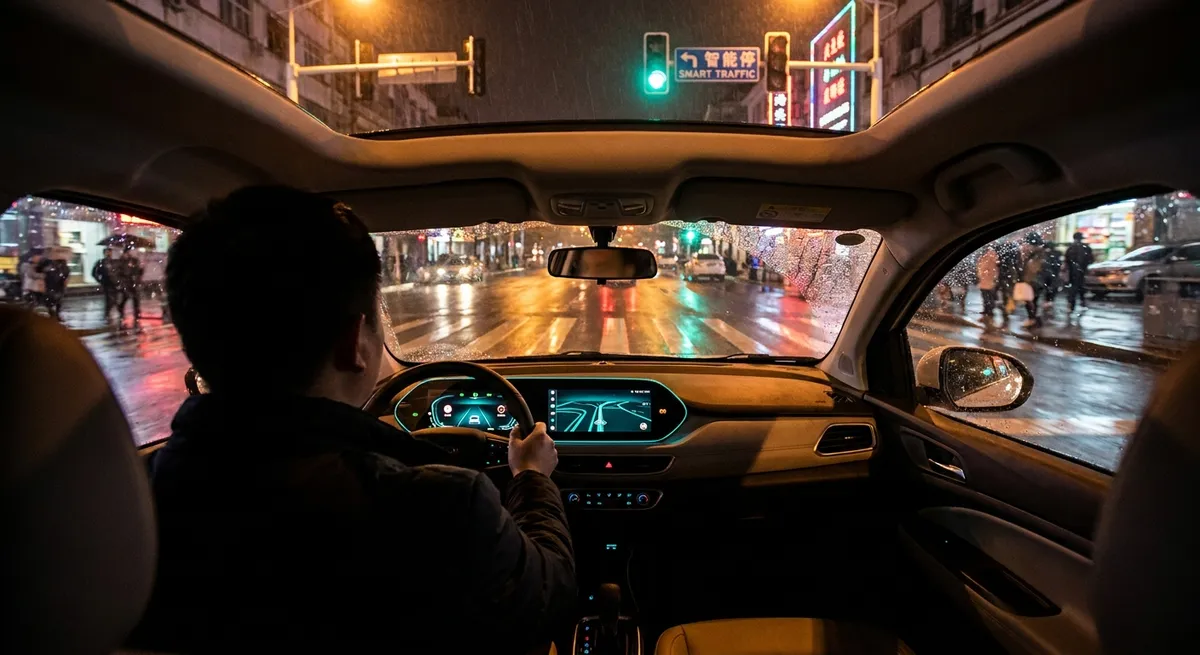
This guide focuses on practical ways to make your connected car tech work for you—saving time, adding convenience, and giving you more control over your car’s health and security.
Turn Your Phone Into a Real Car Control Center
Most manufacturers now offer official smartphone apps that connect directly to your vehicle. Done right, your phone becomes a remote dashboard rather than just a key fob backup.
Use your car’s app to:
- Check fuel or battery level before you leave so you know whether you must stop to refuel or charge. This is especially useful before early flights, long trips, or winter commutes.
- Pre-condition the cabin (remote start, heated seats, defrost) while the car is still plugged in or parked outside. In EVs and plug-in hybrids, this can preserve driving range; in gas cars, it saves scrambling to scrape ice or bake in a hot interior.
- Locate your car in large lots using the app’s map or “horn/lights” function—no more wandering around after stadium events or mall trips.
- Use digital keys where available to lock/unlock and start the car with your phone. You can often share access with family members temporarily instead of handing over a physical key.
- Check basic vehicle health such as tire pressure, oil life, or maintenance reminders in one place, especially in newer vehicles that integrate diagnostics into the app.
Action step:
If you haven’t already, download your car brand’s official app, create an account, and spend 10 minutes going through each tab. Turn on only the notifications that matter (low fuel/battery, service alerts, security events) to avoid alert fatigue.
Get More Out of Built-In Navigation and Live Data
Many drivers default to phone-based navigation and ignore the car’s built-in system. Using both together smartly can give you better information and fewer headaches.
Practical ways to use in-car nav and data:
- Sync destinations between phone and car when the app allows it. You can send an address from your phone to the car’s nav so you’re not typing on the dashboard.
- Use built-in EV routing if you drive an electric vehicle. Many systems calculate where you need to charge, how long you should stay, and what your arrival battery level will be—far more accurate than a simple map app.
- Enable real-time traffic and incident data (often via a trial or subscription). This can automatically reroute you around major delays without constant phone use.
- Favor offline maps for rural trips or areas with spotty coverage—car nav databases are often more reliable when your phone has no signal.
- Check live parking and fuel prices where available; some systems show open spaces or cheaper gas nearby, saving time and money during busy hours.
Action step:
For your next unfamiliar drive, set the destination in both your phone and your car’s system. Start guidance on the car, keep the phone as backup, and compare arrival times and rerouting. Over a few trips, decide which combo works best for your driving style.
Use Built-In Safety Tech as Training Tools, Not Just Alarms
Modern driver-assistance features (ADAS) can be more than just annoying beeps. Used consciously, they can actually improve your driving habits and awareness.
Here’s how to turn those systems into useful tools:
- Forward collision warning & automatic emergency braking: Treat early warnings as feedback on following distance. If it triggers often in traffic, you’re probably following too closely.
- Lane keeping assist and lane departure alerts: Use these on highways to check your lane discipline. If the system nudges you or beeps frequently, you may be drifting or overcorrecting.
- Blind spot monitoring: Don’t rely on it alone. Use it to confirm your manual mirror checks, not replace them. If you keep triggering warnings during lane changes, adjust your mirror positions and timing.
- Driver attention monitoring: Pay attention if the car suggests taking a break; it uses steering input, lane tracking, and time-on-road to detect fatigue-like behavior.
- Rear cross-traffic alerts and 360° cameras: Use these in tight parking environments, but build a habit of combining them with quick over-shoulder checks so you don’t become camera-dependent.
Action step:
Spend one drive on a quiet highway exploring your safety settings menu. Customize sensitivity (where allowed), volume of alerts, and which systems you want active. Then approach the next week of driving as “feedback training,” noticing which alerts fire most and adjusting your habits accordingly.
Treat Telematics and Diagnostics Like Preventive Medicine
Your car is constantly monitoring itself; the key is to make that data visible and usable instead of waiting for breakdowns or mysterious warning lights.
Leverage built-in and add-on diagnostics to stay ahead:
- Use your car’s maintenance and service menu to see upcoming oil changes, brake inspections, and other scheduled work—particularly handy if you don’t keep paper records.
- Pair an OBD-II Bluetooth scanner (for cars roughly 1996 and newer) with a reputable phone app to read error codes when a warning light appears. This doesn’t replace a mechanic, but it helps you understand severity and avoid panic.
- Watch long-term trends like average fuel economy, tire pressure behavior, or battery voltage (where visible). Sudden changes can point to developing problems—like a weak 12V battery or underinflated tire.
- Save reports before and after work (screenshots from apps or photos of the dash) to compare performance and document repairs or recurring issues.
- Use telematics for teen or fleet drivers if your car or insurer offers it—tracking harsh braking, speeding, or late-night driving can guide coaching and sometimes lower insurance rates.
Action step:
Buy an entry-level OBD-II Bluetooth adapter and install a well-reviewed diagnostic app that works with your phone. The next time a check-engine light appears, scan the code yourself before heading to the shop and save the report to your service records.
Tighten Digital Security: Your Car Is a Computer on Wheels
As cars become more connected, they also become more exposed to digital risks. A few simple habits can reduce your vulnerability without giving up convenience.
Practical security moves:
- Secure your car’s app account with a strong, unique password and enable multi-factor authentication (MFA) if offered. This protects remote lock/unlock and location access from unauthorized users.
- Audit permissions and linked accounts in your car’s infotainment system. Remove old phones and revoke access for devices you no longer use.
- Limit personal data stored in the car—clear saved home/work addresses if you’re selling the car, using valet or long-term parking, or frequently sharing the vehicle.
- Regularly install software and map updates from the manufacturer. These often include security patches alongside new features and bug fixes.
- Be careful with third-party dongles and services (like cheap trackers or unbranded OBD devices). Stick to reputable brands and services that clearly state how they store and use your data.
Action step:
This week, go through your car’s “Users,” “Devices,” “Privacy,” or “Connections” menu. Delete any unknown or unused profiles and clear navigation favorites you no longer need. Then update your app password and enable MFA through the manufacturer’s account portal.
Conclusion
Auto tech doesn’t have to be a confusing bundle of menus and buzzwords. When you focus on a few specific areas—smartphone integration, navigation, safety systems, diagnostics, and digital security—you turn technology into concrete advantages: smoother trips, fewer surprises, and more control over your vehicle.
You don’t need to master every feature at once. Pick one of the actionable steps, apply it on your next drive or weekend maintenance session, and build from there. Over time, your “connected car” becomes more than a marketing term—it becomes a smarter, more capable partner every time you get behind the wheel.
Sources
- NHTSA – Dynamic Driving Assistance Systems – Overview of modern driver-assistance tech and how it’s intended to be used
- IIHS – Front Crash Prevention: Vehicle-to-Vehicle – Research on collision warning and automatic emergency braking effectiveness
- U.S. Department of Energy – Connected and Automated Vehicles – Explains connected vehicle technology and potential benefits
- FTC – Tips for Using Public Wi-Fi Networks – General digital security guidance relevant to connected apps and vehicles
- Consumer Reports – How to Use an OBD-II Scanner – Practical explanation of using diagnostic tools for car owners