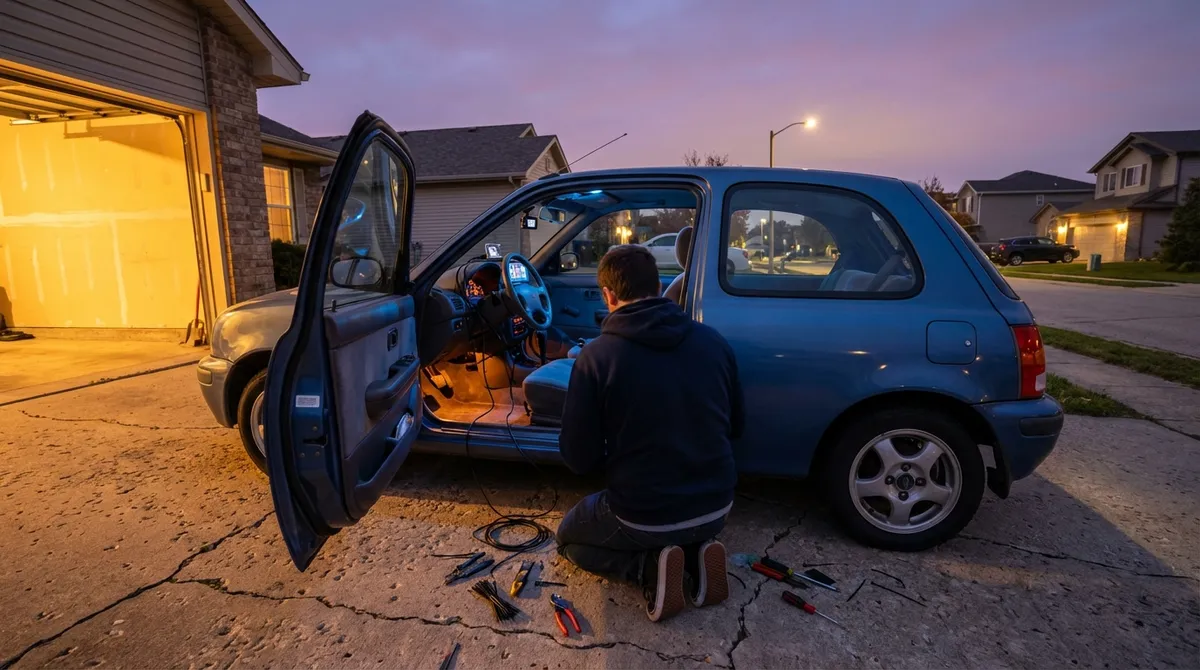
This guide walks through five practical tech upgrades that deliver real‑world benefits, not just dashboard eye candy. Each one is focused on improving safety, usability, or everyday convenience.
Upgrade 1: Add Modern Connectivity with a Smart Head Unit
If your car still relies on CDs or basic Bluetooth, an aftermarket head unit can transform the entire driving experience.
A quality infotainment upgrade can give you Apple CarPlay, Android Auto, better Bluetooth, and cleaner sound without touching the rest of the car. Look for units that support both wired and wireless connections so you can choose between ultimate reliability (wired) and convenience (wireless).
When shopping, confirm:
- Screen fitment and dash kit: Check double‑DIN vs single‑DIN size and whether a dash adapter is available for your vehicle.
- Steering wheel controls: Many cars can keep factory buttons with an adapter harness.
- Integration with backup cameras: Ensure the unit has a camera input if you plan to add or reuse one.
- Firmware support: Choose brands with a track record of updates to fix bugs and improve compatibility.
A good installer can often retain factory USB ports, antennas, and microphones so the upgrade looks close to OEM rather than “stuck on.”
Upgrade 2: Retrofit Driver Assistance Where It Matters Most
You don’t need a brand‑new car to benefit from driver‑assistance tech. Some of the most useful features can be added aftermarket in a way that feels natural and unobtrusive.
High‑impact options include:
- Backup camera: This is almost mandatory for tight parking or tall vehicles with large blind zones. Look for cameras with dynamic guidelines and good low‑light performance.
- Parking sensors: Ultrasonic sensors in the front and rear can alert you when you’re close to obstacles, helpful in crowded cities or narrow garages.
- Blind spot monitoring add‑ons: Radar‑based systems are more reliable than cheap “stick‑on” ultrasonic types and can mirror OEM behavior with subtle lights in the A‑pillar or mirror area.
- Dash cams: While not assistance in real time, they provide legal and insurance protection and can help you review incidents after the fact.
Installation quality is critical. Poorly wired systems can cause electrical noise or unreliable alerts. If you’re not confident with 12V wiring and trim removal, budget for professional installation so the system feels integrated rather than aftermarket.
Upgrade 3: Use OBD-II Data to Monitor Your Car Like a Pro
Every car sold in the U.S. since 1996 has an OBD-II port—essentially a diagnostic gateway that can tell you what your car is thinking. With a compact OBD-II adapter and a smartphone app, you can turn that data into useful, real‑time insight.
Practical ways to use OBD-II tech:
- Read and clear check‑engine codes: Know whether that warning light is a gas cap issue or something serious before heading to a shop.
- Track key parameters: Monitor coolant temp, intake air temp, fuel trims, and battery voltage to catch developing issues early.
- Log driving data: Review how hard you’re accelerating or braking; this can help improve fuel economy and reduce wear.
- Customize alerts: Some apps let you set warnings for overheating, high RPMs, or low battery voltage—useful on older cars or performance builds.
Choose name‑brand Bluetooth or Wi‑Fi adapters and avoid the cheapest unknown options; low‑quality devices can cause communication issues or stay powered when the car is off, slowly draining the battery. Pair the adapter with a reputable app that’s actively maintained and supports your vehicle’s protocol.
Upgrade 4: Improve Night Driving with Smarter Lighting
Lighting tech has advanced dramatically—better bulbs and smart add‑ons can make night driving safer without blinding everyone else on the road.
Upgrades worth considering:
- High‑quality halogen or LED replacement bulbs: Stick to street‑legal options from reputable brands. They often provide a whiter, more consistent beam pattern than stock bulbs.
- Auxiliary lighting for rural driving: If you regularly drive dark back roads, properly aimed auxiliary lights or fog lamps can reveal hazards earlier—but must be installed and used legally.
- Automatic headlights and high beams: Some aftermarket modules can add auto‑on headlights or automatic high‑beam control using light sensors or camera inputs.
Avoid generic LED “plug‑ins” that don’t match your reflector or projector design—they can scatter light and reduce visibility while glaring other drivers. Aim your headlights according to manufacturer or government guidelines after any lighting change; even a small misalignment can make a big difference in what you see and how much you dazzle oncoming traffic.
Upgrade 5: Turn Your Cabin into a Connected Workspace
Many drivers now work from their cars between meetings or while traveling. A few smart additions can make your interior more functional without turning it into a cluttered mess.
Useful tech for an efficient cabin:
- Qi wireless charging mounts: Keep your phone powered and visible for navigation without dangling cables.
- High‑output USB-C power adapters: Support fast charging for laptops, tablets, or multiple phones at once.
- Dedicated hotspots or 4G/5G routers: More stable than tethering if you often work from the road, especially with multiple devices.
- Voice assistant integration: With CarPlay, Android Auto, or smart speakers designed for vehicles, you can dictate messages, set navigation, or manage reminders hands‑free.
Prioritize cable management and secure mounting. Loose devices are dangerous in a crash, and poorly placed screens can become distractions. Route power neatly, use low‑profile mounts where possible, and test your setup at low speeds before relying on it in traffic.
Conclusion
You don’t need a new car to get modern tech; you need the right mix of upgrades that fit how you actually drive. Start with connectivity and diagnostics so your car and phone cooperate instead of compete. Add safety tech that addresses your specific driving conditions, then refine lighting and in‑cabin tools so your time behind the wheel is safer, more productive, and less stressful.
Thoughtful auto tech isn’t about filling your dashboard with screens—it’s about giving yourself clearer information, safer decisions, and fewer surprises on the road.
Sources
- [National Highway Traffic Safety Administration (NHTSA) – Backover Crashes](https://www.nhtsa.gov/technology-innovation/rear-visibility) – Data and analysis on rear visibility and the safety impact of backup cameras
- [U.S. Environmental Protection Agency – OBD-II: On-Board Diagnostics](https://www.epa.gov/obd/on-board-diagnostics-obd-fact-sheet) – Overview of how OBD-II works and what information it provides
- [AAA – How Headlights Impact Night Driving Safety](https://newsroom.aaa.com/2018/10/headlights-failing-drivers/) – Research on headlight performance and visibility concerns
- [Apple – CarPlay Overview](https://www.apple.com/ios/carplay/) – Official details on Apple CarPlay features and compatibility
- [Android – Android Auto Help & Features](https://support.google.com/androidauto/answer/6348029) – Google’s guide to Android Auto functions, setup, and supported capabilities