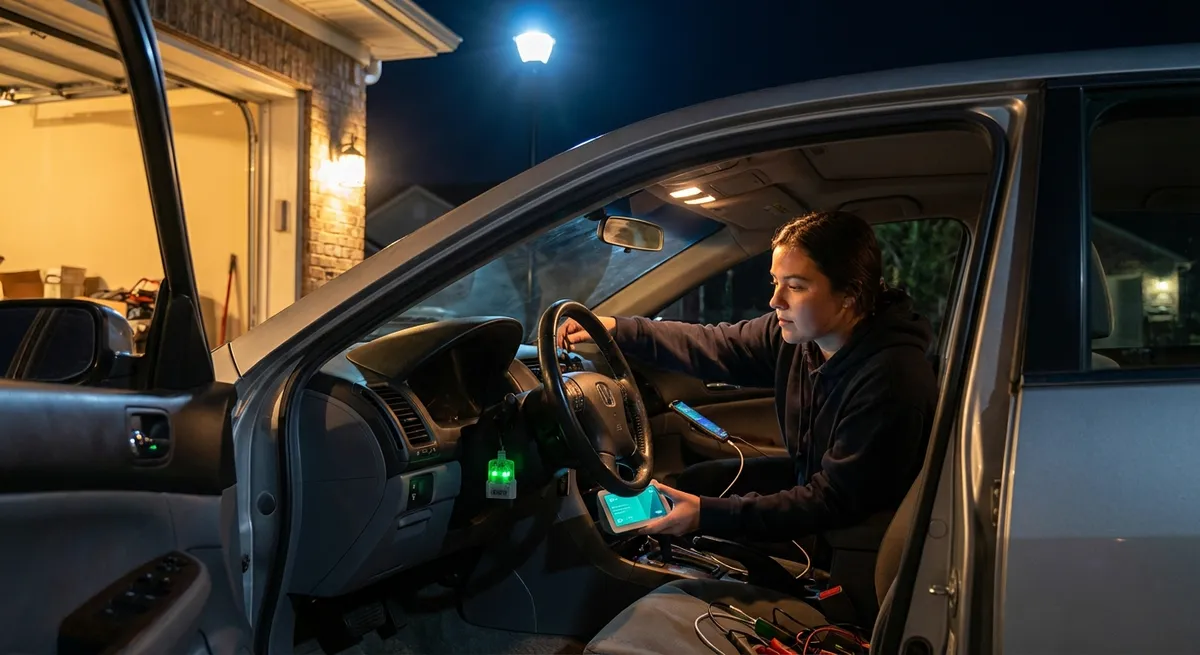
This guide walks through practical, real‑world upgrades that make your car smarter, safer, and more enjoyable to drive. Each section includes an actionable step you can take even if you’re not a tech expert.
Upgrade Your Head Unit: The “Brain” of In‑Car Tech
Your car’s head unit (the main stereo/interface) is often the gateway to modern features like Apple CarPlay, Android Auto, better navigation, and clearer hands‑free calling. Swapping a basic factory radio for a smart head unit can transform the cabin.
Most aftermarket units now support both major smartphone ecosystems, so your existing phone becomes the heart of your infotainment system. That means live traffic navigation, integrated music streaming, voice assistants, and safer access to messages without juggling your phone.
Before buying, check three things: your dash size (single-DIN vs double-DIN), wiring compatibility (you’ll usually need a vehicle‑specific harness), and steering‑wheel control support if you want to keep your buttons working. Many modern units also add extra USB ports, backup camera support, and higher‑quality Bluetooth audio.
Actionable move:
Research a CarPlay/Android Auto–compatible head unit that fits your vehicle’s dash and budget, then price out a professional install versus a DIY job with a wiring harness kit. If you’re not comfortable removing dash panels and splicing wires, pay for installation—messing up wiring can damage both the unit and the car.
Add a Smart Dash Cam for Evidence and Insight
Dash cams have evolved from basic recorders into powerful safety and security tools. A good unit can automatically save footage in a collision, monitor your parked car, and even upload video to the cloud.
Look for key features: high‑resolution video (at least 1080p, ideally 2K or 4K), wide field of view, night vision, G‑sensor (impact detection), and loop recording. Some models add driver‑assist warnings, GPS speed/location stamping, and dual‑channel coverage (front and rear).
Parking mode is especially valuable if your car spends time on the street or in lots; with the right hardwire kit, the camera can record impacts or motion while the engine is off, without draining your battery excessively.
Actionable move:
Install a dual‑channel dash cam with a hardwire kit that supports parking mode. If you don’t want to tap into your fuse box, choose a plug‑in model that uses the accessory outlet—but understand you’ll lose smart parking features when the car is off.
Use an OBD-II Adapter to See What Your Car Is Telling You
Every car sold in the U.S. since 1996 has an OBD‑II (On‑Board Diagnostics) port, usually under the dash. A small Bluetooth or Wi‑Fi adapter plugged into this port can turn your smartphone into a powerful diagnostic and data tool.
With the right app, you can read engine fault codes (and clear them after repairs), monitor coolant temperature, track fuel trims, and see live sensor data. That information helps you understand check‑engine lights, spot small issues early, and have more informed conversations with your mechanic.
Some devices and apps also log driving behavior, fuel economy, and trip data over time, which is helpful if you’re tuning, tracking maintenance, or just trying to drive more efficiently.
Actionable move:
Buy a reputable OBD‑II adapter that’s compatible with both your vehicle and your phone’s operating system, then pair it with a well‑reviewed app. Use it to pull the next check‑engine code you get before heading to a shop—knowing the code gives you a baseline for what to expect and avoids complete mystery diagnostics.
Modernize Safety with Add‑On Cameras and Sensors
You don’t need a new car to get some of the benefits of modern driver‑assist tech. Aftermarket backup cameras, blind‑spot monitors, and parking sensors can significantly reduce low‑speed mishaps and make tight spaces less stressful.
A basic backup camera can be integrated into a new head unit or displayed on a standalone mirror‑style screen. Blind‑spot systems use radar or ultrasonic sensors mounted near the rear bumper to detect vehicles in adjacent lanes, then trigger a small indicator or audible alert.
While aftermarket systems aren’t as deeply integrated as factory advanced driver assistance systems (ADAS), they still offer real value, especially on trucks, SUVs, and older sedans with poor rear visibility.
Actionable move:
Start with a backup camera if your car doesn’t have one. Choose a camera that’s compatible with your current or planned head unit, and mount it near the license plate. For extra help in tight spaces, add a simple set of rear parking sensors that beep as you approach obstacles.
Turn Your Car Into a Connected Space (The Smart Way)
Connectivity is the backbone of modern auto tech. If your vehicle doesn’t have built‑in Wi‑Fi or advanced telematics, you can still get many of the benefits using add‑on hardware and your existing data plan.
A dedicated in‑car Wi‑Fi hotspot (either from your mobile carrier or a plug‑in device) lets passengers stream music or video without everyone hammering their own data plans. Paired with a smart head unit, that connection can keep maps updated, enable cloud‑based voice assistants, and support live app features.
At the same time, more connectivity means more responsibility. Apps that track driving behavior, GPS history, or vehicle location are convenient but also collect sensitive data. Read privacy policies, understand what’s being stored and shared, and lock down device access with strong passwords and phone security settings.
Actionable move:
Decide whether you want a dedicated in‑car hotspot or to use your phone’s hotspot. Whichever you choose, configure a strong Wi‑Fi password and disable automatic connections for devices you don’t control. In any connected car app you install, review permissions and disable data sharing features you don’t actually use.
Conclusion
You don’t have to trade in your current car to enjoy smarter tech. By upgrading your head unit, adding a dash cam, using an OBD‑II adapter, installing cameras or sensors, and thoughtfully adding connectivity, you can bring much of the modern driving experience into the vehicle you already own.
The key is to treat each upgrade as part of a system: plan how components will work together, prioritize safety and reliability over gimmicks, and pay attention to installation quality. Done right, these tech additions make your drives safer, more connected, and more enjoyable—without taking on a new‑car payment.
Sources
- National Highway Traffic Safety Administration (NHTSA) – Vehicle Technologies - Overview of modern vehicle safety and driver assistance technologies
- Consumer Reports – Guide to Car Electronics and Infotainment Systems - Independent evaluations and practical advice on head units and in‑car tech
- AAA – Dash Cam Buying Guide - Explains dash cam features, benefits, and considerations for drivers
- EPA – On-Board Diagnostics (OBD) Fact Sheet - Background on OBD‑II systems and how they relate to vehicle emissions and diagnostics
- Federal Trade Commission – Connected Cars and Data Privacy - Discusses data collection, privacy, and security issues in connected vehicles