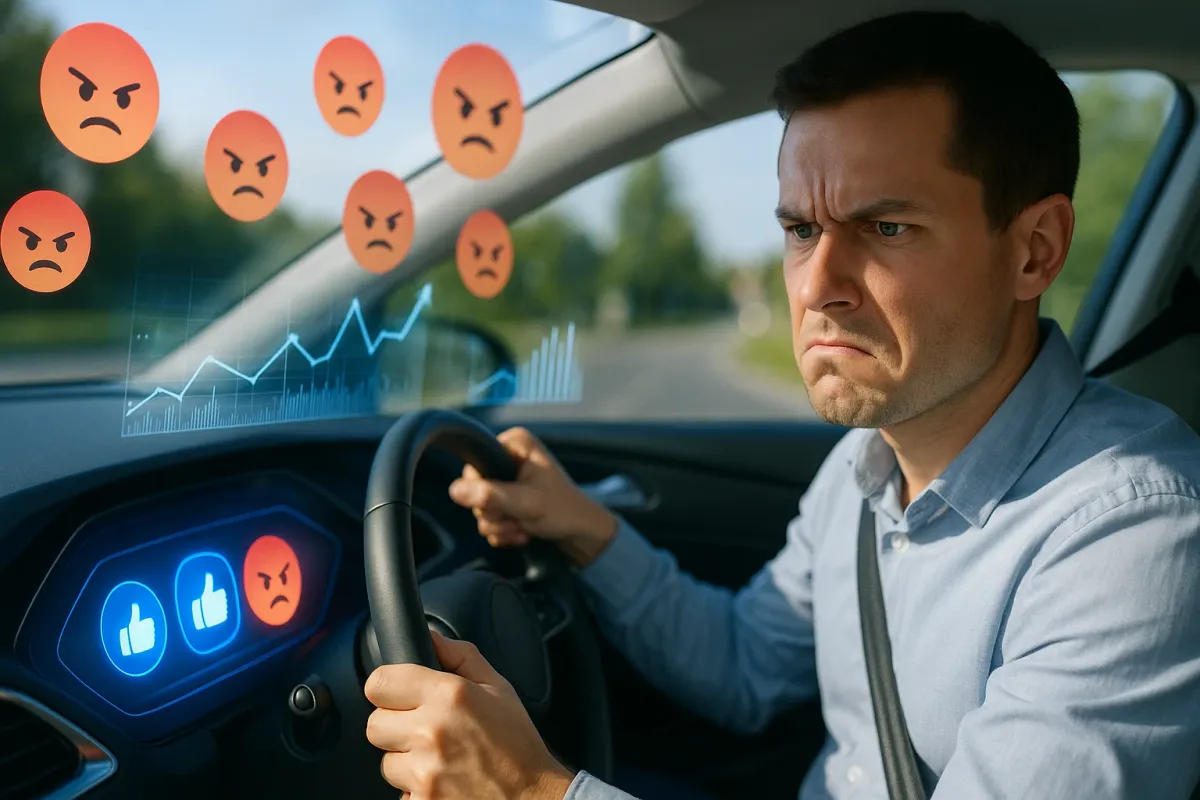
Automakers and suppliers already monitor app reviews, warranty claims, and connected‑car data the way social platforms watch engagement metrics. When drivers “angry upvote” bad car tech—slamming a report button, yelling at the voice assistant, or abandoning features altogether—those signals get noticed. The result: simpler menus, bigger buttons, fewer taps, and software updates that land on your dashboard overnight.
Below are five practical ways this trend affects how you should use, shop for, and maintain your car’s tech, especially as more vehicles become rolling smartphones on wheels.
1. Treat Your Car Like an App: Your Feedback Now Shapes Updates
Modern cars—from Teslas and Hyundais to Fords and Volkswagens—ship with software that’s meant to evolve. Over‑the‑air (OTA) updates now tweak everything from navigation layouts to driver‑assist behavior, the way social platforms A/B test new features. Tesla has been doing this for years, but brands like BMW, Mercedes‑Benz, Ford (with Power‑Up updates), and Hyundai/Kia are now deeply invested in it. That means your experience is data, and your complaints are “votes” that influence what gets fixed next.
Actionable takeaways:
- Use in‑car feedback tools. If your infotainment system lets you send feedback or report an issue, actually use it. Automakers log patterns.
- Don’t skip app/store reviews. If your car has a companion app (FordPass, myAudi, My BMW, Hyundai Bluelink, etc.), review it like you would a social or banking app. Describe what’s confusing or broken.
- Be specific when you visit the dealer. Instead of “the screen is annoying,” say “it takes four taps to change the fan speed—dangerous while driving.” Clear complaints are easier to prioritize.
- Keep your system updated. When your car prompts you for a software update, schedule it. Many UI improvements and bug fixes arrive silently this way.
Think of it this way: if a feature drives you crazy, you’re not just a frustrated driver—you’re an early tester whose feedback can shape the next update.
2. Stop Fighting Bad Menus: Rebuild Your Own “Home Screen”
Social media feeds let you mute, pin, reorder, and customize what you see. Your car’s tech increasingly works the same way—but many owners never touch the settings. Newer systems from GM, Toyota, Stellantis (Uconnect 5), and Hyundai let you reorder tiles, set shortcuts, and save driver profiles. If you’re living with a cluttered screen, you’re essentially scrolling a messy feed instead of curating it.
Actionable takeaways:
- Turn your wheel time into set‑up time. Park somewhere safe and spend 10–15 minutes just customizing the display, not rushing to your next stop.
- Put “drive‑critical” items on the first layer. Climate, defrost, main map view, and audio volume controls should be accessible in one tap or less.
- Create a “bare minimum” profile. If your car supports multiple driver profiles, set up one with a minimalist layout for long trips or night driving.
- Disable non‑essential pop‑ups. Turn off notification clutter (promos, non‑urgent alerts) so only safety‑critical prompts break your focus.
The goal: your main screen should feel like a clean home page, not a chaotic timeline.
3. Use Phone Integration Wisely—Not As a Crutch
Just like people escape bad website design by going straight to social apps, many drivers dodge clunky built‑in systems by living entirely inside Apple CarPlay or Android Auto. That works—up to a point. Brands like GM are already moving some EVs away from phone projection in favor of their own ecosystems, while others are deeply committed to improving integration. Either way, being intentional about when you rely on phone mirroring matters.
Actionable takeaways:
- Decide your “default OS” per trip. For daily commutes, CarPlay/Android Auto might be perfect. For remote or low‑signal trips, learn and rely on the built‑in nav.
- Limit app sprawl. Don’t clutter CarPlay/Android Auto with every app you own. Keep just navigation, audio, and one or two essentials (charging, parking).
- Check cable and wireless stability. Random disconnects are often bad cables, dirty ports, or outdated phone OS—not always the car’s fault.
- Choose one navigation brain. Running Waze on your phone, the car’s native nav, and a separate traffic app simultaneously is a recipe for distraction. Pick one per trip.
Your phone is a powerful backup, but your car’s native system is what will keep improving through OTAs. Learn it enough to use it when it’s the safer choice.
4. Watch For “Engagement Bait” in Your Car’s UI
On social platforms, engagement bait (clicky thumbnails, intrusive alerts) drives interaction at the cost of user sanity. In car dashboards, the equivalent is too many non‑critical pop‑ups, overly animated menus, or features that demand visual attention instead of using sounds or haptics. Automakers are under pressure to showcase features, but regulators and safety advocates are pushing back, which is why you’re seeing more simplified modes and restrictions while driving.
Actionable takeaways:
- Turn off what you don’t truly need. Disable unnecessary animations, theme rotation, and “tip of the day”‑style prompts while driving.
- Use “minimal” or “focus” modes. If your EV offers a simplified display (e.g., just speed, range, and basic navigation), use it for long or night drives.
- Prefer tactile where possible. If your model has both a physical button and a touchscreen option, train yourself to use the physical control first.
- Audit your alerts. Go into settings and reduce non‑safety alerts to a minimum. Leave lane departure, forward collision, and critical system warnings ON.
The test: if something on the screen doesn’t help you drive safer, faster, or with clearer information, it shouldn’t be shouting for your attention at 70 mph.
5. Buy Your Next Car Like You’re Reviewing a New App
The internet’s “angry upvote” culture has trained us to spot bad UX instantly—and that’s a skill you should absolutely take into the showroom. Automakers spend big money on glossy demos, but the smart buyers act like tough app reviewers: they tap every menu, stress‑test every feature, and imagine living with the system for years. With more models relying heavily on screens (especially EVs from Tesla, BYD, Mercedes‑Benz, Hyundai, Rivian, and others), tech usability is now as important as horsepower or MPG.
Actionable takeaways:
- Do a “10‑minute tech test” on every test drive. Sit in the car and:
- Pair your phone.
- Start navigation to a real destination.
- Adjust climate, seat heaters, and audio while seated.
- Switch driver‑assist features on/off.
- Test worst‑case scenarios. Turn the screen brightness down, then step into bright sunlight. Can you still see key info? Try making a quick defrost adjustment with gloves on.
- Ask the salesperson to “get stuck.” Request that they intentionally mis‑tap a few menus so you see how easy it is to back out or recover.
- Read software update history. Ask what features have been added or changed via updates over the past year. If the brand can’t point to real improvements, that’s a red flag.
Think long‑term: you’re not just buying the current interface—you’re buying the update culture of that brand. Some treat feedback like gold; others ship it and forget it.
Conclusion
The same energy that fuels “angry upvotes” online—calling out bad design so it gets fixed—is quietly steering the future of car dashboards. As more vehicles become software‑defined, your taps, frustrations, and feedback matter as much as your oil changes and tire rotations. Automakers are watching what you touch, what you ignore, and what you shut off.
If you treat your car’s tech like a living app—customizing it, reporting what’s broken, testing it before you buy, and reducing distraction‑bait—you’re not just making your daily drive smoother. You’re helping push the industry toward simpler, safer, more human‑friendly dashboards. In a world where cars update overnight, the most powerful tool you have isn’t just the steering wheel—it’s your feedback.