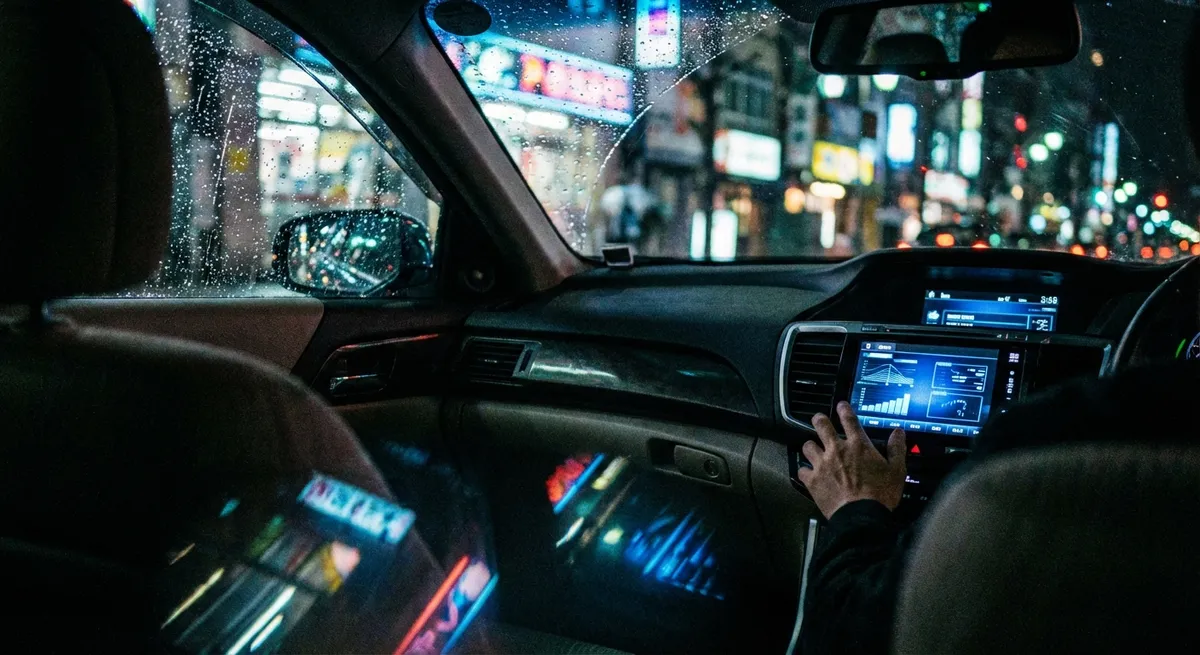
This guide focuses on practical, data-driven features that many cars from the last decade already have, plus how to use them smarter. No coding, no custom hardware—just using what’s on board more deliberately.
Understanding What Your Car Already Knows
Before you can use your car’s data, you need a rough idea of what it’s tracking. Even non-luxury models with no built-in navigation or Wi‑Fi often monitor dozens of parameters every second. Newer vehicles add connectivity and app support on top.
Common data points your car is already generating:
- Driving behavior: Speed, steering angle, acceleration, braking intensity, stability control events
- Powertrain status: Engine load, coolant temperature, oil life estimates, transmission temperature, fuel trims
- Location and environment (on connected cars): GPS position, trip routes, average speed by route, outside temperature
- Usage patterns: Trip length, cold starts, idle time, average fuel consumption, time in stop‑and‑go traffic
- Health indicators: Diagnostic trouble codes (DTCs), battery voltage, tire pressure, ABS/airbag system status
Why this matters to you:
- It can predict issues before warning lights appear.
- It reveals patterns that waste fuel or wear parts prematurely.
- It explains why the car behaves differently in certain conditions.
Your job isn’t to become a mechanic—it’s to pull out the handful of insights that directly affect safety, cost, and convenience.
Use Driving Data to Cut Fuel Use Without Driving Slower
You don’t need to crawl in the right lane to save fuel. Most of the easy gains come from how smoothly you use the pedals and how you plan your momentum, not from absolute speed.
Nearly every modern car offers some form of fuel or eco display:
- Instant and average fuel economy readouts
- Eco “coaching” bars, leaves, or scores
- Trip computers logging distance, time, and consumption
How to turn this into real savings:
Run a “baseline week”
Without changing anything, reset your trip computer and drive normally for a full tank. Note: - Average MPG or L/100 km - Typical trip length - Time spent in traffic vs. highway (if your car shows this)
Unlock “anticipation mode” using live fuel data
Watch the instant fuel readout for one or two commutes: - Notice how hard acceleration causes the figure to spike (or the MPG to drop). - Aim for gentle, progressive throttle—get back to your usual speed in a slightly longer window. - Try to lift off the accelerator earlier when approaching red lights or traffic; coast (or lightly brake) instead of staying on the gas and then braking hard.
Compare your new average after one tank
- If your route is mostly city, a realistic expectation is 3–10% improvement just from smoother throttle and braking. - Highway-heavy drivers see benefits from holding a steadier speed and avoiding rapid lane changes that require re‑accelerating.
Use trip stats to redesign your route
If your car or app logs multiple trips: - Compare two or three routes to work by average speed and fuel use, not just distance. - The shortest route isn’t always the most efficient; a slightly longer, smoother-flowing road can consume less fuel and be easier on brakes and transmission.
Lock in the habits using eco feedback
Many cars give you post-trip scores or simple coaching bars: - Aim to “beat” your previous week’s score instead of comparing to an ideal you’ll never maintain. - Focus on acceleration smoothness more than everything else—that’s where the biggest, easiest gains are.
This isn’t about hypermiling tricks; it’s about using built-in data to shave off waste while driving at normal speeds.
Turn Alerts and Logs Into a Simple “Early Warning” System
Most drivers only react when a warning light stays on. But many cars give you subtler hints days or weeks earlier—if you know how to read and record them.
Here’s how to make your car’s alerts work as an early-warning network rather than a collection of annoying beeps.
Document every light and message—immediately
When something pops up: - Take a clear photo of the dashboard and the message display. - Note the date, approximate mileage, and conditions (rain, extreme cold, towing, heavy traffic, etc.). - If it disappears after restarting, don’t ignore it—your photo and notes are evidence.
Use basic diagnostic tools for pattern‑spotting
A simple OBD‑II Bluetooth scanner plus a reputable app (or a manufacturer’s connected-car app) can: - Read stored and pending trouble codes, sometimes even if the light went off. - Show how often the same code returns. - Help you distinguish between “urgent safety” and “soon, but not immediate” items.
Group warnings by system, not by event
Over a few months, you might see: - Intermittent ABS or traction control lights in wet weather. - Occasional low-voltage or battery warnings on cold mornings. - Random check-engine light that clears on its own.
Treat these as systems with trends, not isolated glitches. Three traction events in rain after years of none? That might indicate worn tires even before the tread looks obviously low.
Give your shop a curated log, not just “it acts weird”
When you schedule service: - Print or email them a simple log: dates, conditions, photos, and any codes. - Mention patterns (“only on cold starts,” “only on the highway,” “only when heavily loaded”).
This dramatically increases the odds of a correct first diagnosis—saving you time and repeat visits.
Set your own thresholds, not just “light on, go in”
Decide in advance: - Which warnings mean “pull over now” (overheating, no oil pressure, red brake warning, charging system failure). - Which mean “next few days” (TPMS warnings, stability control malfunctions in clear weather). - Which mean “monitor and log” (temporary messages that clear quickly, minor emissions-related codes with no drivability symptoms).
Having a plan transforms uncertainty into manageable decisions instead of panic or avoidance.
Use Location and Trip Data to Protect Yourself and Your Car
Connected features aren’t just convenience—they can help you protect your car, manage multiple drivers, and even defend yourself against unfair claims.
Many newer vehicles (and some aftermarket dongles) offer:
- GPS-based trip logs
- Speed and route histories
- Geofencing or “movement alerts”
- Parked location tracking
You don’t need to obsessively monitor this data. Instead, use it selectively where it offers real protection.
Enable “last parked location” and check it occasionally
- Useful in crowded urban areas or unfamiliar cities. - Confirms that the car is where you left it—handy if you park in long-term lots or on the street overnight.
Create a simple policy for other drivers of your car
If teens, friends, or employees drive your car: - Turn on gentle alerts for speeding well above local limits (many OEM apps and third‑party devices support this). - Use trip summaries, not live tracking, to review trends: Are they consistently speeding? Hard‑braking? Racing cold engines?
Communicate that the goal is safety and longevity, not surveillance.
Preserve trip data around incidents
After any collision, near‑miss, or dispute: - If your car or app logs trips, save or export the trip of that day. - Note weather, road conditions, and any anomalies (like road construction or sudden debris). - Combine this with dashcam footage, if you have one.
This package can be valuable when dealing with insurance or liability questions.
Use geofencing carefully, but purposefully
If your system supports it: - Set up geofences around restricted-use areas (for teen drivers or company vehicles). - Instead of constant pings, use exception alerts: the car leaving late at night, entering an out-of-bounds region, or moving when you’re away on a trip.
Balance privacy with benefit
- For personally owned vehicles, turn off PII-heavy features you don’t use (like sharing detailed driving profiles with third parties). - For shared or company vehicles, clearly explain what data is collected and why—focus on safety, asset protection, and maintenance planning.
Used responsibly, these features pivot your car from being a liability risk to an asset that can help you tell your side of the story—and keep everyone safer.
Treat Your Smartphone as an Extension of the Car, Not a Distraction
Your phone is already a powerful auto tech accessory. The trick is to integrate it in a way that reduces distraction while adding capability.
Instead of thinking “What apps can I add?” ask, “What in the car is weak that my phone can solve better?”
Use hands-free platforms fully, not halfway
If you have Apple CarPlay, Android Auto, or a solid Bluetooth setup: - Configure favorites: a short list of contacts and destinations you actually use. - Restrict notifications to essentials while driving (navigation prompts, urgent calls). - Use voice commands for almost everything: calling, changing music, sending quick messages.
The goal is fewer touches and predictable screens, not more tech for its own sake.
Offload navigation and traffic to your phone, but stabilize it
- Mount the phone securely at eye level; avoid holding it or placing it on the seat. - Preload maps (offline mode) if you drive in poor coverage areas. - Use real-time traffic and hazard alerts to plan lane changes and exits earlier, not reactively at the last moment.
Add data you wish your car had
Even if your car is older, these apps effectively “upgrade” it: - Fuel and cost tracking: See long-term fuel trends, track where and when the car is most efficient, and spot changes that might signal mechanical issues. - Maintenance reminders: Mileage-based reminders for oil, tires, brake inspections, and registration/inspection dates. - Driving style feedback: Some apps give you scoring similar to built-in eco-coaches, useful if your car doesn’t have one.
Control context switching at stoplights
- Pick one or two primary apps for driving (nav + music/podcasts). - Resist checking social feeds or non-essential notifications at stoplights—those moments are for scanning mirrors and planning your next moves. - Use “Do Not Disturb While Driving” modes to filter distractions automatically.
Keep your digital footprint consistent across cars
If you use multiple vehicles: - Log fuel and maintenance in a single app with separate profiles per car. - Sync navigation favorites and key addresses across platforms. - Use the same voice assistant or workflow so your in-car routine is predictable everywhere.
Done right, your phone doesn’t make the car “smarter”—it makes your driving system more organized and less mentally taxing.
Use Data to Adjust Driving in Extreme Conditions
Your car behaves differently in heatwaves, cold snaps, and heavy rain. Many of those changes are visible in your data—if you pay attention and respond accordingly.
Instead of reacting only when you feel the car slipping or struggling, use temperature, tire, and stability data to stay ahead of trouble.
Watch how cold affects battery and fuel use
On cold days: - Note longer cranking times or sluggish starts—log these with temperature. - Expect higher fuel use on short trips; cold engines and transmissions are less efficient. - For EVs and plug‑in hybrids, precondition the cabin and battery while plugged in if your vehicle supports it.
If cold-weather starting worsens as winter progresses, that’s a nudge to test or replace the battery before it leaves you stranded.
Use TPMS (tire pressure monitoring) as a seasonal guide, not just a warning
- When the temperature drops suddenly, pressures drop too—even without leaks. - If TPMS isn’t warning yet, manually check pressures during the first major cold snap and heatwave each year. - Track how often you need to adjust pressure seasonally; consistent slow loss in one tire may indicate a small leak or bead/corrosion issue before it becomes urgent.
Treat stability and traction events as feedback, not bad luck
Many cars log or flash traction/stability control when they intervene: - If you see this suddenly happening more often in rain or snow, reconsider your tires, following distances, and speeds. - Even one serious stability event on a familiar road might justify a tire inspection or change to a more appropriate season-specific setup.
Compare trip times and patterns in bad weather
After heavy rain, snow, or extreme heat: - Look at your trip duration and average speed versus normal conditions. - Use this information to plan more realistic departure times in future storms—reducing stress and the temptation to rush.
Log environmental extremes tied to mechanical changes
If you notice: - Brakes feeling spongy after extreme heat or long descents - Engine temp creeping higher in long, hot traffic jams - Transmission shifts feeling harsher while towing in summer
Note the conditions and mileage; bring that log to your mechanic. It’s often easier to diagnose heat-related or load-related issues when you can describe the exact scenario rather than “sometimes it feels off.”
Conclusion
Your car is already a rolling sensor network, whether or not you think of it that way. When you pay attention to the data it quietly collects—and combine that with a few smart habits—you get:
- Lower fuel use without crawling on the highway
- Earlier warnings about developing problems
- Stronger protection during disputes or incidents
- A less distracting, more capable in-car tech setup
- Safer, more predictable behavior in extreme conditions
You don’t need to read every parameter or decode every byte. Focus on the handful of data points that directly affect your safety, stress level, and wallet, and use them consistently. That’s how everyday drivers turn “connected car” buzzwords into real-world advantages.
Sources
- NHTSA – Vehicle Technologies and Safety Systems - Overview of modern vehicle safety and driver-assist technologies and how they work
- U.S. Department of Energy – Fuel Economy in Cold Weather - Explains how temperature affects fuel use and vehicle efficiency, with practical tips
- IIHS – Crash Avoidance Technologies - Research-based information on traction, stability control, and driver assistance systems
- Consumer Reports – What the Check Engine Light Really Means - Guidance on interpreting diagnostic warnings and what to do next
- FTC – Connected Cars: Privacy and Security Issues - Discusses data, privacy, and security considerations for modern connected vehicles