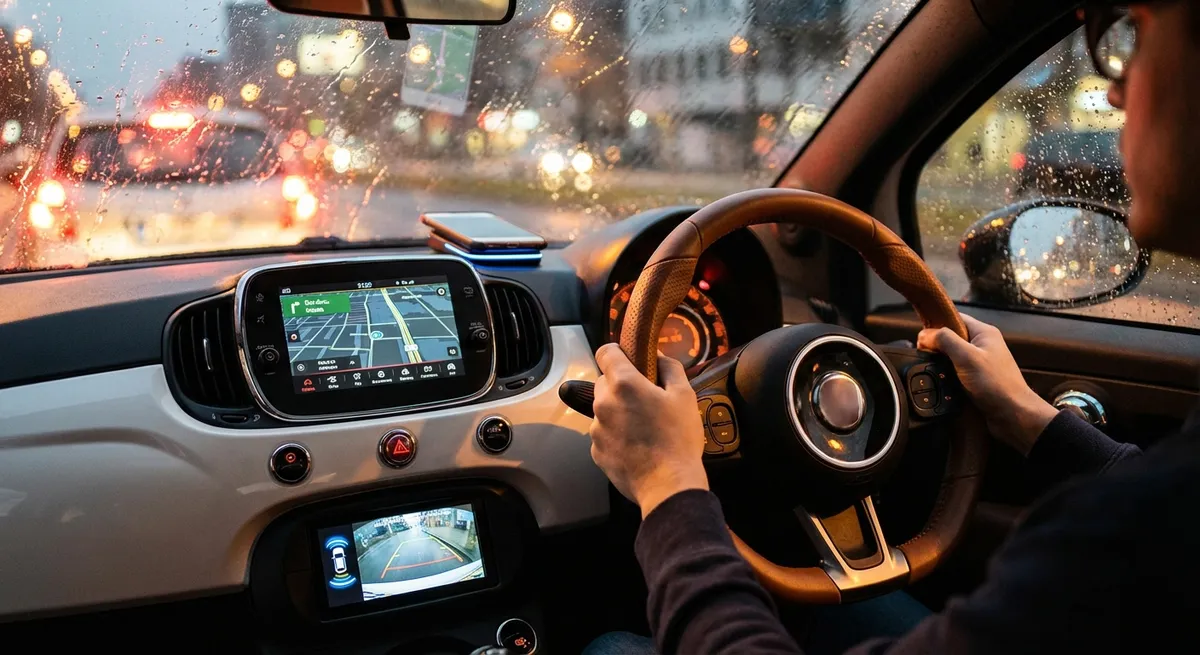
This guide focuses on practical, realistic auto tech moves that fit into everyday driving. No hype, no gadgets you’ll forget in a drawer—just useful ways to make your current car smarter, safer, and easier to live with.
Make Your Phone and Car Work Together (Safely)
Most cars built in the last decade can connect to your smartphone via Bluetooth, and many newer models support Apple CarPlay or Android Auto. Used correctly, this isn’t just a convenience—it’s a major safety and usability upgrade.
Take the time to fully set up your system: pair your phone, sync contacts, and customize call, message, and navigation settings before you start driving. In Apple CarPlay and Android Auto, adjust which apps appear on the main screen—prioritize navigation, calls, music, and podcasts, and remove anything that might tempt you to fiddle while driving.
If your car doesn’t have CarPlay or Android Auto, consider an aftermarket head unit that supports them. Installation for mainstream vehicles is usually straightforward, and you’ll get modern voice-guided navigation, hands-free texting, and streaming without needing a brand-new car. For older vehicles with only an aux jack, a quality Bluetooth receiver can at least handle wireless audio and hands-free calls.
The key is to keep interactions short and voice-driven. Use voice commands (Siri, Google Assistant, Alexa Auto) for calls, messages, and destination inputs. Turn on “Do Not Disturb While Driving” or your phone’s driving focus mode to block distracting notifications. The goal isn’t just to connect your phone—it’s to get the useful parts and shut out the noise.
Actionable point #1:
Set up your in-car phone integration properly: configure CarPlay/Android Auto or Bluetooth, customize app layout, and enable a driving-focused notification mode so your phone becomes a driving tool, not a distraction.
Use Built-In Driver Assistance as a Partner, Not a Crutch
Advanced driver-assistance systems (ADAS) like adaptive cruise control, lane-keeping assist, blind-spot monitoring, and automatic emergency braking are becoming common even in mid-priced vehicles. These can reduce fatigue on long trips and massively improve safety in everyday traffic—if you understand what they can and cannot do.
Start with your owner’s manual or the manufacturer’s online guides. Each brand tunes these systems differently: some lane-keep assists only warn you, others lightly steer; some adaptive cruise systems handle stop-and-go traffic, others turn off below a certain speed. Knowing those limits keeps you from over-trusting the tech.
On a clear, low-traffic stretch of road, test each feature one at a time. Turn on adaptive cruise and watch how it behaves when another car cuts in. Try lane-keeping and note when it alerts you and when it doesn’t (faded lane lines or construction zones can confuse it). Practice using blind-spot monitoring as a supplement to mirror checks, not a replacement.
Crucially, keep sensors and cameras clean. Front radar units, parking sensors, and windshield-mounted cameras can be blocked by dirt, ice, or bumper stickers. A quick wipe during fuel fill-ups or car washes keeps them accurate. If you get warning messages like “radar blocked” or “camera unavailable,” treat them like a temporary loss of safety equipment and adjust your driving.
Actionable point #2:
Learn your car’s specific driver-assistance features, test them in controlled conditions, and keep cameras and sensors clean so these systems work as intended—always as backup to your own attention, never instead of it.
Turn Your Car into a Rolling Data Source (and Use the Info)
Even if your dashboard looks simple, the car’s computer is tracking a lot of information behind the scenes. With basic tools, you can tap into that data to monitor health, spot problems early, and improve your driving habits.
An OBD-II (On-Board Diagnostics) adapter that plugs into the port under your dashboard (standard on virtually all cars sold in the U.S. since 1996) can read trouble codes, show live engine data, and even provide basic diagnostics. Pair one with a reputable app and you can often tell the difference between a loose gas cap and a serious engine issue when a warning light appears.
Many modern cars also have built-in telematics or companion apps that log trips, fuel economy, and sometimes driving behavior. If your vehicle has such an app, dig into the “trip” and “vehicle health” sections. Look for trends: is fuel economy dropping over time, pointing to overdue maintenance or underinflated tires? Are you consistently braking hard in certain parts of your commute, suggesting you could adjust your driving to save fuel and wear?
Connected insurance programs and some fleet apps offer similar driving feedback—just be aware of privacy and data-sharing policies. If you’re not comfortable with sharing location or driving behavior with a third party, stick to tools where the data stays on your phone or local device.
Actionable point #3:
Use a basic OBD-II scanner and/or your car’s companion app to track vehicle health, warning codes, and fuel usage trends so you can catch developing issues early and adjust your driving to reduce wear and fuel costs.
Upgrade Lighting, Cameras, and Parking Tech for Real-World Visibility
Seeing and being seen is still one of the most critical aspects of safe driving, and modern tech gives you more options than just turning on your headlights. Smart, targeted upgrades here can dramatically change your daily driving experience, especially at night or in tight city parking.
If you drive an older car with halogen headlights, upgrading to higher-quality halogen bulbs (within legal specs) or a proper OEM-style LED retrofit kit can improve nighttime visibility. Avoid cheap, ultra-bright “plug-in” LED or HID kits that scatter light and can blind other drivers; focus on reputable brands that meet DOT or ECE regulations.
Backup cameras are now mandatory on new passenger vehicles in the U.S. and standard in many markets, but older cars can often accept an aftermarket camera system. A simple license-plate or tailgate camera paired with a screen-integrated mirror or aftermarket head unit can drastically reduce backing incidents in driveways and parking lots.
Parking sensors and 360-degree camera systems are more complex, but even basic add-on ultrasonic sensors in the rear bumper are useful for city dwellers. When combined with your mirrors and awareness, they help you avoid low obstacles, curbs, and tight garage walls.
Don’t neglect the simple calibration steps. After swapping bulbs, adjust headlight aim according to the service manual or a trusted guide so you illuminate the road without blinding oncoming traffic. After adding a camera system, spend time learning where the on-screen guidelines line up in reality—practice in an empty lot so you know how close is too close.
Actionable point #4:
Improve real-world visibility by upgrading to legal, correctly-aimed lighting, adding a quality backup camera to older vehicles, and learning how your parking aids correspond to actual distances before relying on them daily.
Keep Your Car’s Software as Updated as Its Hardware
We’re used to updating phones and laptops, but many drivers ignore vehicle software updates—if they know they exist at all. Modern cars run millions of lines of code controlling everything from shift patterns to charging behavior in EVs, and manufacturers routinely release updates that refine performance, fix bugs, and improve security.
First, register your vehicle with the manufacturer’s official website or app using your VIN. This often unlocks service campaigns, navigation map updates, and sometimes over-the-air (OTA) software updates. If your car supports OTA updates, configure it to download and install at times when you’re not driving (for example, overnight on home Wi‑Fi).
For cars without OTA updates, ask the service department to check for software updates whenever you’re in for regular maintenance. Updates can target specific modules: engine control units, transmission control, infotainment, or ADAS systems. In some cases, a transmission “reflash” can smooth out shifting issues, and a battery management update can improve range estimates on hybrids and EVs.
Be aware of any known recalls or service campaigns affecting safety-critical systems—airbags, braking, steering, or high-voltage components. These are often free at the dealer even out of warranty. The National Highway Traffic Safety Administration (NHTSA) and many other national regulators maintain online recall lookup tools where you can enter your VIN.
Actionable point #5:
Register your vehicle with the manufacturer, check for software and map updates regularly, and ask about module updates at service visits so you benefit from performance, safety, and security improvements the car didn’t have when it left the factory.
Conclusion
Most drivers think of “car tech” as shiny touchscreen features or expensive add-ons, but the real gains come from using what you already have more effectively and adding a few carefully chosen upgrades. When your phone and car work together instead of competing for your attention, when driver-assistance systems are tuned and trusted appropriately, and when you use data, visibility tools, and software updates to your advantage, your everyday commute starts to feel a lot more refined—and a lot less stressful.
You don’t need a brand-new luxury model to drive a “smart” car. You need a solid understanding of the tech available to you, a willingness to configure it properly, and a habit of keeping both hardware and software in good shape. Start with one or two of these steps this week, and build from there—your future self on a late-night drive or long road trip will notice the difference.
Sources
- [National Highway Traffic Safety Administration (NHTSA) – Vehicle Software Updates and Recalls](https://www.nhtsa.gov/recalls) - Official U.S. government lookup for recalls and safety-related software updates by VIN
- [U.S. Department of Transportation – Advanced Driver Assistance Systems (ADAS) Overview](https://www.transportation.gov/av/adas) - Explains common driver-assistance technologies and their limitations
- [AAA – Understanding New Vehicle Technologies](https://www.aaa.com/autorepair/articles/understanding-new-vehicle-technologies) - Consumer-focused guide to in-car tech and how to use it safely
- [Insurance Institute for Highway Safety (IIHS) – Front Crash Prevention and ADAS Research](https://www.iihs.org/topics/front-crash-prevention) - Research on the effectiveness of automatic emergency braking and related systems
- [Edmunds – What Is Apple CarPlay and Android Auto?](https://www.edmunds.com/car-technology/what-is-apple-carplay-android-auto.html) - Practical explanation of smartphone integration systems and their benefits