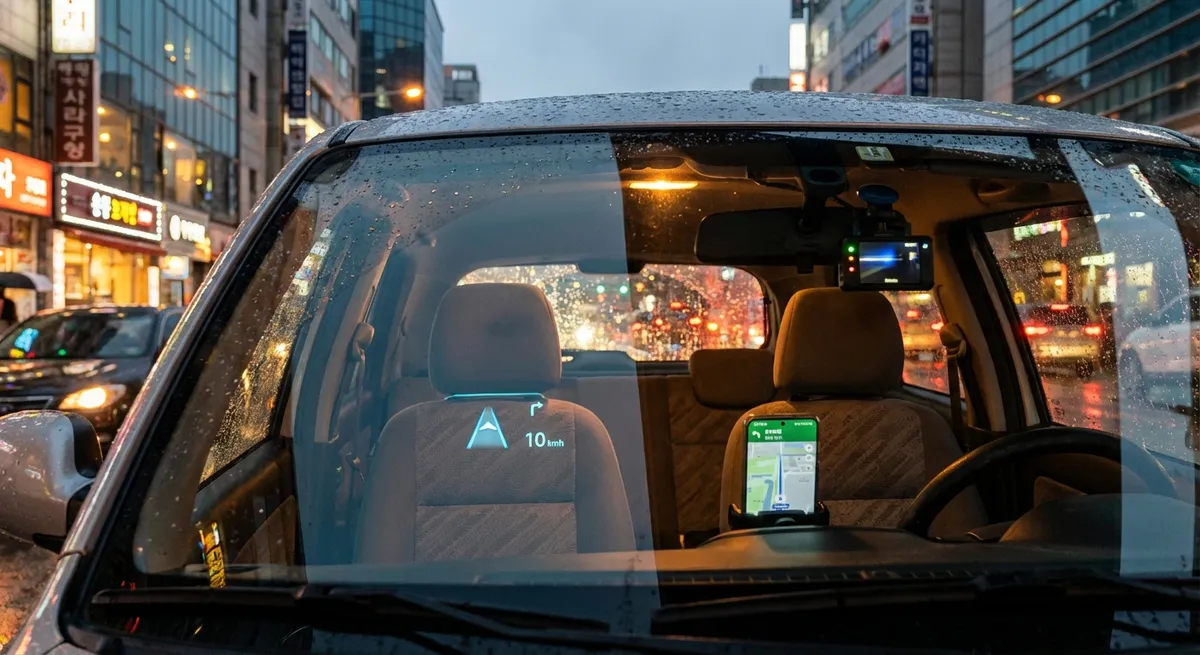
Optimize Your Infotainment System for Fewer Distractions
Many drivers leave their infotainment system on factory defaults, which often means more distraction and less usefulness. Spend 20–30 minutes deliberately setting it up.
Start by customizing the home screen to prioritize functions you actually use while driving: navigation, audio, phone, and energy/fuel info. Bury rarely used apps and disable demo or “store” icons if allowed. Turn off pop‑up notifications that aren’t essential (such as app suggestions or promotional alerts) and set your phone to “Do Not Disturb While Driving” so only critical calls and messages break through.
If your car supports Apple CarPlay or Android Auto, use those as your main interface—they generally offer clearer navigation, better voice control, and more frequent updates than built‑in systems. Make sure your navigation app has offline maps downloaded for your region so a weak cell signal doesn’t leave you guessing. Finally, learn and practice key steering‑wheel and voice commands (e.g., “call home,” “navigate to work,” “play [artist]”) so you’re not hunting through screens while moving.
Use Driver Assistance Features as Tools, Not Autopilot
Modern vehicles often include driver assistance tech—lane keeping assist, adaptive cruise control, blind‑spot monitoring, and automatic emergency braking. These are not self‑driving systems, but they can reduce workload and help prevent mistakes when used correctly.
Start by reading the specific explanations in your owner’s manual or the automaker’s online guide. Different brands behave differently: some lane‑keeping systems gently nudge you, others only warn; some adaptive cruise systems will stop and go in traffic, others disengage below a certain speed. Understanding these details prevents unpleasant surprises.
Turn on blind‑spot monitoring and rear cross‑traffic alert if your car has them, then adjust your mirrors properly so the alerts complement, not replace, your own checks. Use adaptive cruise control on highways to smooth out your speed and reduce tailgating—it can help with fuel efficiency by avoiding constant braking and acceleration. However, keep your hands on the wheel and eyes up; treat these features like an advanced set of power tools that make a job easier, not a robot that can do it without you.
Turn Your Phone Into a Smarter Driving Companion
Your smartphone can be one of the most powerful tools in your car, as long as it’s set up to work with you, not against you.
First, invest in a solid, stable phone mount positioned in your natural line of sight but not blocking the road or key instruments. This keeps your phone from sliding around and makes it easier to glance at navigation without looking far off‑axis. Pair your phone via Bluetooth (or wired) and clean up the pairing list—remove old vehicles and shared devices that can cause confusion.
Next, choose purpose‑built apps: a reliable navigation app with real‑time traffic and hazard reports; a reputable fuel‑price app to find cheaper stations along your route; and your carmaker’s official app, if available, for maintenance alerts, remote lock/unlock, or charge/fuel status. For EV and plug‑in owners, install a charging‑network app that shows live charger availability.
Finally, configure safety features: enable automatic crash detection or emergency sharing features if your phone offers them, and set emergency contacts. Just as important, configure driving‑mode settings that silence most notifications and prevent you from reading new messages on the move; you can have your phone auto‑reply that you’re driving and will respond later.
Use Simple Tech to Protect Your Battery, Tires, and Fuel Budget
A few inexpensive devices can protect expensive components and help you avoid breakdowns.
Keep a compact lithium‑ion jump starter in your trunk. Many models now double as USB power banks and include built‑in flashlights. Unlike traditional jumper cables, you don’t need a second vehicle—critical if your battery dies in a parking lot late at night. Store it charged, and set a reminder to top it off every few months.
If your car didn’t come with a live tire pressure monitoring system that shows actual PSI, consider a Bluetooth tire‑pressure sensor kit or, at minimum, a quality digital gauge. Proper tire pressure improves safety, handling, tire life, and fuel efficiency. Set a monthly reminder in your calendar and check when temperatures swing dramatically, as pressure changes with ambient temperature.
For older vehicles, an inexpensive OBD‑II Bluetooth scanner paired with a smartphone app can read engine fault codes, show basic sensor data, and help you understand a check‑engine light before you head to the repair shop. You won’t diagnose everything, but you’ll walk in with more context—useful for distinguishing between something urgent (like misfires or catalytic converter issues) and a minor emissions‑related code.
Make Software Updates and Data Hygiene Part of Maintenance
Cars are increasingly software‑defined, and keeping that software current is now part of routine ownership.
If your vehicle supports over‑the‑air (OTA) updates, check the settings menu for an “auto‑update” or “Wi‑Fi update” option. Connect the car to your home Wi‑Fi network when parked so it can download updates more quickly and without using mobile hotspots. Many updates quietly improve reliability, fix bugs in driver assistance systems, enhance navigation data, or patch security issues.
For vehicles that require dealer‑installed updates, ask your service advisor to check for software updates whenever you’re in for scheduled maintenance. In some cases, these can improve shift quality, charging behavior (for EVs), infotainment stability, or even add small new features.
Also, treat personal data in your car like you would on any other device. Periodically review and clear stored contacts, navigation histories, and paired devices—especially if you’ve rented your car out, used valet services frequently, or plan to sell it. Most infotainment systems include a “factory reset” or “clear personal data” option; make that your final step before handing over the keys to a new owner.
Conclusion
You don’t need a brand‑new car or an expensive aftermarket build to get real value from auto tech. By tuning the systems you already have, using your phone intentionally, adding a couple of smart gadgets, and keeping software and data under control, you can make daily driving calmer, safer, and more efficient. The key is to treat your car’s technology like any other tool: understand how it works, tailor it to your needs, and keep it maintained over time.
Sources
- National Highway Traffic Safety Administration – Advanced Driver Assistance Systems - Overview of common driver assistance features and how they’re intended to be used
- U.S. Department of Energy – Fuel Economy: Keeping Your Car in Shape - Explains how tire pressure, maintenance, and driving habits affect fuel economy
- AAA – The Impact of Vehicle Technologies on Driving - Research and guidance on how driver assistance tech can reduce crashes when used correctly
- Apple – Use “Do Not Disturb While Driving” on your iPhone - Instructions for configuring phone settings to reduce distractions behind the wheel
- Android Auto – Official Help Center - Official guide to using Android Auto safely and effectively in compatible vehicles