Below are five specific, actionable ways to put tech to work for you, without turning every drive into a science project.
Turn Your Phone Into a True Driving Command Center
Most drivers already use their phone for music and maps—but treating it like a proper driving tool makes a big difference in safety and convenience.
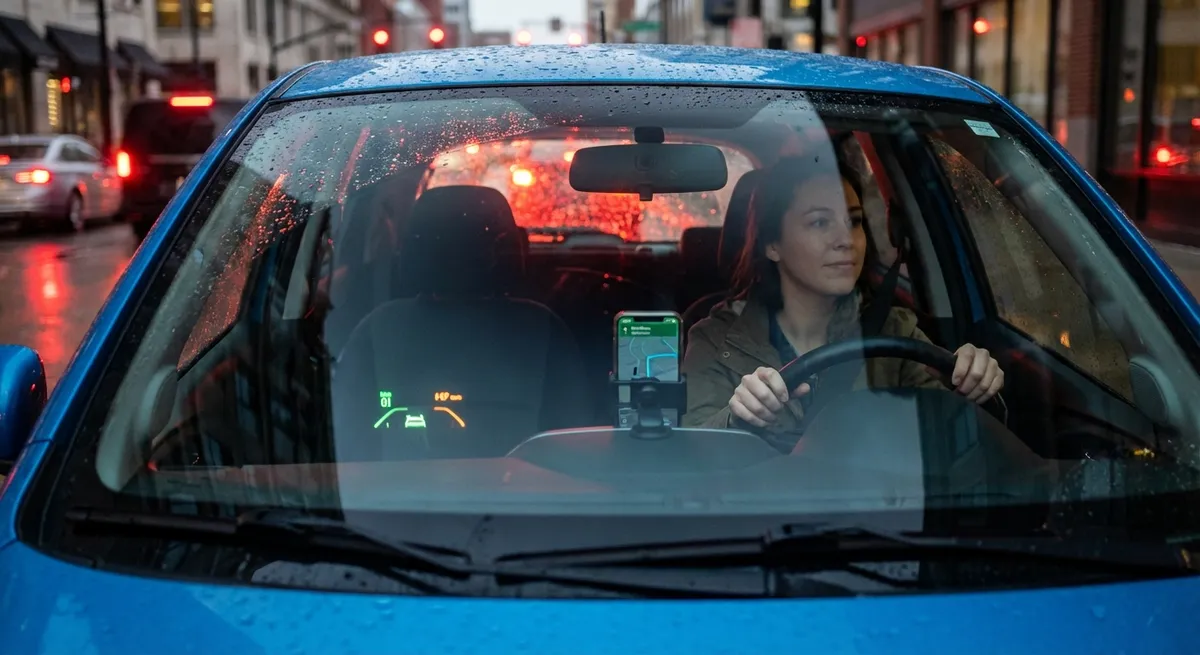
Start with a solid, stable phone mount that doesn’t block airbags or your main field of vision. The safest placements are usually on the dash, low and near eye level, or attached to a vent off to the side. Avoid suction cups in the middle of the windshield where they can obstruct your view or violate local laws.
Next, enable a dedicated “driving mode.” Apple’s “Focus – Driving” and Android’s “Android Auto / Driving Mode” can automatically filter notifications, send auto‑replies to texts, and keep the screen focused on navigation and audio. This turns your phone from a distraction source into a streamlined control panel.
If your car supports Apple CarPlay or Android Auto, use them. They mirror essential apps (maps, calls, music, messaging) with larger, simplified interfaces designed for driving. If your car is older, consider an aftermarket head unit with CarPlay/Android Auto. Many units are plug‑and‑play for common vehicles, and you’ll gain safer voice control, better navigation, and often backup camera support in one upgrade.
Finally, standardize your app setup: one maps app, one music source, one messaging method with voice replies. Familiarity matters—when you always use the same layout and commands, you spend less time fiddling and more time watching the road.
Actionable point #1:
Set up a dedicated driving mode on your phone, mount it safely, and limit yourself to a small, consistent set of apps (maps, calls, music) that you always access via voice or CarPlay/Android Auto.
Use Dash Cams as Your Always‑On Witness (Not Just a Gadget)
Dash cams have moved from enthusiast toys to practical insurance. A compact, well‑placed camera can provide critical evidence after a collision, hit‑and‑run, or road rage incident—and modern models add useful features that go beyond simple recording.
Look for a camera with at least 1080p resolution, good low‑light performance, and a wide field of view (but not so wide that license plates distort). Dual‑channel systems record both front and rear, which is valuable for rear‑end collisions and parking lot incidents. Many mid‑range options now offer built‑in GPS to log speed and location, plus G‑sensors that automatically save clips when they detect a significant impact.
Parking mode is especially helpful for apartment or street parking. When properly wired with a hardwire kit, the dash cam can monitor for motion or impacts while the car is off, recording evidence of vandalism or parking lot bumps. Just make sure the kit has low‑voltage protection so you don’t drain your battery.
Placement and privacy matter: mount the camera high, near the rearview mirror, where it doesn’t obstruct your view, and be aware of local recording laws—some regions have specific rules about audio recording or windshield obstructions.
Actionable point #2:
Install a front (or front-and-rear) dash cam with parking mode and impact detection, and take 10 minutes to configure storage settings so old, unimportant footage is overwritten while critical clips are auto‑saved.
Let Smart Tire Tools Do the Heavy Lifting
Tires are where all your fancy tech meets the road, yet they’re often neglected. Newer vehicles have built‑in Tire Pressure Monitoring Systems (TPMS), but you can go further with inexpensive tech to make tire care nearly automatic.
If your car has factory TPMS, learn how to access individual tire readings—often hidden in the infotainment menu. Don’t just wait for the warning light; make a habit of checking pressures before long trips or big temperature swings. Under‑inflated tires hurt fuel economy, increase stopping distances, and wear unevenly.
For older cars, external TPMS kits with valve‑cap sensors and a small display are an easy upgrade. They monitor pressure and temperature in real time, and warn you about slow leaks before they become roadside emergencies. Pair this with a reliable portable air compressor that plugs into your 12V outlet; many models let you set a target PSI and automatically stop inflating when they reach it.
Take advantage of tread‑depth gauges (or even app-based tools that use your phone’s camera) to track wear over time. Uneven wear can signal alignment issues or suspension problems before they become costly. Logging readings in a note on your phone every few months gives you a simple maintenance history.
Actionable point #3:
Use tech—factory TPMS, an add‑on TPMS kit, and a digital gauge or smart compressor—to keep your tires at the correct pressure and track tread depth periodically, treating tire health as a monitored metric instead of guesswork.
Upgrade Safety With Add-On Driver Assistance, Not Just Factory Systems
Advanced driver-assistance systems (ADAS) like automatic emergency braking and lane-keeping assist are becoming standard on new vehicles, but older cars don’t have to be left out. A growing ecosystem of aftermarket devices can add useful layers of protection without replacing the car.
Backup cameras and parking sensors are the most straightforward upgrade. Many wireless camera kits integrate directly with an aftermarket head unit or even your phone. Properly aimed, they significantly reduce blind spots when reversing—especially in tall SUVs, trucks, or vans.
Blind spot monitoring and rear cross‑traffic alerts can be added via radar‑based systems that mount in the rear bumper area, or via camera‑based systems that integrate into mirrors. While they may not be as seamless as factory systems, they provide audible and visual alerts when a vehicle is in your blind zone or crossing behind you in a parking lot.
Forward collision and lane departure warning kits (often camera-based) can alert you if you’re closing too quickly on a car ahead or drifting out of your lane. These systems typically attach to the windshield and plug into the OBD‑II port for power and data. The key is to treat them as an extra set of “digital eyes,” not as an excuse to relax your own awareness.
Calibrate everything carefully: follow installation instructions precisely, aim sensors correctly, and avoid cluttering your windshield with overlapping devices. Test alerts in low‑risk situations (empty parking lots, low speeds) so you understand how and when they trigger.
Actionable point #4:
Add at least one safety-focused tech upgrade—such as a backup camera, parking sensors, or blind spot monitor—and invest the time to install and calibrate it properly so the alerts are accurate and genuinely helpful.
Use Data, Not Just Feel, to Track Your Car’s Health
Your car constantly generates data. With a small adapter and the right apps, you can turn that invisible stream into practical insights about maintenance, performance, and fuel economy.
An OBD‑II (On-Board Diagnostics) adapter plugs into a port usually located below the dashboard. Bluetooth adapters can pair with your phone and read engine codes, monitor live sensor data (coolant temperature, fuel trims, oxygen sensors), and log trips. When a check engine light appears, you’ll see a diagnostic trouble code (DTC) and a description instead of guessing—or panicking.
Use this data to differentiate between urgent issues (like misfires or overheating) and non‑critical ones (like an evaporative emissions leak from a loose gas cap). You still need a professional diagnosis for complex problems, but going into a shop informed can save time and reduce the likelihood of unnecessary repairs.
Fuel‑tracking and trip‑logging features can reveal patterns: which routes yield better mileage, how aggressive acceleration affects consumption, and whether your car’s efficiency is gradually worsening (which might point to maintenance needs like air filters, spark plugs, or alignment).
If you prefer a plug‑and‑forget solution, some connected‑car devices offer automatic trip logs, driving behavior feedback, and even crash detection that can alert emergency contacts. Just be mindful of data privacy—review what information is collected and how it’s used.
Actionable point #5:
Install a quality OBD‑II adapter and companion app, and start logging basic metrics (fault codes, fuel economy, trip data). Use this information to prioritize maintenance and decide when a warning light can wait until your next scheduled visit—and when it can’t.
Conclusion
You don’t need to chase every new automotive gadget to drive smarter. By focusing on a few targeted upgrades—phone setup, dash cams, smart tire tools, add-on safety systems, and health‑monitoring data—you can get real, everyday benefits without overwhelming your dashboard or your budget.
The key is intentional use: choose tech that solves specific problems you actually have, install it correctly, and take a little time to learn how it behaves in the real world. When you do that, your car’s tech stops being a random collection of features and becomes what it should be: a quiet, reliable layer of support behind every drive.
Sources
- [National Highway Traffic Safety Administration (NHTSA) – Tire Safety](https://www.nhtsa.gov/equipment/tires) – Official guidance on tire pressure, tread depth, and TPMS importance
- [U.S. Department of Transportation – Connected Vehicle Basics](https://www.transportation.gov/research-and-technology/connected-vehicles) – Overview of how vehicle data and connectivity can enhance safety and efficiency
- [AAA – Advanced Driver Assistance Systems (ADAS) Explained](https://www.aaa.com/autorepair/articles/advanced-driver-assistance-systems) – Clear breakdown of common driver-assistance features and their benefits and limitations
- [Consumer Reports – What to Look for in a Dash Cam](https://www.consumerreports.org/electronics-computers/dash-cams/how-to-buy-the-best-dash-cam-a1042802457/) – Practical buying advice and test results for dash cameras
- [Edmunds – OBD-II: What It Is and How It Works](https://www.edmunds.com/car-maintenance/what-is-obd-ii.html) – Explains OBD‑II systems, diagnostic codes, and how drivers can use scan tools effectively