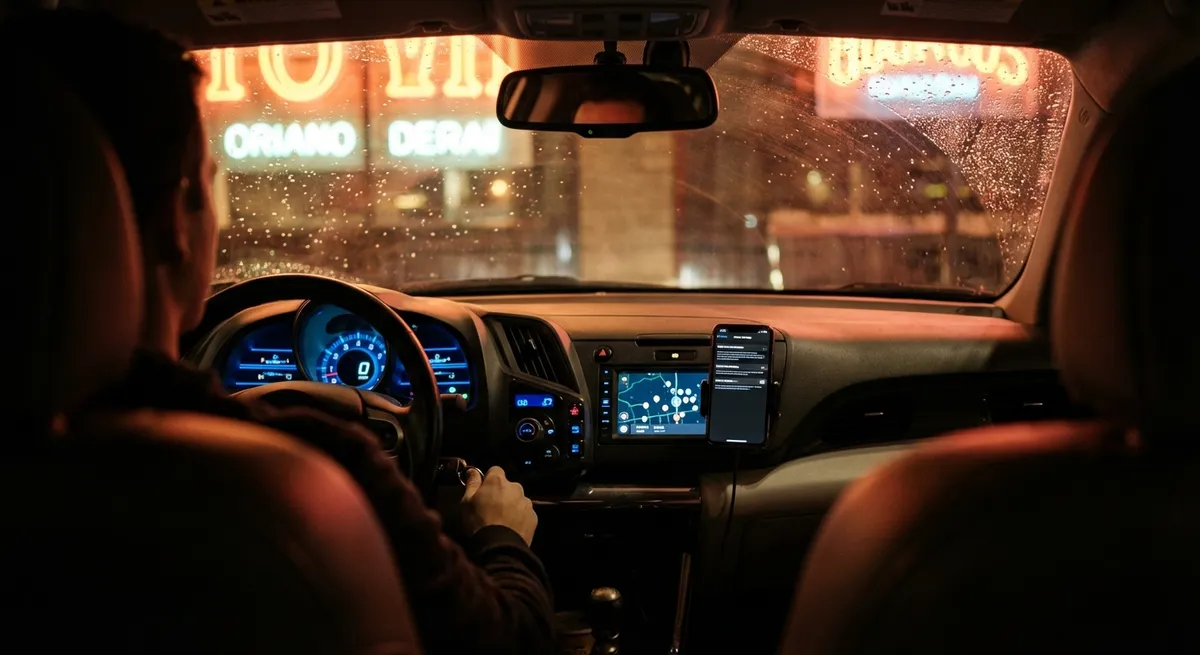
This guide breaks down what your car is really collecting and gives you five practical, actionable steps to take more control over your data without giving up the tech you enjoy.
What Data Your Car Is Actually Collecting
Before you can manage your car’s data, you need to know what’s being captured. Today’s vehicles gather far more than just odometer readings and fuel level. Most late-model cars record:
- Driving behavior: speed, acceleration, braking intensity, steering input, and use of driver-assist features
- Location information: GPS history, routes, parked locations, trip start/stop times
- Vehicle health and usage: fault codes, fluid status, battery state, mileage, tire pressure, software versions
- In-car activity: phone connections, call logs, sometimes text metadata, voice command recordings
- Biometric and comfort settings: seat and mirror positions, user profiles, climate preferences
Some of this data is stored locally in modules like the Event Data Recorder (EDR, often called the “black box”), while other information is transmitted to manufacturer servers or third-party providers via built-in cellular connections.
For enthusiasts and everyday drivers, this can be useful: better diagnostics, advanced navigation, over-the-air updates, and safety services like automatic crash notification. But the same pipeline can support usage-based insurance scoring, targeted advertising, and even broad data sales if your settings allow it.
Understanding that your car behaves more like a connected smartphone than a simple machine is the first step to deciding what you’re truly comfortable sharing.
Action 1: Audit Your Car’s Connected Services and Accounts
Most people accept every prompt on the infotainment screen when they buy a car, then never look at the settings again. That’s where you start taking control.
What to do:
- Open your vehicle’s smartphone app (e.g., myChevrolet, FordPass, myAudi, Toyota app) and sign in on a laptop if possible for easier navigation.
Review all linked services:
- Remote lock/unlock and start - Vehicle health reports - Wi-Fi hotspot - Navigation with cloud sync - Voice assistants (Google, Alexa, built-in assistants) 3. Locate the “Privacy,” “Data & Privacy,” or “Account & Permissions” section in both the app and the in-car infotainment system. 4. Disable any services you don’t actually use, especially those that clearly require broad access to your driving and location data. 5. Check for connected third-party accounts like music streaming, smart home apps, or digital assistants and remove anything you no longer recognize or use.
Why it matters: every connected feature is a potential data pipeline out of your car. You’re not required to use all of them, and disabling unused services reduces exposure without affecting basic driving or safety systems.
Action 2: Lock Down Location and Telematics Sharing
Location and behavioral data are the most sensitive and commercially valuable pieces of your driving profile. Many manufacturers now provide at least partial control over this—if you know where to look.
What to do:
- Turn off “Location History” or “Trip History” in your car’s app if you don’t need to see where you’ve driven over time.
- In the infotainment system, look for options like “Share vehicle data,” “Send usage statistics,” or “Improve services.” Opt out where possible.
- If your car offers “Incognito,” “Valet,” or “Privacy” driving modes, explore what those modes actually disable—some reduce data logging or hide trip details in the app.
- Carefully review any insurance-related sharing, especially programs like “Drive Safe,” “SmartDrive,” or “UBI” (usage-based insurance). These often require continuous driving-behavior monitoring in exchange for discounts.
- If you must share data with an insurer, consider using phone-based tracking apps instead of direct car telematics. They’re easier to disable or delete if you change your mind.
In many regions, manufacturers are required to disclose what they collect and why, but those disclosures tend to be buried in long privacy policies. Configuring your location and telematics settings up front is a more practical way to limit unnecessary tracking.
Action 3: Manage Bluetooth, Contacts, and In-Car Phone Data
Pairing your phone to your car is convenient, but it can also leave fingerprints behind—especially if you’re using a rental car, a shared vehicle, or you later sell your car.
When you connect your phone, the car may ask for permission to:
- Sync contacts
- Sync call history
- Access messages
- Access media and photos (for album art and messaging apps)
What to do on your own car:
- When pairing a phone, decline access to contacts and messages if you don’t need them displayed on-screen. You can still make calls via Bluetooth using the phone’s interface or minimal contact access.
- Periodically delete old paired devices: go to Settings → Bluetooth → Paired Devices in your car’s system, and remove phones you no longer use.
- If you frequently give others rides, consider using “Guest” or “Visitor” profiles in the infotainment system so their devices don’t get permanently stored.
What to do on rentals, loaners, or shared vehicles:
- Avoid syncing messages and contacts entirely. Use basic Bluetooth audio if you must connect your phone.
- Before returning the vehicle, factory reset the infotainment system or at least “Clear personal data” from the settings menu.
- Confirm that your phone is no longer listed in the Bluetooth paired devices.
This keeps your personal data (contacts, call history, sometimes text previews) from being visible to future drivers or captured by systems you don’t control.
Action 4: Use Tech for Maintenance—Without Oversharing
Telematics and vehicle-health monitoring can be powerful tools for keeping your car in top shape—especially if you like real-time data. The key is choosing where that data goes.
Options and trade-offs:
- Manufacturer maintenance alerts:
- Pros: Integrated, convenient, usually accurate maintenance reminders.
- Cons: Often tied to broader data sharing; some systems send driving and health data back to the manufacturer by default.
- Independent OBD-II scanners and apps (like standalone scan tools or OBD-II dongles with phone apps):
- Pros: Direct insight into fault codes, live sensor data, and readiness monitors without necessarily sending data to a cloud server.
- Cons: Some cheap dongles come with apps that do phone-home telemetry or have poor security—read their privacy policies and permissions.
- Dealer telematics vs. local shop diagnostics:
- You can opt to use a local mechanic with their own scan tools for diagnostics instead of always relying on manufacturer remote diagnostics, which often require data transmission from your car.
What to do:
- If you like the convenience of app-based maintenance, enable only the minimum data required for service reminders and diagnostics.
- For DIY or enthusiast-level tracking (e.g., performance logs, detailed fault analysis), favor high-quality OBD-II devices that allow offline or local-only use.
- Periodically review which apps on your phone have access to Bluetooth, location, and nearby devices, and remove any car-related apps you no longer trust or use.
This approach lets you enjoy advanced maintenance insights and performance data without automatically feeding a constant stream of detailed information to multiple third parties.
Action 5: Prepare Your Car’s Tech for Resale or Transfer
When you sell, trade in, or return a leased vehicle, you should think of it like getting rid of a smartphone: wipe your data and disconnect cloud accounts.
Modern cars may be linked to:
- Your manufacturer account (with personal details and driving history)
- Smartphone apps for remote access
- In-car payment systems (tolling, parking, EV charging, fuel)
- Connected services subscriptions
- Garage door openers and home integration
What to do before handing over the keys:
- Remove the vehicle from your manufacturer app account (e.g., “Remove Vehicle,” “Unlink Vehicle,” or similar option).
- In the car’s settings, perform a factory reset or “Erase all personal data” operation. This typically clears:
- Phone pairings
- Navigation history and saved locations
- Streaming logins
- User profiles and preferences
- Log out of integrated accounts (Spotify, Alexa, Google, Apple ID, payment services) if they’re provided natively in the car.
- Clear garage door opener codes from HomeLink or other built-in transmitters, especially if they can open your home’s main entry.
- If your car has an SD card or local storage, remove or wipe it according to the manual before selling.
These steps protect you from unintended access to your accounts and personal information long after the car leaves your driveway.
Conclusion
Connected car tech can make driving safer, easier, and more enjoyable—but it also turns your vehicle into a moving data source. You don’t have to accept an “all or nothing” trade-off between privacy and convenience.
By auditing your connected services, tightening location and telematics sharing, managing Bluetooth access, using maintenance tools thoughtfully, and properly wiping your car before resale, you keep the useful parts of modern auto tech while reducing the risk of oversharing your life on the road.
Treat your car like the smart device it has become, and you’ll stay in control of both the drive and the data.
Sources
- [FTC Consumer Advice: Connected Cars](https://www.consumer.ftc.gov/articles/connected-cars) - Overview from the U.S. Federal Trade Commission on how connected cars collect and share data, with privacy tips for consumers.
- [National Highway Traffic Safety Administration (NHTSA) – Event Data Recorder (EDR) Information](https://www.nhtsa.gov/equipment/event-data-recorder) - Explains what information vehicle event data recorders capture and how it may be used.
- [Mozilla Foundation – Privacy Not Included: Cars Report](https://foundation.mozilla.org/en/privacynotincluded/categories/cars/) - Independent assessment of how major automakers handle user data and privacy across their connected vehicles.
- [Electronic Frontier Foundation (EFF) – Cars, Data, and Privacy](https://www.eff.org/issues/cars) - Advocacy and analysis on vehicle data collection, ownership, and legal considerations.
- [AAA – Understanding New Vehicle Technologies](https://exchange.aaa.com/safety/understanding-vehicle-technology/) - Explains modern vehicle technologies and connected features, helping drivers understand how these systems work in everyday use.