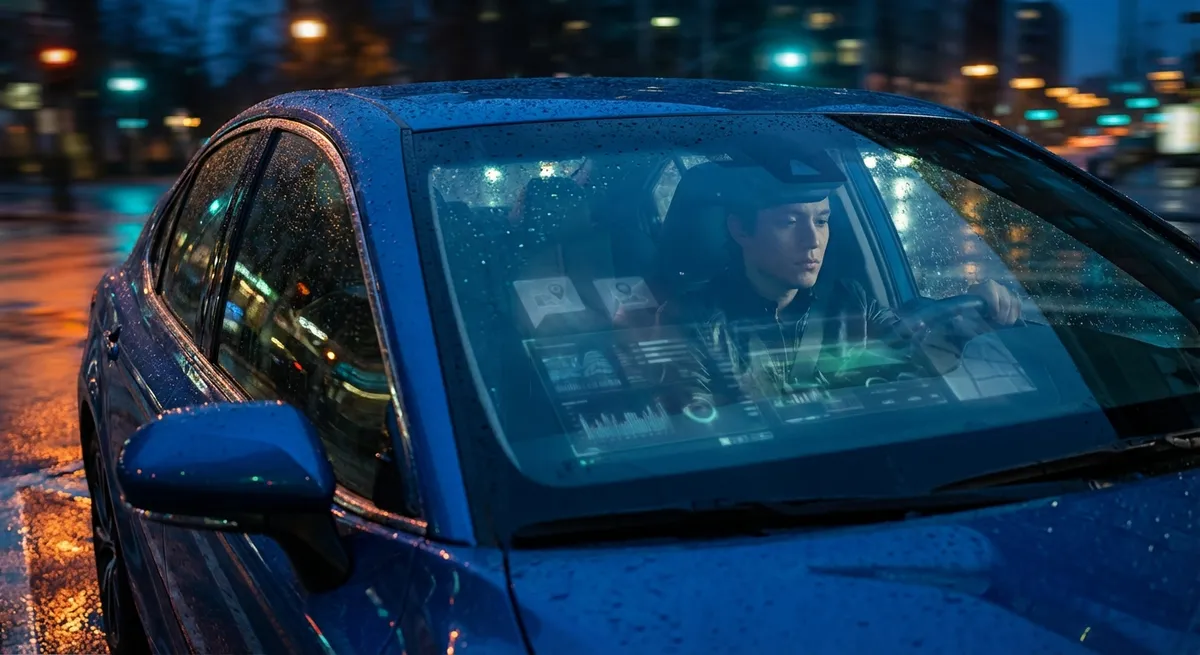
This guide breaks down what your car is tracking, how that data is used, and—most importantly—specific steps you can take to manage it. Whether you’re driving a new EV or a years-old SUV with basic connectivity, you have more control than you might think.
Understanding What Your Car Knows About You
Today’s vehicles function like rolling computers. Even if you don’t have a luxury model, your car likely has multiple modules and sensors feeding information to onboard systems and sometimes to external servers. Common categories of data include:
- Location and routes: GPS logs, frequent destinations, stored addresses in the navigation system, and sometimes historical routes.
- Driving behavior: Speed, hard braking, sharp turns, acceleration patterns, and use of driver-assistance features (like lane-keeping or adaptive cruise control).
- Vehicle health and usage: Mileage, maintenance history, error codes, battery/charging history (for hybrids and EVs), and component status.
- Device and media data: Contacts, call logs, text fragments (via SMS-to-screen), paired Bluetooth device history, and streaming app usage.
- Biometric or profile data: Seat and mirror positions, preferred climate settings, voice profiles, and in some advanced systems, driver recognition data.
Automakers may use this data to deliver software updates, refine safety features, improve navigation, and power branded apps. But it can also feed into third-party systems—such as insurance programs or connected services—depending on what you’ve opted into, sometimes via fine print most owners rarely read.
Before you can control your data, it helps to know where it actually lives and how it moves between your car, your phone, and remote servers.
Actionable Point 1: Review and Adjust In-Car Privacy Settings
Most newer vehicles now offer in-car menus or smartphone app controls that let you adjust some privacy-related settings. While the options vary by brand, digging into these menus is one of the most direct ways to limit what’s shared.
Action steps:
- Open the settings menu on your infotainment system and look for sections like “Privacy,” “Data Sharing,” “Connectivity,” or “Account.”
- Disable non-essential sharing where possible. Typical toggles include:
- Sending vehicle diagnostics and usage data to the manufacturer
- Sharing driving behavior for “improvement of services”
- Using location for connected services or marketing
- Check the companion app (e.g., myChevrolet, FordPass, BMW ConnectedDrive, Tesla app) for an account or privacy section. Turn off:
- Location-based marketing or offers
- Data sharing for research or analytics (when optional)
- Disable automatic crash or emergency sharing only with caution. Systems like eCall or OnStar can be life-saving in severe crashes, so consider leaving critical safety services enabled while turning off optional analytics or promotional data.
The key is nuance: you don’t have to turn everything off. Instead, consciously decide what you’re comfortable sharing and what you want to keep local to the car.
Actionable Point 2: Clean Up Your Car Before Selling, Trading, or Renting
Many drivers wipe their phones and laptops before selling them—but forget that the car they’re trading in has years of personal data stored: home addresses, call history, Wi-Fi passwords, and connected service accounts.
Before handing over keys to a dealer, buyer, rental return, or even a long-term loan to a friend, treat your car like a device that needs to be reset.
Action steps:
Unpair all Bluetooth devices
- Go to the Bluetooth menu and remove each paired phone and device. - This helps stop automatic reconnection and future access to data if the car remains nearby.
Delete navigation history and saved locations
- Clear “previous destinations,” “favorites,” and especially labels like “Home,” “Work,” and frequent routes. - On some systems, you may need to clear history in multiple apps (built-in nav versus Apple CarPlay/Android Auto behavior).
Log out of all apps and accounts in the car
- Streaming apps (Spotify, Apple Music, Pandora) - Voice assistants (Amazon Alexa, Google Assistant, manufacturer accounts) - Built-in Wi-Fi hotspot accounts or trial subscriptions
Perform a master reset or factory reset of the infotainment system
- Look for “Reset,” “Factory settings,” or “Restore default” in system settings. - This often erases personal data, saved profiles, and some downloaded apps. - Confirm what exactly is reset—some cars reset only the head unit, while others reset driver profiles and cloud-linked data.
Disconnect connected services from your account dashboard
- Log into your manufacturer’s website or app and remove the vehicle from your profile. - Disable any active data-sharing agreements (e.g., insurance programs, trial connectivity) tied to the VIN.
A thorough digital clean-up not only protects your privacy but can also prevent future headaches if the new owner ends up linked to your accounts or services.
Actionable Point 3: Manage App Permissions and Insurance Data-Sharing
Your car’s data ecosystem extends beyond the dashboard. Many owners grant extensive permissions to mobile apps and connected services without realizing how that information could be used down the line—especially by insurance companies, third-party telematics providers, or resale platforms.
Action steps:
Audit permissions for your car’s companion app
- On your phone, open app settings and review permissions: location, Bluetooth, contacts, background data, and motion sensors. - Ask what’s truly necessary. Does the app need precise, always-on location if you only check your vehicle status occasionally?
Evaluate insurance telematics programs carefully
- “Usage-based” or “pay-how-you-drive” programs can track speed, acceleration, time of day, and routes. - Read the program’s privacy and retention policies: - How long is your driving data stored? - Is it used only for discounts, or also for claims, non-renewal, or rate increases? - Is data shared with third parties or used after you leave the program?
Avoid linking unnecessary third-party services
- Some apps offer integrations with smart home systems, delivery services, or ride-sharing apps. - Each additional integration can become another data access point. Only connect services you actively use and trust.
Regularly review connected account dashboards
- Automakers often provide online portals that show which services are active on your car. - Disable features you don’t use and revoke access for old devices or accounts.
By treating your car’s app ecosystem like you would any other connected device (phone, smart TV, laptop), you can reduce how widely your driving information is distributed—and how long it’s stored.
Actionable Point 4: Use Navigation and Connectivity More Privately
Navigation and connectivity features are some of the best parts of modern cars—but they’re also major sources of location and behavior data. You can still enjoy them while making thoughtful choices about how much you reveal.
Action steps:
Prefer phone-based navigation when privacy matters
- When you use Apple CarPlay or Android Auto, a lot of the location processing happens through your phone ecosystem rather than the vehicle’s native system. - This doesn’t make you invisible, but it moves more control into your existing smartphone privacy settings.
Limit saved personal locations in the car itself
- Instead of saving “Home” and “Work” in the car’s native navigation, consider: - Starting navigation from your phone and projecting it to the screen - Saving sensitive addresses only on your phone, which you can more easily lock, encrypt, and wipe
Turn off location history in apps that don’t need it
- On your smartphone, revoke “always-on” location permission for apps related to your vehicle unless they explicitly need it (e.g., stolen vehicle assistance, remote start in extreme climates). - Where possible, set permissions to “While Using the App” instead of “Always.”
Avoid connecting to public or unknown Wi-Fi networks via your car
- Some vehicles can connect to external Wi-Fi networks. Use your own secure hotspot or the car’s built-in LTE rather than open public networks, which can expose your traffic.
Be mindful when sharing live trip status
- Some apps and systems allow you to share your route or ETA in real time. - Use time-limited links or per-trip sharing rather than permanent or default live-sharing.
These steps help you continue enjoying turn-by-turn guidance, streaming audio, and remote access without leaving a larger digital trail than necessary.
Actionable Point 5: Know Your Rights and Use Manufacturer Privacy Tools
Automakers and regulators are starting to respond to increased scrutiny around vehicle data. In some regions, you have legal rights to see, correct, or delete personal data that companies hold about you. Even where laws are weaker, many brands offer tools you can use to better control your information.
Action steps:
Read your vehicle’s privacy policy (or at least the key sections)
- Search for your make + “privacy policy” (e.g., “Toyota privacy policy,” “GM privacy portal”). - Focus on: - What categories of data are collected - How long they’re kept - Whether data is shared with affiliates, partners, or advertisers - What control or opt-out options you have
Use data access and deletion tools where available
- Many automakers now provide web forms or account settings to: - Request a copy of your personal data - Ask for certain data to be deleted or anonymized - Restrict processing for marketing or analytics - These rights may be stronger if you live in regions with privacy laws (e.g., California’s CCPA/CPRA in the U.S., GDPR in the EU).
Make use of “guest” or “valet” profiles
- If your vehicle supports multiple driver profiles, create a limited-access “guest” or “valet” mode for: - Service visits - Parking and detailing - Short-term lending to friends/family - This can restrict access to contacts, navigation history, and some system settings.
Stay updated on recalls and software updates
- Software updates don’t just fix bugs; they sometimes add or change data collection. - After a major update, re-check privacy settings and any new toggles added to the system.
Consider how future buyers or users might see your data
- If cars become more connected to cloud-based driver identities, your driving patterns and service history may affect resale value, warranty coverage, or insurance offers. - Managing your data now can help you stay in control of how your “driving profile” is viewed later.
Being informed about your rights and tools turns you from a passive data source into an active manager of your vehicle’s digital footprint.
Conclusion
Modern cars blend mechanics and software so tightly that owning one now means managing both the machine and the data it generates. Location logs, driving behavior, app connections, and saved personal information all live inside your vehicle and the services around it—and much of it can be adjusted, limited, or erased if you know where to look.
By reviewing in-car privacy settings, thoroughly cleaning your data before selling or returning a vehicle, tightening app and insurance permissions, using navigation more thoughtfully, and exercising your rights through manufacturer and legal tools, you can enjoy the benefits of connected tech without giving up unnecessary control over your personal information.
You don’t need to opt out of every feature to be safer. The goal is balance: use the tech that genuinely helps you drive and own smarter—while making deliberate choices about how much of your life your car is allowed to record.
Sources
- [Consumer Reports – What Your Car Knows About You](https://www.consumerreports.org/cars/car-safety/what-your-car-knows-about-you-a6219834189/) – Overview of the types of data modern vehicles collect and how it’s used
- [Mozilla Foundation – Privacy Not Included: Modern Cars](https://foundation.mozilla.org/en/privacynotincluded/categories/cars/) – Independent research on automaker data practices and privacy concerns
- [Federal Trade Commission (FTC) – Connected Cars: Privacy, Security Issues](https://www.ftc.gov/news-events/news/speeches/connected-cars-privacy-security-issues) – U.S. regulator perspective on privacy and security in connected vehicles
- [National Highway Traffic Safety Administration (NHTSA) – Cybersecurity Best Practices for the Safety of Modern Vehicles](https://www.nhtsa.gov/document/cybersecurity-best-practices-modern-vehicles) – Guidance on vehicle cybersecurity and data-related risks
- [General Motors – U.S. Privacy Statement](https://www.gm.com/our-company/privacy-statement.html) – Example of an automaker privacy policy detailing categories of collected vehicle and user data