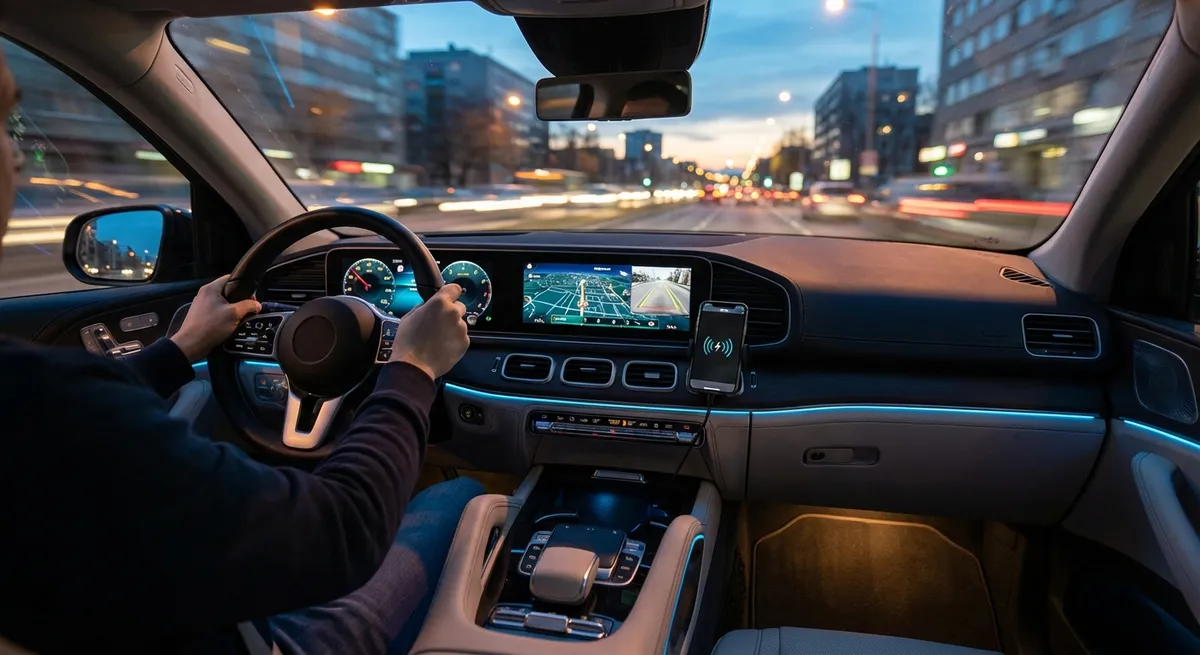
This guide focuses on practical, realistic changes—things regular drivers can install or set up in a weekend. Each section explains what the tech does, why it matters, and what to look for before you buy or install anything.
Upgrade Your Headlights With Smarter Bulbs
Factory headlights are often chosen to meet regulations and budget targets, not to give you the best possible visibility. Upgrading to higher‑quality halogen, LED, or (where legal and properly designed) projector-based lighting can dramatically improve how far and how clearly you see at night. Look at the actual light pattern, not just brightness claims—too much uncontrolled glare can blind other drivers and still leave dark spots on the road. When shopping, check for bulbs and assemblies that carry DOT or E‑mark approvals and are designed specifically for your car, rather than universal “fits anything” kits that may be unsafe or illegal.
Installation can be as simple as swapping bulbs or as complex as replacing entire headlight housings. If you go LED, confirm that the heat management and beam focus match your original design; poorly aimed or incorrectly sized LEDs are a common cause of scattered light and failed inspections. Always re‑aim your headlights after any change, using either the factory adjustment points and a flat wall or a professional alignment at a shop. Small touches—like adding quality all‑weather wiper blades at the same time and cleaning the inside of your windshield—can make the lighting upgrade feel even more dramatic in real use.
Use an OBD2 Bluetooth Scanner Like a Real-Time Health Monitor
Every car built since the mid‑1990s has an OBD2 port, but most owners only think about it when the check engine light turns on. A simple Bluetooth OBD2 scanner and a good smartphone app can turn that hidden port into a live data feed about your engine, emissions system, and even some transmission and fuel parameters. Instead of guessing what a warning light means, you can pull the code, read a plain-language explanation, and know whether it’s safe to drive or needs immediate attention. This kind of information helps you talk to repair shops more confidently and avoid unnecessary parts swapping.
Beyond fault codes, real-time data such as coolant temperature, fuel trims, intake air temperature, and oxygen sensor activity can reveal brewing problems before they create symptoms you can feel. For example, rising long-term fuel trim values might point to a vacuum leak or dirty mass airflow sensor long before performance drops. Choose an adapter from a reputable brand with strong app support and security updates, and avoid the cheapest, unbranded devices that can have connection issues or poor compatibility. Once set up, configure a few simple dashboards in your app—such as engine temp, battery voltage, and fuel trims—so you can check your car’s “vitals” quickly after a hard drive, long trip, or any time something feels off.
Turn Your Phone Mount Into a Real Driving Command Center
Most drivers already use a phone for navigation, music, and calls—but how you mount and power that phone can make the difference between a calm, safe experience and a distracting mess. A stable, properly placed mount should keep your screen within your peripheral vision without blocking your view of the road or major gauges. Dash and vent mounts work well in many cars, while CD-slot and cupholder mounts can help in older vehicles. Prioritize mounts with strong clamps or magnets, simple one-handed operation, and vibration control so you’re not constantly adjusting or reattaching the phone.
Pair the mount with a fast-charging cable or wireless charging mount, so navigation and music streaming don’t drain your battery on longer drives. Take a few minutes to customize your navigation app’s settings: enable lane guidance, speed limit alerts, and offline maps for areas with weak signal. If your car doesn’t support Apple CarPlay or Android Auto, consider a plug-in interface or an aftermarket head unit that mirrors your phone’s driving apps more cleanly. Finally, build a simple “driving home screen” on your phone with only the apps you actually use on the road—maps, music, and a voice assistant—to reduce the temptation to tap around while driving.
Add Backup and Dash Cameras for Better Awareness and Documentation
Even if your car didn’t come with a factory backup camera, you can add one without replacing the whole vehicle. License-plate frame cameras and trunk-handle replacements can integrate neatly with your existing look, and they can display on a small standalone screen, rearview mirror display, or aftermarket head unit. When you select a system, prioritize image quality in low light, a wide but not extreme field of view (too wide can distort distances), and weather resistance. Wired systems are usually more reliable than wireless, though installation can be more involved; if you’re not comfortable pulling interior panels or running wires, a professional installer is worth the cost.
A dash camera complements a backup camera by continuously recording what happens in front of (and sometimes behind) your car while you drive. This footage can be invaluable after a collision or hit-and-run, especially if there are disputes about who was at fault. Look for models with loop recording, G‑sensor impact detection, a capacitor-based power supply for better heat resistance, and at least 1080p resolution. Some dash cams offer parking mode monitoring with hardwire kits, capturing motion or impacts when your car is parked. Once installed, take time to aim the cameras correctly, set the date and time, and verify that your memory card is compatible and periodically overwritten so it doesn’t fill up and stop recording.
Use Smart Charging and Power Management to Protect Your Battery
Modern cars depend heavily on stable electrical power, and many common headaches—no-starts, random warning lights, glitchy infotainment—come from weak or neglected batteries. A simple smart battery maintainer can extend battery life dramatically, especially if you mostly take short trips or let the car sit for days at a time. These devices monitor state of charge and automatically switch between charging, maintaining, and rest modes, so you can safely leave them connected overnight or even long-term in storage. For vehicles parked outside, look at weatherproof models and consider a quick-disconnect pigtail so you don’t have to access the battery terminals every time.
Inside the car, pay attention to how much you plug into the 12V socket or USB ports. High‑draw devices like portable fridges, inverters, and multiple fast-charging phones can tax the electrical system if the engine is off or idling. Use power hubs with built-in voltage displays or low‑voltage cutoffs to avoid draining the battery too far. If you often camp or work from your vehicle, consider a dedicated portable power station instead of constantly relying on your starter battery. Finally, get in the habit of checking battery health with either an OBD2 app that can log voltage trends or a simple handheld tester; noticing slow cranking or voltage dips early gives you time to replace the battery on your schedule, not in a parking lot at night.
Conclusion
You don’t need a new car—or a garage full of tools—to benefit from modern auto tech. Thoughtful upgrades like better lighting, smarter data monitoring, organized phone integration, added camera coverage, and sensible power management can quietly improve every drive. Start with the area that bothers you most today—poor visibility, mystery warning lights, tight parking, or a weak battery—and tackle one upgrade at a time. Over a few weekends, you’ll turn your existing car into a more capable, calmer, and more confidence-inspiring daily driver.