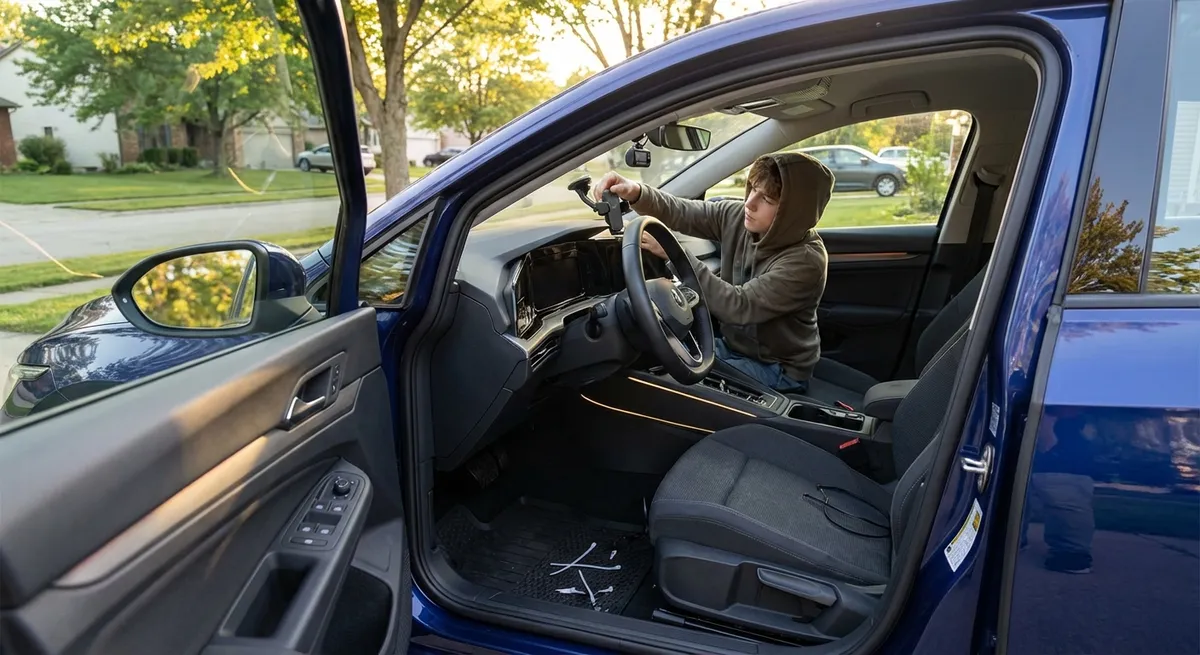
This guide focuses on practical, driver-focused tech moves you can make in an afternoon, without turning your vehicle into a science project.
1. Turn Your Phone Into a Safer Driving Hub
For most drivers, the smartphone is the real “brain” of the in‑car tech setup. The problem is how it’s used: in your hand, in your lap, or sliding around the center console. Securing and configuring it properly instantly makes your drive safer and smoother.
First, invest in a solid, stable phone mount that doesn’t block your line of sight. Dash and vent mounts are usually easier to install and remove, but windshield mounts often sit higher and closer to eye level, which can reduce the time your eyes are off the road. Whichever style you choose, position it so you glance, not turn your head.
Next, set up a dedicated driving home screen. Move your navigation app, music or podcast app, and a voice assistant shortcut to the front page. Disable unnecessary notifications while driving using your phone’s “Do Not Disturb While Driving” or “Driving Focus” mode—this helps cut down distraction from social media, emails, and group chats.
If your vehicle has Apple CarPlay or Android Auto, use it instead of mirroring your whole phone. These systems are designed with simplified menus, large icons, and deep voice control integration, which are much safer than tapping around standard apps. Make sure your contacts are synced, your favorite destinations are saved, and your main audio apps are logged in before you hit the road.
Finally, rely on voice as much as possible: use wake words to start navigation, change playlists, or place calls. Hands-free doesn’t make distractions disappear, but it’s a notable improvement over juggling a phone in traffic.
Actionable move:
Set up a driving profile on your phone today—enable driving mode, clean up your home screen, and test voice commands for navigation, calls, and audio before your next commute.
2. Use Smart Navigation Features You’re Probably Ignoring
Navigation apps have evolved far beyond “turn left in 500 feet.” There’s a lot of useful tech hidden behind their basic directions that can actually save time, fuel, and frustration.
Start with live traffic rerouting. Many drivers see the “faster route available” banner and ignore it. Get in the habit of checking the time saved and accepting reroutes when you’re not in a sensitive situation (like navigating unfamiliar urban intersections). Over weeks and months, these incremental gains can add up to hours of time saved.
Most major navigation apps also allow you to customize route preferences—avoiding tolls, prioritizing highways or local roads, and even avoiding ferries or dirt roads. Set these up based on your actual driving habits. If you hate sitting in city traffic, a slightly longer highway route may be less stressful and more fuel efficient.
Don’t overlook saved places and labeled locations. Storing your home, work, frequently visited stores, and friends’ addresses means you can start navigation with a single tap or voice command. Many systems can also remember where you parked, which is invaluable in large garages or unfamiliar neighborhoods.
Real-time hazard reporting is another underused feature. Some apps crowdsource data on crashes, stalled vehicles, potholes, or debris on the road. Checking these on long drives gives you time to change lanes safely or adjust your following distance before you encounter an issue.
If your vehicle has built‑in navigation, make sure its maps are updated. Out-of-date map data can mean wrong turns, missing roads, and inaccurate ETA calculations. Most modern systems can be updated via USB or over-the-air; check your owner’s portal or the infotainment settings.
Actionable move:
Pick one navigation app as your primary, update it, set route preferences, save key locations, and test its traffic rerouting and hazard alerts on your regular commute this week.
3. Dial In Your Driver Assist Features for Real‑World Conditions
Advanced driver-assistance systems (ADAS) aren’t just for new luxury cars anymore. Features like lane-keeping assist, adaptive cruise control, and blind-spot monitoring are common even in modest models. The key is understanding what they can do—and what they can’t.
Start with your blind-spot monitoring and rear cross-traffic alert systems. These can be particularly helpful on multi-lane roads and in crowded parking lots. Check in your vehicle’s settings whether you can adjust alert volume, timing, or brightness so they’re noticeable but not startling. Then, adjust your mirrors properly so tech supports your awareness instead of replacing it.
Adaptive cruise control (ACC) is ideal for highway driving and long trips. It automatically maintains distance from the car ahead, which can reduce fatigue and help keep speed more consistent. Take time to learn how to adjust following distance and acceleration behavior; some systems allow “comfort,” “standard,” or “sport” profiles. Use ACC on clear roads first so you get a feel for how it brakes and accelerates.
Lane-keeping assist varies widely between vehicles. In some cars, it gently nudges you back toward lane center; in others, it’s more assertive. Use it as a backup, not a primary steering tool. If you find it fights you on curvy roads or in construction zones, many systems can be toggled off temporarily with a steering wheel button.
Crucially, read the limitations in your owner’s manual or online guide. Some systems don’t operate well in heavy rain, snow, or when lane markings are faded. Cameras and radar sensors can be blocked by mud, ice, or bumper damage. If your car displays a warning that a sensor is blocked or a system is temporarily unavailable, investigate before relying on it again.
Actionable move:
This weekend, go through your driver-assist settings one by one in a safe area. Adjust alert levels, test adaptive cruise and lane-keeping on a quiet highway, and learn where the physical on/off switches are for each system.
4. Upgrade Lighting and Visibility With Smart, Legal Choices
Good lighting and clear visibility are essential safety tech, even if they don’t feel as “high-tech” as touchscreens. A few targeted upgrades can make night and bad-weather driving noticeably less stressful.
First, evaluate your existing headlight performance. If your car is more than a few years old, your halogen bulbs may have dimmed over time, and headlight lenses may have become cloudy. Restoring plastic headlight lenses with a proper kit (not just a household cleaner) can dramatically improve light output and beam clarity.
When it comes to bulb upgrades, stick with reputable, road-legal options designed for your housing type. LED or high-performance halogen replacement bulbs from known manufacturers can offer brighter, whiter light and longer life, but only if they’re properly specified. Avoid off‑brand “super bright” bulbs that may create glare for other drivers or violate local regulations.
Check your headlight aim. Even from the factory, some cars leave the showroom with slightly mis-aimed headlights, and suspension sag or heavy loads can make it worse. Many vehicles allow basic vertical adjustment with a simple screw. Use a flat surface and a wall to follow the aiming instructions in your manual or a reputable guide.
Don’t neglect simple visibility tech like your wiper blades and washer system. Modern beam-style blades maintain more consistent contact at highway speeds and in winter conditions. Ensure your washer fluid is rated for your climate; de-icing formulas can prevent frozen nozzles and improve cold-weather visibility.
Inside the cabin, keep glass and camera areas clean. Backup cameras, forward-facing cameras for ADAS, and parking sensors can all be compromised by dirt, salt, or road film. Make it a habit: every time you fuel up or charge, quickly wipe lenses and critical windows.
Actionable move:
Inspect your headlights after dark from 20–30 feet away against a wall. If the beam is dim, cloudy, or uneven, plan a lens restoration and/or bulb replacement—then check aim to ensure you’re seeing the road, not the treetops.
5. Add Smart Security and Monitoring Without Rewiring Your Car
You don’t need a factory-installed security suite to keep an eye on your car. A handful of plug‑in or stick‑on devices can add meaningful protection and monitoring—especially useful if you park on the street or in shared lots.
OBD-II-based trackers and health monitors plug into the diagnostic port under your dash. Some offer GPS tracking, driving history, and maintenance reminders, while others focus on engine codes and performance data. They can be particularly helpful if multiple family members drive the same car or if you park in high‑risk areas. Just be mindful of subscription fees and data policies before you commit.
Standalone GPS trackers can be hidden in the vehicle and powered with internal batteries or hardwired connections. These are useful for monitoring where your vehicle has been and as a theft recovery tool. Look for devices that allow geofencing (alerts if the car leaves a defined area) and tamper notifications.
Dash cams are another powerful security and accountability tool. A front-facing camera can record collisions, near-misses, and road incidents, which is valuable for insurance claims and hit-and-run scenarios. Dual-channel systems add a rear camera, and some models offer parked-car monitoring that activates recording if motion or impact is detected while you’re away.
If you regularly leave valuables in the car or park in dimly lit areas, consider adding simple deterrents: visible steering wheel locks, blinking LED “alarm” indicators, and well‑placed interior lights triggered by door openings. They don’t replace real security systems, but they can make your vehicle a less attractive target.
Finally, secure the digital side of your car. If your vehicle has a connected app (for remote start, lock/unlock, or status checks), use strong, unique passwords and enable two-factor authentication when available. Remove access for old devices or previous owners, and log out of your accounts before selling or trading in the vehicle.
Actionable move:
Choose one security or monitoring upgrade—a dash cam, GPS tracker, or OBD-II monitor—research a reputable brand, and install it with proper cable management so it doesn’t interfere with airbags or pedals.
Conclusion
Modern auto tech doesn’t have to be overwhelming or expensive to be useful. By configuring your phone for safer driving, using smarter navigation features, dialing in driver-assist systems, improving lighting and visibility, and adding focused security upgrades, you can turn everyday drives into safer, calmer, and more efficient experiences.
You don’t need to do everything at once. Start with the one change that will affect how you drive most often—your phone setup, your lights, or your navigation—and build from there. The best in-car tech is the kind that quietly works in the background, supporting your attention and making every trip feel a little more under control.
Sources
- National Highway Traffic Safety Administration (NHTSA) – Driver Assistance Technologies – Clear explanations of common ADAS features and their limitations
- AAA – Headlight Restoration Study – Research on how cloudy headlight lenses affect nighttime visibility
- U.S. Department of Transportation – Distracted Driving – Data and guidance on smartphone use and distraction behind the wheel
- Consumer Reports – Guide to Navigation Apps – Comparative overview of smartphone navigation features and best practices
- Insurance Institute for Highway Safety (IIHS) – Front Crash Prevention and ADAS Research – Evidence on how various driver-assistance technologies impact crash rates