This guide walks through five practical, tech-focused adjustments you can make in a weekend—no engineering degree required.
Dial In Your Driver Profiles Instead of Sharing “One-Size-Fits-All” Settings
If your car offers driver profiles (even basic ones tied to a key fob), setting them up properly can make every drive feel tailored instead of generic.
Take the time to create individual profiles for each regular driver, then fine‑tune:
- Seat and steering wheel position: Adjust for visibility and comfort first, “sporty” feel second. Make sure you can see over the hood, read all instruments clearly, and fully depress the pedals without stretching.
- Mirror presets: Angle side mirrors to just eliminate the overlap with your rear-view mirror, which reduces blind spots. Many cars will save this per profile, so you’re not constantly re‑adjusting when someone else drives.
- Instrument cluster display: Prioritize what you actually use—range, tire pressures, navigation directions, or tachometer—rather than living with the default screen.
- Drive mode defaults (if available): Some vehicles let you tie a preferred drive mode (Comfort, Eco, Sport) to a profile. Choose what matches your real driving: relaxed for commuting, firmer for twisty roads, efficient for long highway runs.
- Audio and climate preferences: Set your default temperature and fan speed, and turn on automatic climate if you have it. Calibrate audio balance and equalizer once instead of fiddling with it every trip.
The payoff is consistency: less time spent re‑configuring controls, fewer arguments over “who moved the seat,” and a car that feels like it always “remembers” you.
Put Your Phone and Car on Speaking Terms (The Right Way)
Many owners plug in their phone and stop there, missing a lot of useful integration. A bit of setup can make your car’s infotainment system feel more like a well‑behaved co‑pilot than a distraction machine.
Focus on three areas:
App prioritization:
- For Apple CarPlay or Android Auto, rearrange app icons so your most-used, safest apps (navigation, music, podcasts, messages, EV charging apps) are on the first screen. - Remove or hide apps you’d never use while driving to reduce temptation and clutter.
Notification discipline:
- In your phone settings, turn off nonessential app notifications while driving (social media, shopping apps, games). - Enable message read‑outs only for contacts or apps that truly matter (family, work if needed, navigation alerts). - If your car supports “Do Not Disturb While Driving” or similar, turn it on and customize the auto‑reply.
Voice assistant competence:
- Learn a handful of voice commands and practice them at low speed or in a parking lot: - “Navigate to [destination]” - “Call [contact] on speakerphone” - “Play [artist/playlist/podcast]” - “Send a message to [contact]” - Rely on voice for anything that would require more than a single tap; it’s usually quicker and safer once you get used to it.
When your phone and car are properly integrated, you cut down on glance time, keep your hands on the wheel, and still get the convenience of modern connectivity.
Use Built-In Cameras and Sensors as Tools—Not Just Parking Helpers
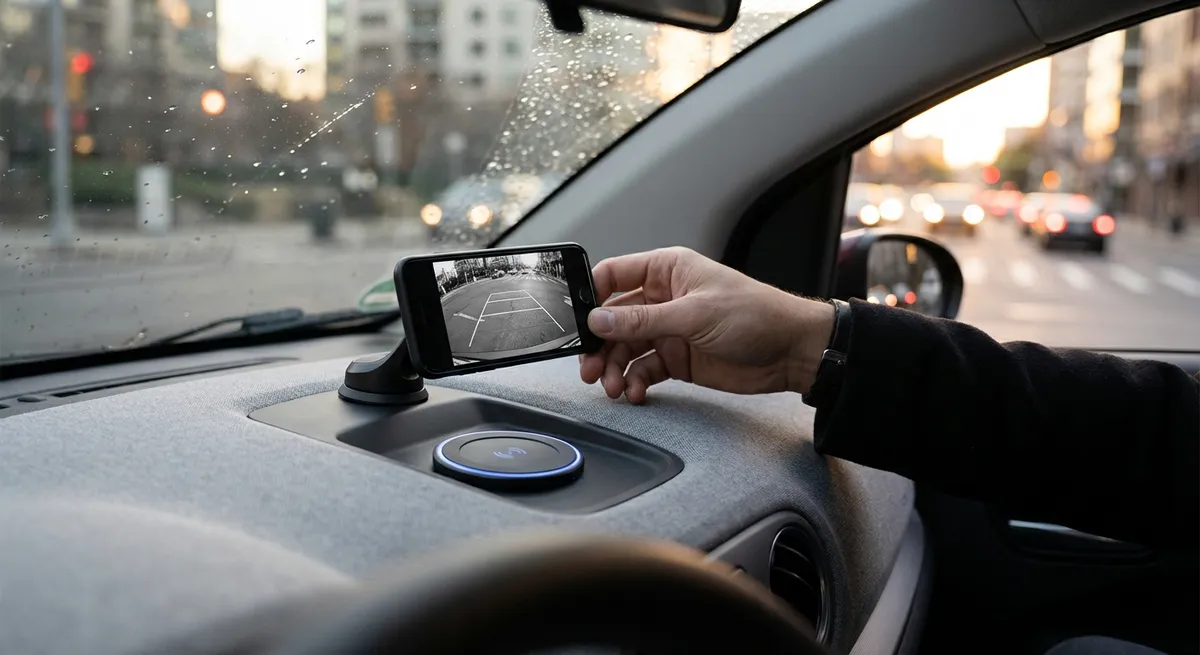
Backup cameras and parking sensors are now standard on most newer cars, but owners often treat them as simple parking aids instead of versatile safety tools.
You can get more out of them by:
- Calibrating your mental “distance scale”:
- Leveraging surround‑view or 360° systems:
- Checking wheel positions near curbs to avoid rim damage
- Navigating tight garages or narrow drive‑thru lanes
- Confirming clearance when pulling a trailer or backing near obstacles
- Using front cameras or parking sensors in traffic:
- Checking the camera lens periodically:
In an empty parking lot, use cones or bottles behind the car, then slowly reverse until the camera guidelines and sensors trigger. Get out and physically check how much space you actually have at different beep stages. This sharpens your judgment when space is tight.
If your car has a top‑down view, use it not just for parallel parking but for:
Turn them on (if available) in congested urban traffic or cramped parking structures to better judge exactly how close you are to the vehicle or wall ahead, reducing fender-bender risk.
Wipe the lens with a microfiber cloth when you clean your windows, especially after rain, snow, or road salt. Blurry feeds reduce your margin for error right when visibility is already bad.
Treat the camera and sensor system like an extra set of calibrated eyes—supplementing your mirrors and direct vision, never replacing them.
Turn Basic Safety Tech Into a Daily Defensive Driving Habit
Advanced driver-assistance systems (ADAS) like lane-keeping assist, adaptive cruise control, and blind-spot monitoring are powerful, but only if you understand their limits and build them into good driving habits.
Use them intentionally, not passively:
- Adaptive cruise control (ACC):
- Ideal for highways with consistent traffic flow.
- Increase following distance over the default setting for a smoother ride and more reaction time.
- Use ACC to reduce fatigue, not to justify multitasking—your attention still needs to be on the road.
- Lane-keeping assist / lane centering:
- Let it help, but keep hands on the wheel and eyes up.
- If the system “hunts” at curves or in faded-mark areas, treat that as a signal that conditions aren’t ideal and be extra alert.
- Learn how to quickly override it, especially if it feels too intrusive in construction zones or poorly marked roads.
- Blind-spot monitoring and rear cross-traffic alert:
- Adjust mirrors correctly first; then use the sensors as backup confirmation.
- In tight parking lots, rely on rear cross-traffic alerts when backing out between SUVs or vans where your side visibility is compromised.
- Forward collision warning and automatic emergency braking:
- Understand how and when it intervenes by reading your owner’s manual and testing its sensitivity settings.
- Don’t dismiss “false alarms” immediately—check whether you’re consistently following too closely or approaching stopped traffic a bit too fast.
The goal is to treat these systems as an extra safety net layered on top of solid driving skills—not as a permission slip to pay less attention.
Make Over-the-Air Updates and Firmware Refreshes Part of Your Routine
Cars are increasingly software-defined. Just like your phone or laptop, the tech in your vehicle improves—or sometimes misbehaves—based on updates you may never see unless you look for them.
To stay ahead:
- Check for infotainment and navigation updates periodically:
- Some cars receive over-the-air (OTA) updates via Wi-Fi or built-in connectivity.
- Others require a USB stick, SD card, or dealer visit.
- Updated maps can improve routing, EV charging station availability, and traffic prediction accuracy.
- Review release notes when available:
- Many manufacturers publish changelogs for updates, including tweaks to driver-assist behavior, improved voice recognition, or bug fixes.
- If an update affects safety systems (braking, steering assist, airbag or sensor logic), prioritize installing it.
- Pair software updates with a quick tech “health check”:
- Confirm your phone still connects without glitches after major updates (to car or phone).
- Revisit settings that may have been reset: audio balance, driver profiles, ADAS alert volumes, and brightness levels.
- Consider aftermarket firmware only with caution:
- Enthusiast communities sometimes share custom firmware or tweaks for infotainment systems.
- While tempting, unofficial modifications can void warranties, affect safety systems, or introduce security risks. Stick with manufacturer-supported updates unless you fully understand the trade-offs.
Treat updates as maintenance for the digital side of your car—quiet, invisible, but often impactful on safety, convenience, and long-term usability.
Conclusion
You don’t need to buy a new car or bolt on flashy gadgets to get more from automotive tech. By personalizing driver profiles, properly integrating your phone, fully utilizing cameras and sensors, leaning into ADAS with clear boundaries, and keeping software up to date, you turn existing features into real, everyday benefits.
Most of this isn’t about more technology—it’s about using what’s already there with intention. Spend a little time dialing in your setup now, and your car will quietly work a lot harder for you on every drive.
Sources
- [NHTSA – Back-Up Cameras and Rear Visibility](https://www.nhtsa.gov/equipment/back-over-prevention) - Explains safety benefits and regulatory requirements for rearview cameras and visibility systems
- [IIHS – Front Crash Prevention and Driver Assistance](https://www.iihs.org/topics/advanced-driver-assistance) - Overview and effectiveness of common ADAS features like automatic braking and lane-keeping
- [AAA – Advanced Driver Assistance Systems: What You Need to Know](https://www.aaa.com/autorepair/articles/advanced-driver-assistance-systems) - Practical guidance on how to use modern safety and driver-assist features correctly
- [Apple – About CarPlay](https://www.apple.com/ios/carplay/) - Official details on capabilities and setup for Apple CarPlay integration in vehicles
- [Android – Android Auto Help](https://support.google.com/androidauto/) - Documentation on Android Auto features, settings, and best practices for in-car phone integration