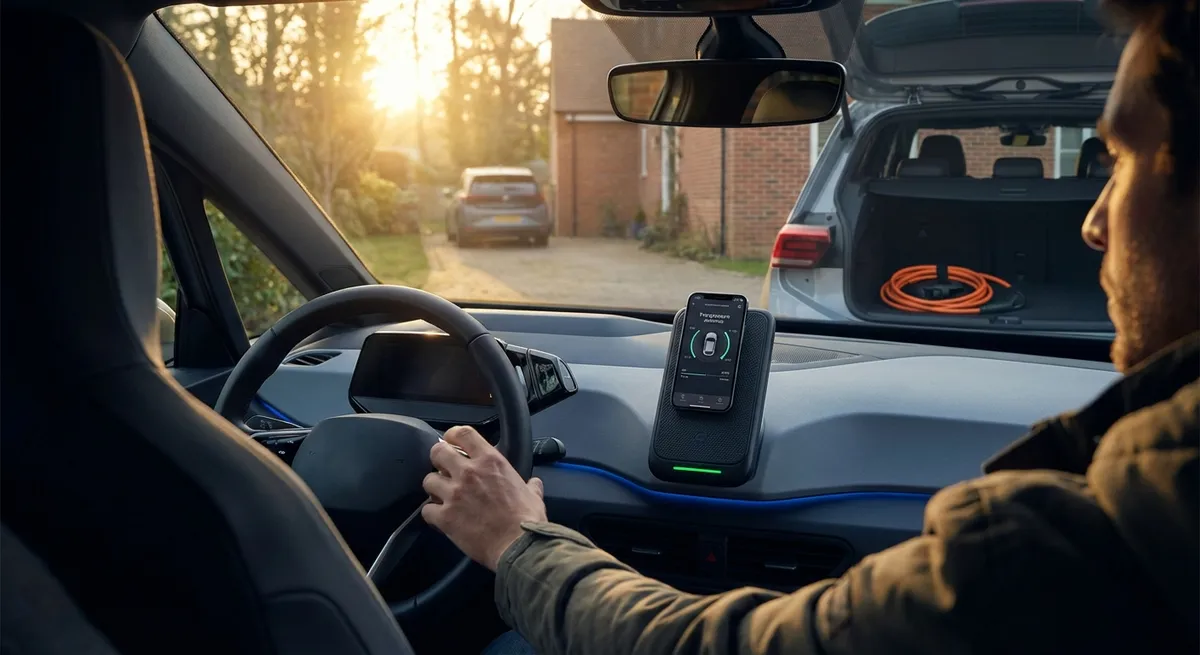
This guide focuses on practical auto tech moves you can put to work right away, whether you daily-drive a compact hatchback or a full-size SUV.
Turn Your Phone Into a Smarter Co‑Pilot (Without Getting Distracted)
Your smartphone is already one of the most powerful pieces of auto tech you own—but it only helps if you set it up correctly.
Start by pairing your phone with your car’s Bluetooth (or Android Auto / Apple CarPlay if you have them) and then clean up the apps you actually use while driving. Stick to a trusted navigation app, a music/podcast app, and hands‑free calling. Disable on‑screen notifications for everything else so you’re not tempted to tap and scroll at red lights.
If your car supports Android Auto or Apple CarPlay, dig into the settings to rearrange icons, turn off non‑driving apps, and enable voice control for navigation and messaging. This keeps your eyes up and hands on the wheel while still giving you traffic alerts, lane guidance, and real-time rerouting.
Even in older cars, a solid dash mount and a high‑quality charging cable can turn your phone into a stable, glanceable display for navigation. Just be sure to position it so it doesn’t block your view of the road or critical controls.
Actionable move: Spend 10 minutes customizing your in‑car phone setup—pair Bluetooth, streamline your home screen, enable voice commands, and turn off non‑essential notifications while driving.
Use Driver Assistance Tech as a Tool, Not a Crutch
Many newer vehicles quietly ship with advanced driver-assistance systems (ADAS) like lane-keeping assist, adaptive cruise control, blind‑spot monitoring, and automatic emergency braking. Too often, owners either ignore these features or trust them more than they should.
Pull out your owner’s manual or visit the automaker’s support site to understand exactly what your car’s systems do—and just as important, what they don’t. For example, lane-keeping usually nudges you back into the lane but doesn’t guarantee it will see every faded line. Adaptive cruise can maintain distance, but it may behave differently in heavy traffic or sharp curves.
Set sensitivity levels and alerts to match your comfort zone. If beeps and buzzes are overwhelming, see if your car allows you to switch to subtle steering-wheel vibrations instead. On the highway, combine adaptive cruise with lane‑keeping for reduced fatigue, but always treat it as “driver assist,” not “auto‑pilot.”
If your car doesn’t have built‑in features, consider a reputable aftermarket blind‑spot mirror or radar-based blind‑spot kit. These won’t match factory systems, but they can still add a meaningful extra layer of awareness when changing lanes.
Actionable move: Learn how at least one driver-assistance feature in your car works in detail (e.g., adaptive cruise), then practice using it on a quiet highway to understand its behavior and limits.
Optimize Your Infotainment for Faster, Safer Control
Infotainment systems can be a frustration or a real asset depending on how you set them up. Slow, confusing menus and buried controls pull attention away from the road, but a well‑organized system reduces mental load.
Start by customizing shortcut buttons or on‑screen favorites for the things you use most: your primary audio source, key navigation destinations (home, work, frequent stops), and climate settings. Many systems allow “long‑press” customization of steering wheel buttons too—use that to quickly change tracks, answer calls, or trigger voice control without hunting through menus.
If your car allows over‑the‑air (OTA) or USB software updates, make sure you’re on the latest version; manufacturers often refine interface speed, add features, or fix glitches over time. For older systems, pairing with CarPlay or Android Auto can give you a more responsive, familiar interface than the factory software.
Also, resist the urge to fiddle on the move. Set playlists, destinations, and climate preferences before you put the car in gear, and rely on voice inputs for updates mid‑drive.
Actionable move: Configure at least three infotainment shortcuts (e.g., favorite radio station, “Home” navigation, and audio source) and test any steering‑wheel controls so you can change common settings without looking away from the road.
Upgrade Lighting and Visibility With Smart Add‑Ons
Visibility is a tech upgrade that pays off every time you drive, especially at night or in bad weather. You don’t need a full headlight retrofit to see a real difference.
If your car uses halogen bulbs and your lenses are in good shape, upgrading to high‑quality, road‑legal bulbs from a reputable brand can give you a cleaner, brighter beam without blinding oncoming traffic. Avoid ultra‑cheap LEDs that don’t match your reflector or projector design—poorly aimed light can be worse than stock.
If your headlight lenses are cloudy, a proper restoration kit (or professional service) can restore brightness your car already has but can’t project through yellowed plastic. Combine that with a fresh set of quality wiper blades and a good glass treatment on the windshield to improve wet‑weather visibility dramatically.
For cars without factory backup cameras, a wired or high‑quality wireless aftermarket camera can make parking and tight maneuvers much safer. Look for models that integrate with your existing screen or come with a dedicated monitor that doesn’t block your view.
Actionable move: Inspect your headlights and windshield at night or in the rain, then choose one upgrade—bulb replacement, headlight restoration, new wipers, or a backup camera—to improve visibility in your typical driving conditions.
Make Simple Connectivity Choices That Future‑Proof Your Car
Tech moves quickly, but a few smart choices today can keep your car feeling modern longer, even if you plan to keep it for years.
If your vehicle has USB ports, check what they’re designed for: some only charge, while others support data for Android Auto or CarPlay. Use the data‑capable ports for your primary device and reserve simple charging ports (or 12V adapters) for passengers. For regular road trips, consider a dual‑port high‑output charger so a phone and tablet can both stay topped up.
If your car doesn’t have Bluetooth or smartphone integration, a quality Bluetooth receiver that plugs into the AUX port (or a modern head unit with CarPlay/Android Auto) can bring hands‑free calling and streaming audio to an older dashboard without buying a new vehicle.
For vehicles with built‑in connectivity (Wi‑Fi hotspot, remote start, vehicle‑health apps), review the subscription options carefully. You may not need every feature, but remote lock/unlock, vehicle locator, and maintenance alerts can be worth it if you frequently park in crowded areas or share the car with family members.
Actionable move: Map out how many devices you typically have in the car, then set up a clean charging and connection plan (which port or adapter for which device) so cables and dead batteries stop being a recurring headache.
Conclusion
Auto tech isn’t just about self‑driving concepts and the latest EV launches—it’s also about how comfortably, safely, and efficiently you use the tools already inside your car. By setting up your phone as a focused co‑pilot, using driver-assistance systems wisely, simplifying your infotainment, improving visibility, and planning your connectivity, you can meaningfully upgrade every drive without buying a new vehicle.
Small, deliberate tech changes add up. Pick one of these moves, set it up this week, and see how much more relaxed and in‑control your daily drive can feel.
Sources
- National Highway Traffic Safety Administration (NHTSA) – Driver Assistance Technologies - Overview of common ADAS features, what they do, and their limitations
- IIHS – Headlight Ratings and Visibility Information - Research on how headlight performance affects night driving safety
- Apple – About CarPlay - Official information on Apple CarPlay features, setup, and compatible vehicles
- Android – Android Auto Help - Guidance on Android Auto capabilities, customization, and troubleshooting
- AAA – Distracted Driving Research & Resources - Data and recommendations on minimizing distraction from in‑car technology