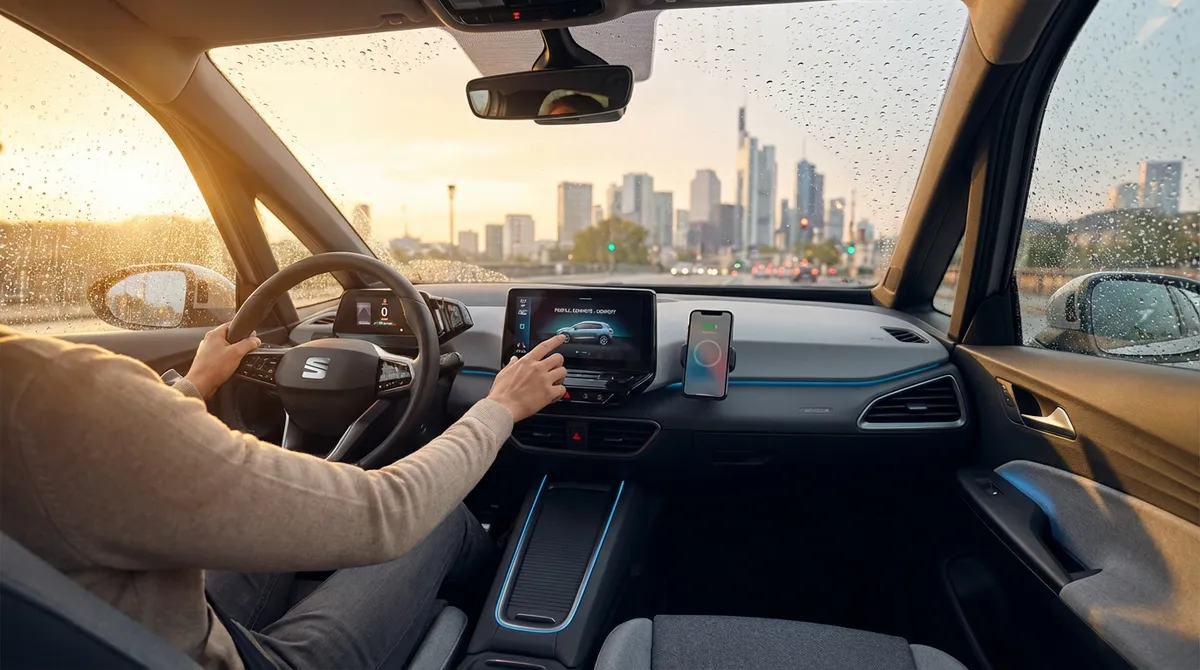
This guide breaks down five practical auto tech habits you can start using right away to make every drive more efficient, informed, and enjoyable.
Turn Your Phone Into a Smarter Driving Hub
Your smartphone is already the most powerful piece of tech in your car—you just need to set it up intentionally.
First, properly mount your phone at or just below eye level, without blocking airbags or major vents. This reduces how far your eyes travel off the road compared to glancing down at a cupholder or lap. Pair your phone via Bluetooth and immediately turn on “Do Not Disturb While Driving” (built into both iOS and Android) so notifications are silenced but calls can still route through your car’s hands-free system.
Next, streamline your apps. Use one primary navigation app and stick with it—Google Maps, Apple Maps, or Waze—so your driving history, saved places, and route preferences stay consistent. In the app settings, enable speed limit display and traffic alerts so you get useful data without constant distractions. If your car supports Apple CarPlay or Android Auto, plug in and let those platforms handle the interface; they’re designed to minimize visual clutter and keep touch targets large and simple.
Finally, create a “Drive” home screen page or widget set: navigation, music/podcasts, and one emergency app (like roadside assistance or your insurance app). When you get in the car, a single swipe takes you straight to a driving-focused layout instead of a sea of social media icons begging for your attention.
Actionable point #1: Build a dedicated “driving mode” on your phone—mount it properly, limit apps to navigation + audio + essentials, and enable Do Not Disturb While Driving for every trip.
Use Live Data Instead of Guesswork on the Road
Most drivers still rely on gut feel and old habits—same route to work, same gas station, same departure time. Your car and phone can do better.
Start with traffic data. Modern navigation apps don’t just show congestion; they can predict it based on time of day and historical patterns. When possible, plan departure times around red zones on the map rather than fighting through them—leaving 10–15 minutes earlier or later can cut your commute time significantly and use less fuel because you’re not crawling in stop-and-go traffic.
Turn on incident and hazard alerts in your navigation app so you’re warned about crashes, debris, or sudden slowdowns ahead. This isn’t just a convenience feature; it gives you more time to brake smoothly and change lanes safely, which reduces your risk of a rear-end collision.
For longer trips, watch real-time fuel pricing via apps that crowdsource gas station data. Combine this with your trip plan: rather than topping off “when it feels right,” schedule a fuel stop where prices are consistently lower along your route. Over a year, especially for longer commutes or frequent travel, this can add up.
If your vehicle has a built-in telematics or connected services app (such as FordPass, myChevrolet, Toyota app, Hyundai Bluelink, etc.), activate it. Many provide real-time tire pressure, maintenance alerts, and even fuel level or EV range on your phone—so you can plan service and stops before problems appear.
Actionable point #2: Make live data part of your drive—use real-time traffic and gas price apps every time you plan a new route or long trip, instead of relying on habit or guesswork.
Treat Your Dashboard Alerts Like a Preventive Tool, Not an Alarm
Warning lights and alerts are often treated as “something to worry about later.” But most modern systems are designed to give you an early heads-up—if you respond to them correctly, you can avoid bigger problems.
Start with tire pressure monitoring system (TPMS) alerts. When that light comes on, don’t just dismiss it at the next gas stop. Pull into a safe area, use the car’s info screen (if available) to see which tire is low, and check it with a gauge as soon as possible. Even a moderate underinflation can reduce fuel economy, worsen handling, and increase tire wear. Many gas stations have digital inflators now—set the correct PSI (from your door jamb sticker) and let the machine handle it.
For “check engine” lights, use a basic OBD-II (On-Board Diagnostics) scanner or a Bluetooth OBD dongle paired with an app. These are inexpensive and give you the fault code and a plain-language description. While this doesn’t replace a professional diagnosis, it tells you whether the issue is likely urgent (misfire, overheating, transmission fault) or something you can schedule (evap system leak, O2 sensor issue). Responding earlier often means simpler repairs.
Many cars also show maintenance reminders based on mileage and driving conditions. Instead of waiting for something to break, use these as prompts to check your owner’s manual or your manufacturer’s app for what’s actually due—oil, filters, brake inspection, or other services. If you go to a shop, you’ll be better prepared to approve what’s truly needed and decline what’s just “nice to have right now.”
Actionable point #3: Whenever a warning or maintenance alert appears, log the date, mileage, and message in your phone notes; then address it within a set window (24–72 hours), starting with tire pressure and check engine codes.
Optimize Your In-Car Tech for Safer Attention, Not More Distraction
Cars now come loaded with touchscreens, digital gauges, and assist systems—but more tech doesn’t always mean safer driving. The trick is to configure your systems once so you’re not constantly fiddling with them on the road.
First, customize your instrument cluster or display layout if your car allows it. Prioritize speed, fuel/range or state-of-charge (for EVs), and navigation directions. De-emphasize or hide secondary info that tempts you to scroll—like trip history details, average speed, or elaborate vehicle animations. The fewer reasons you have to dig through menus, the better.
Go through your driver assistance settings when parked. Learn exactly what your car has—lane-keeping assist, blind spot monitoring, adaptive cruise control, forward collision warning, parking sensors, etc. Then adjust the sensitivity and alert style to what helps you, not what annoys you. If a feature constantly gives false alarms, many drivers just switch everything off. It’s better to tweak distance/sensitivity first so you actually keep the safety net active.
Focus on audio and climate shortcuts. Program favorite stations and playlists, and learn the steering wheel buttons for volume, track skip, and voice control. For climate, note the quickest, least-distracting settings you use most (defrost, A/C on/off, fan up/down) and memorize their physical button or knob positions. The goal is to adjust by feel, not by staring at a touchscreen.
Lastly, if your vehicle doesn’t have certain safety features, consider aftermarket tech: a quality backup camera, dash cam, or blind-spot mirror attachments can add real value, especially on older cars. Just be sure any addons are firmly mounted and don’t block your view.
Actionable point #4: Spend 30–45 minutes while parked to fully set up your display layout, driver assists, and audio/climate shortcuts so you rarely need to dive into menus while moving.
Leverage Apps and Simple Tech to Track Costs and Driving Habits
Owning a car is as much about money management as it is about horsepower. A few simple tools can turn your car’s data into useful decisions.
Use a fuel tracking or vehicle log app to record fill-ups, mileage, and basic maintenance. Over a few months, you’ll see real-world fuel economy based on your driving patterns—not brochure numbers. If your MPG suddenly drops, it’s an early sign something’s off: low tire pressure, dragging brakes, bad alignment, or a maintenance issue.
Many insurance companies offer optional telematics programs that monitor your driving via a plug-in device or smartphone. These can track hard braking, rapid acceleration, night driving, and phone use. If you’re willing to be monitored and improve your habits, you can often earn discounts. Even if you skip the insurance device, you can use standalone apps that provide similar feedback on your smoothness and consistency behind the wheel.
For EVs and plug-in hybrids, your charging app (or the car’s own app) usually offers rich data: energy used per mile, cost per kWh, and how driving style or temperature affects range. Use this to choose when to precondition the cabin while plugged in, when to use eco modes, and which routes are most energy-efficient.
If your car supports exporting trip data or integrating with platforms like Apple Health or Google Fit, you can even treat long commutes as part of a larger lifestyle picture: how often you’re sedentary, how many hours you spend behind the wheel, and whether that’s affecting your sleep or stress levels.
Actionable point #5: Start logging fuel, trips, and maintenance in a single app and review the data monthly so you can spot trends—like rising fuel costs, declining MPG, or more frequent short trips—before they quietly eat your budget.
Conclusion
You don’t need a brand-new, fully loaded car to benefit from modern auto tech. By treating your phone as a focused driving hub, using live data instead of old habits, responding early to alerts, configuring your in-car systems for minimal distraction, and tracking your costs and behavior, you can turn everyday tech into a real advantage.
The most powerful upgrades aren’t flashy gadgets—they’re the habits you build around the tools you already have. Set aside an hour this week to put these five points into practice, and every drive that follows becomes a little safer, smoother, and smarter.
Sources
- [National Highway Traffic Safety Administration (NHTSA) – Vehicle Technology](https://www.nhtsa.gov/vehicle-safety/vehicle-technology) - Overview of modern driver assistance technologies and how they improve safety
- [U.S. Department of Energy – Fuel Economy Guide](https://www.fueleconomy.gov/feg/driveHabits.jsp) - Explains how driving habits and conditions affect fuel efficiency
- [AAA – Understanding Vehicle Warning Lights](https://exchange.aaa.com/automotive/understanding-vehicle-warning-lights/) - Clear explanations of common dashboard alerts and what to do about them
- [Insurance Information Institute – Telematics and Usage-Based Insurance](https://www.iii.org/article/background-on-telematics-and-usage-based-insurance) - Details on how driving data is collected and used for insurance discounts
- [Apple – Use “Do Not Disturb While Driving” on iPhone](https://support.apple.com/en-us/HT208090) - Step-by-step guide to activating and configuring driving focus mode on iOS