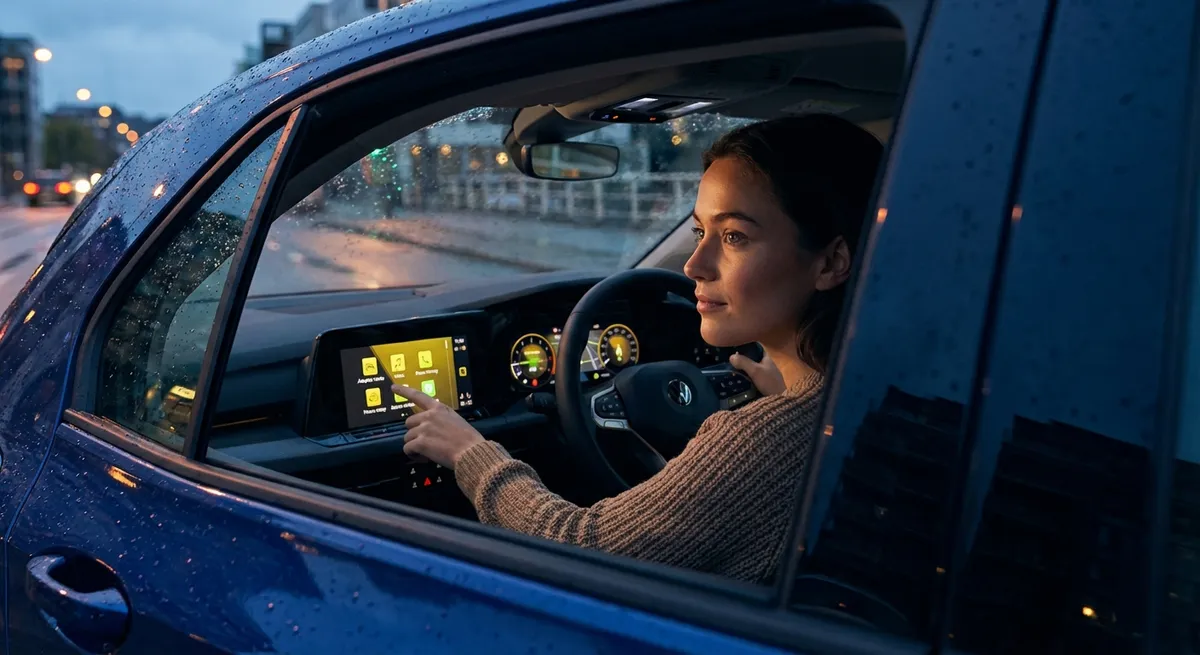
This guide focuses on five practical, repeatable actions you can take with everyday auto tech—no engineering degree, no race-track fantasy, just real-world benefits for commuting, errands, and road trips.
Treat Your Driver-Assist Features Like Tools, Not Magic
Many newer cars come with advanced driver-assistance systems (ADAS) like lane-keeping assist, adaptive cruise control, blind-spot monitoring, and automatic emergency braking. Used correctly, they reduce fatigue and help you avoid common mistakes. Used lazily, they can create overconfidence and new risks.
First, learn exactly what your systems can and cannot do. Spend 10 minutes with the owner’s manual or the manufacturer’s online guide and look for keywords like “limitations,” “conditions,” and “driver responsibility.” For example, lane-keeping often relies on visible lane markings, so it may struggle in heavy rain, construction zones, or snowy roads.
Next, practice with one feature at a time on familiar roads. Try adaptive cruise control on a lightly trafficked highway before trusting it in stop-and-go traffic. Notice how your car reacts to cut-ins and curves so you’re not surprised later.
Adjust sensitivity and alerts to match your driving style. Most systems let you choose following distance, steering assistance intensity, and warning volume or timing. Set them too aggressive and you’ll tune out constant beeps; too relaxed and they might alert too late.
Use ADAS as a backup, not a babysitter. Keep both hands on the wheel, eyes up, and treat every assist as something that buys you seconds—not an excuse to look at your phone or fiddle with menus. The real value is reducing mental load on long drives so you’re fresher and more focused when something unexpected happens.
Finally, keep sensors and cameras clean. A quick wipe of front and rear camera lenses and radar covers (usually behind the grille emblem or lower bumper) during fuel stops or after a car wash can prevent false alarms and “system unavailable” messages.
Turn Your Phone Into a Safer, Smarter Driving Companion
Your smartphone is already your most powerful piece of car tech; the key is using it in a way that reduces distraction instead of adding to it. Small setup changes can transform it from a temptation into a helpful co-driver.
Start with a safe, stable mount positioned as close to your natural line of sight as possible—typically at dash height, not low on the console or blocking your view of the road. Windshield and vent mounts are fine as long as they don’t interfere with airbags or gauges. The goal is “glanceable,” not “downward staring.”
If your car supports Apple CarPlay or Android Auto, plug in (or pair wirelessly if supported) and commit to using that interface instead of juggling multiple apps on your phone’s screen. These platforms simplify menus, enlarge key buttons, and integrate voice commands specifically for driving.
Pre-program your essentials before you shift into drive: your destination in maps, your playlist or podcast, and your “Do Not Disturb While Driving” mode. Both iOS and Android can auto-reply to texts, silencing non-essential alerts and reminding people you’re on the road.
Customize navigation settings to match your priorities. Enable lane guidance, speed limit display, and audio alerts for upcoming turns so you rely more on voice prompts and less on screen time. Consider turning off non-critical banner notifications from other apps while navigation is active.
Leverage voice commands aggressively. Use “Hey Siri,” “Hey Google,” or your car’s built-in voice control to call contacts, dictate quick replies, adjust temperature, or change music. It’s not perfect, but even partial success cuts down on dangerous manual interactions.
Finally, manage battery and heat. High-brightness screens, GPS, and fast charging can overheat phones in direct sun. Use a cable that supports proper fast charging, keep the phone out of sun when possible, and route HVAC air toward it on hot days to prevent shutdowns mid-navigation.
Use Data (Not Guesswork) to Improve Range, Fuel Economy, and Costs
You don’t need a spreadsheet obsession to make data work for you. Modern cars, and even many older ones via cheap dongles and apps, can give you precise feedback that turns small tweaks into real savings and smoother drives.
Begin with your car’s built-in trip computer. Reset a trip meter weekly and watch average fuel economy, average speed, and idle time. After a week of normal driving, intentionally change one behavior—gentler acceleration, earlier braking, fewer short trips, or better route planning—and compare.
If you drive an EV or plug-in hybrid, pay attention to your energy consumption readouts (kWh/100 miles or similar) and the conditions where range drops most—high speeds, cold weather, heavy cargo, or aggressive driving. Use that intel to plan charging stops and decide when to precondition the cabin while still plugged in.
Consider an OBD-II adapter and app if your car is older or your built-in display is limited. Plug the adapter into the OBD-II port (usually under the dash) and pair with a reputable app to view live data like coolant temperature, throttle position, and instantaneous fuel flow. This helps identify bad habits—like unnecessary idling—or emerging mechanical issues before they become expensive.
Track tire pressure regularly using TPMS readouts or a handheld gauge. Underinflated tires increase rolling resistance and hurt fuel economy, while overinflation can affect ride and grip. Set reminders to check pressures monthly and before long trips, adjusting to the cold tire pressure on the door jamb sticker, not the sidewall maximum.
Use your data to choose better routes, not just faster ones. If your commute has multiple options, run the alternatives for a week each and track time, fuel usage, and stress level. Sometimes a slightly longer but smoother route with fewer stops yields better economy and less wear on brakes and transmission.
Lastly, periodically export or log your data—especially if you suspect a decline in performance or efficiency. Having a baseline makes it easier to explain concerns to a technician and avoid “it’s normal” hand-waving when you know something has changed.
Keep Infotainment Updated and Streamlined for Fewer Headaches
Infotainment systems are computers on wheels, and just like your laptop or phone, they benefit from updates and thoughtful setup. A sluggish or confusing interface isn’t just annoying; it can pull more of your attention away from driving than it should.
First, check for software updates at least a few times a year. Many new cars support over-the-air (OTA) updates you can trigger from a settings menu or schedule overnight via Wi‑Fi. Older systems may require a dealer visit or USB stick. Updates often fix bugs, improve Bluetooth stability, and sometimes add new features or apps.
Pair your primary phone correctly and cleanly. Remove old devices you no longer use from the system’s memory to reduce connection conflicts. On your phone, “forget” the car if you’re having ongoing issues, then re-pair with fresh permissions, ensuring calls, contacts, and audio access are enabled.
Curate your home screen like you would your smartphone. Move high-use functions—navigation, audio, phone—onto the first page or into quick-access shortcuts. Hide or ignore rarely used apps that tempt you to dig through menus while driving.
Standardize your in-car workflow. Decide on one primary navigation app and one primary audio source, then stick with them. Switching between three map apps and four music platforms mid-drive multiplies taps and mental load. If you use CarPlay or Android Auto, set your go-to apps to appear on the main grid.
Adjust display brightness and themes for day and night. Auto-brightness doesn’t always get it right, especially in low-sun conditions or with polarized sunglasses. A screen that’s too bright at night can be fatiguing; too dim in daylight forces you to stare longer to read.
Finally, learn your system’s “hard keys.” Many cars still provide physical buttons or knobs for volume, track skip, defrost, and sometimes home/menu. Train your muscle memory to reach for these without looking—they’re faster, more reliable, and safer than hunting on a touchscreen.
Add Targeted Aftermarket Tech Without Overcomplicating Your Car
You don’t have to replace your car to enjoy modern conveniences. The key is choosing a few high-impact upgrades that integrate cleanly, without turning your dash into a tangle of wires and blinking LEDs.
If you lack a backup camera, consider an aftermarket camera and display. Many options replace the rear license plate frame or clip over your rearview mirror. Look for models with good low-light performance, adjustable guidelines, and hard-wired power for reliability instead of relying only on internal batteries.
Upgrade your head unit if your car is older and the factory stereo feels dated. A quality aftermarket unit with CarPlay/Android Auto, Bluetooth, and a clear touchscreen can make a 10-year-old car feel much newer. Have it installed by a reputable shop that knows how to retain steering wheel controls and vehicle alerts.
Dash cams are another high-value addition. Choose a discreet front or front-and-rear system with loop recording and parking mode. This can provide vital evidence after an incident, protect against fraud, and even help with hit-and-run or parking lot claims. Use a professional or proper hardwire kit so you don’t overload accessory sockets.
For long commutes, consider subtle comfort and health tech: a powered phone mount with wireless charging, a quality 12V USB-C charger with enough wattage for modern devices, or a small, reputable in-cabin air purifier if you drive in polluted areas. Focus on fewer, better devices rather than stacking cheap gadgets.
Pay attention to power draw and integration. Avoid overloading a single 12V socket with multiple splitters and devices; check your car’s manual for accessory power limits. Route cables neatly along panel gaps or with low-profile clips to avoid tangles, tripping hazards, or interference with pedals and shifters.
Lastly, adopt a “no redundancy” rule. If your car already has a built-in feature that works well, don’t double it with a gadget that adds complexity without real benefit. The best tech upgrades are the ones you stop noticing because they simply work in the background.
Conclusion
Car tech doesn’t have to be overwhelming, and you don’t need the latest model to benefit from it. When you treat driver-assist features as tools, tame your smartphone for safer use, lean on data instead of guesses, keep your infotainment cleaned up and current, and choose targeted aftermarket upgrades, your daily driving quietly improves—more comfort, fewer surprises, and better control over costs.
Start with one of these areas this week, make a small change, and pay attention to how your drive feels. Over time, these habits stack up, turning your car’s tech from “nice to have” into something that genuinely earns its place on every trip.
Sources
- National Highway Traffic Safety Administration – Advanced Driver Assistance Systems - Clear explanations of common ADAS features, benefits, and limitations
- IIHS – Crash Avoidance Features - Research-based overview of how driver-assistance tech affects real-world safety
- Apple – Use CarPlay While You Drive - Official guidance on setting up and safely using Apple CarPlay
- Android – Use Android Auto - Instructions and best practices for Android Auto in the car
- U.S. Department of Energy – Fuel Economy Tips - Data-backed habits and behaviors that improve real-world fuel efficiency