This guide focuses on practical, repeatable moves you can use with almost any modern car. No engineering degree, no aftermarket gadgets required—just better use of what’s already built in.
Turn Your Phone and Car into a Safer Driving Team
Your smartphone and your car’s onboard system can either fight each other—or work together. A few setup decisions make the difference.
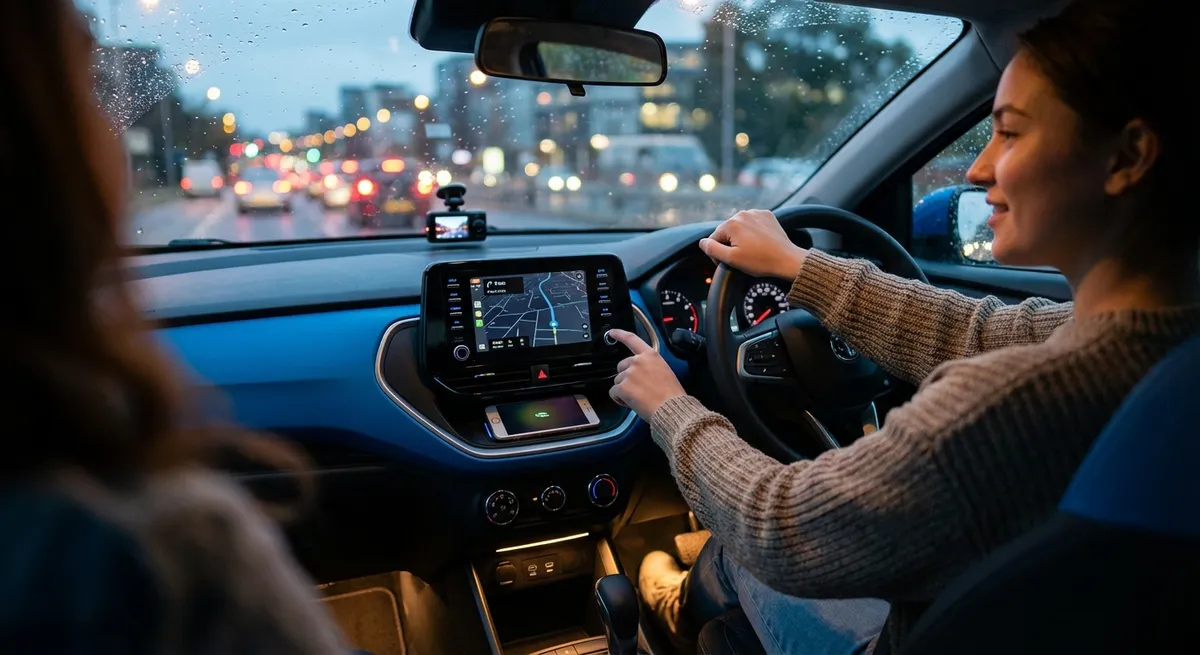
First, pair your phone over Bluetooth and, if available, set up Apple CarPlay or Android Auto. These systems mirror key apps in a car-friendly way and reduce the urge to pick up your phone. Once connected, dig into your phone settings and enable “Do Not Disturb While Driving” (iOS) or “Driving Mode” (Android) so calls and alerts are silenced or auto-responded while you’re in motion.
Next, customize which notifications can break through your driving mode—limit it to navigation, emergency calls, and maybe a single messaging app if you must. On your car’s side, reduce voice assistant “chatter” to short confirmations and learn a few voice commands for navigation (“Find nearest gas station”), calls (“Call home”), and music (“Play driving playlist”). Combined, these small tweaks dramatically cut distraction without disconnecting you from what you actually need.
Use Built-In Navigation as a Real-Time Traffic Tool, Not Just a Map
Many drivers default to their favorite phone map app and ignore the car’s built-in navigation. Used together, they can give you a clearer picture of what’s happening on the road right now.
Start by updating your car’s navigation system if the manufacturer offers map or software updates—this improves routing and can add newer roads and points of interest. Then, when you’re planning a trip, compare the ETA and route options from your car’s nav and your phone’s app before you shift into drive. If both agree, you’re likely on the best route. If they differ, check which one is accounting for live incidents or road closures.
While driving, keep one primary navigation source visible (preferably the built-in screen, since it’s designed for in-car visibility) and turn voice guidance on for that system only. Use the other system as a backup: if you run into unexpected congestion, glance at the alternative to see if it suggests a better detour. Over time you’ll learn which service is most reliable for your usual routes and conditions, and you’ll spend less time stuck in surprise slowdowns.
Let Driver Assistance Features Work for You (Without Overtrusting Them)
Modern cars often come with driver assistance tech—lane keeping, adaptive cruise control, blind-spot monitoring—but many owners either ignore them or misuse them. The key is understanding what each system can and can’t do.
Start in the owner’s manual or the manufacturer’s website to confirm exactly which features you have and the speed ranges and conditions where they work. For example, adaptive cruise control is excellent for highway driving but may struggle in heavy stop-and-go if cameras or radar are blocked by snow or dirt. Test each feature on a quiet, familiar road: turn on lane-keeping and feel how strongly it nudges the wheel, or enable adaptive cruise and note how it responds when a car cuts in front.
Use assistance systems to reduce workload, not attention. Blind-spot monitors should confirm what you’ve already checked with your mirrors, not replace the check. Lane-keeping can reduce fatigue on long drives but you should still keep both hands on the wheel and eyes up. If any feature feels annoying—like overly aggressive lane warnings—adjust sensitivity or audio volume instead of turning it off completely. Properly tuned, these tools act like a vigilant co-pilot instead of a nagging backseat driver.
Treat Your Instrument Cluster as a Live Health Report, Not Just a Speed Display
Most drivers glance at the speedometer and fuel gauge and ignore the rest—but that cluster of icons and alerts is your car’s real-time health dashboard. Learning what it’s telling you can prevent breakdowns and expensive repairs.
Review the indicator light section of your manual and, if available, download a quick-reference guide from the manufacturer’s website. Focus on the difference between warning lights (yellow/amber, “check soon”) and critical alerts (red, “stop safely now”). For example, a yellow tire-pressure warning usually means check and refill air soon; a red temperature warning means pull over safely and shut the engine down.
On cars with digital displays, customize which data widgets you see most often: tire pressure, coolant temperature, oil life, and average fuel economy are more useful than a digital clock you already have on the center screen. Make a habit of doing a 2–3 second scan of key gauges every time you merge onto a highway or start a longer trip. Over time, you’ll spot small changes—like gradually dropping tire pressures or creeping temperatures—before they turn into roadside problems.
Use Vehicle Apps and Connected Services to Stay Ahead of Problems
If your car has a companion smartphone app or built-in connected services, it can do more than just remote start. When set up properly, it becomes a maintenance and security assistant that works in the background.
First, register your vehicle with the manufacturer’s app and enable security and maintenance notifications: low tire warnings, upcoming services, battery alerts (for EVs/hybrids), and door/lock status. Set reminders based on mileage or time for oil changes, brake inspections, and inspections recommended in your maintenance schedule. Many apps will also save your service history, which is useful for resale and warranty discussions.
Next, take advantage of location-based features. Use the app to log your parking spot in busy lots or unfamiliar cities, and, if available, enable “last parked location” or “find my vehicle.” For vehicles with remote lock/unlock, confirm that all doors are locked from your phone before bed instead of walking back to the driveway. Some apps even allow you to send destinations directly to the in-car navigation, so you can plan routes on your couch and have them ready when you start the engine. These small automations reduce the mental load of ownership and help you catch emerging issues before they become major events.
Conclusion
Auto tech doesn’t have to be overwhelming or gimmicky. When you focus on a few everyday habits—setting up your phone integration, using navigation intelligently, understanding driver aids, reading your instrument cluster, and activating connected services—you turn existing features into real-world advantages.
None of these moves require a new car or complex tools, just a bit of setup time and curiosity. Start with one area on your next drive, get comfortable, then layer in the others. Over a few weeks, you’ll find your drives are calmer, your car is better protected, and surprise problems are easier to avoid.
Sources
- [National Highway Traffic Safety Administration (NHTSA) – Driver Assistance Technologies](https://www.nhtsa.gov/equipment/driver-assistance-technologies) - Explains common driver-assistance systems, their limitations, and safe usage
- [U.S. Department of Transportation – Distracted Driving](https://www.transportation.gov/mission/safety/distracted-driving) - Covers the impact of phone use while driving and strategies to reduce distraction
- [Apple – Use Do Not Disturb While Driving](https://support.apple.com/en-us/HT208090) - Official guide to configuring driving-focused notification settings on iPhone
- [Android – Use Driving Mode](https://support.google.com/android/answer/9459925) - Details on setting up Android’s driving mode and assistant features
- [Consumer Reports – Guide to Car Dashboard Warning Lights](https://www.consumerreports.org/cars/car-safety/car-dashboard-warning-lights-a6529054180/) - Practical explanations of common warning indicators and what actions to take