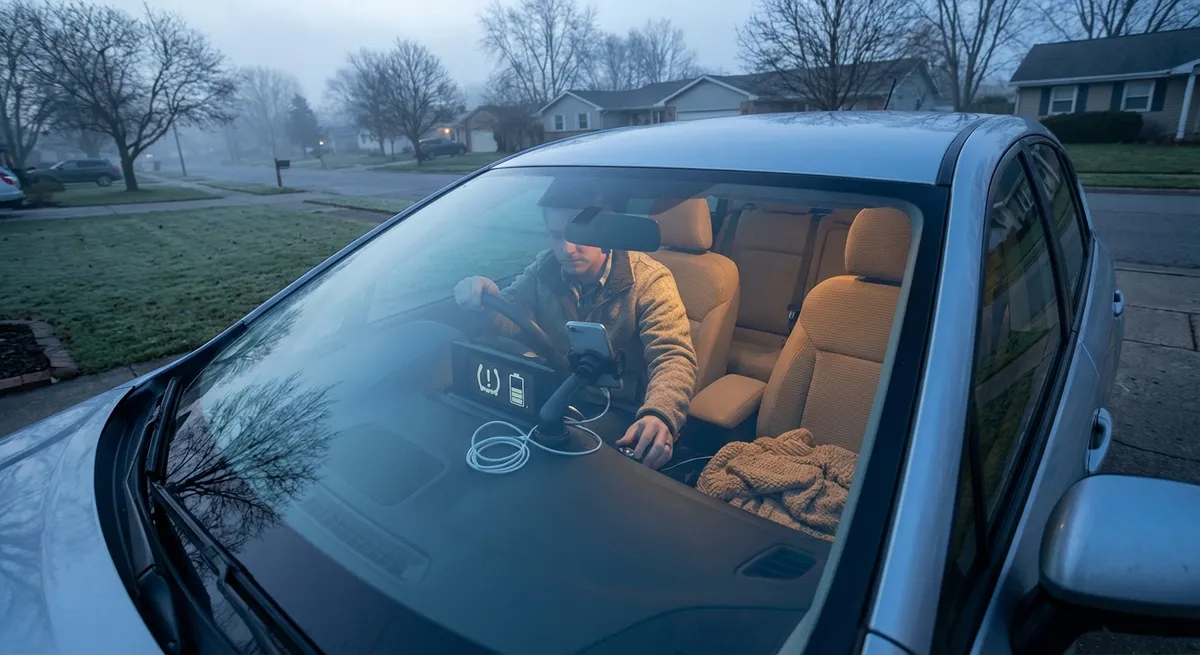
This guide focuses on five realistic, low-effort tech habits that can make your daily drive safer, smoother, and less stressful, whether you’re a casual commuter or a serious automotive enthusiast.
Make Your Driver Profiles Actually Work for You
Most newer cars (and many from the last decade) support driver profiles, but they’re often left at the default settings. Used properly, they can remove a lot of small daily annoyances.
Set up your profile with seat position, steering wheel tilt, mirror angles, and climate preferences. Many cars also let you link a key fob or smartphone, so the car automatically adjusts as soon as you unlock it. If your vehicle supports it, add preferred driver-assistance settings too—things like lane-keep assist intensity, following distance for adaptive cruise, and alert volumes.
For households sharing a car, separate profiles prevent the constant readjustment tug-of-war. Tech-focused owners can go further by creating “commute” and “road trip” profiles if your system allows multiple configurations per driver. Over time, this makes the car feel tailored to you instead of something you keep wrestling into place.
Turn Navigation Into a Real-Time Safety Tool
Navigation isn’t just about not getting lost anymore. Used well, it becomes a live feed of road conditions, hazards, and even fuel or charging opportunities.
First, keep your navigation app or built-in map system updated to ensure current roads, speed limits, and POIs (points of interest). When using smartphone-based navigation (Apple Maps, Google Maps, Waze), enable real-time traffic and incident reporting. These systems can warn you about stopped vehicles, debris, or sudden slowdowns ahead—alerts that can buy you crucial reaction time.
Set your destination even when you think you know the route. That lets the system warn you about delays or weather disruptions and suggest safer alternates in real time. Enthusiasts on longer drives can use route settings to prioritize scenic roads, avoid unpaved surfaces, or stay near fast chargers, depending on their vehicle and priorities.
Use Driver-Assistance Features as a Skill Multiplier, Not a Crutch
Modern cars are loaded with driver-assistance systems—adaptive cruise control, lane centering, blind-spot monitoring, rear cross-traffic alert, and more. The key is understanding what each system can and cannot do.
Start by reading the driver-assistance section of your owner’s manual or the official online guide from your manufacturer. Learn the specific conditions where features may stop working, such as poor lane markings, heavy rain, or sharp curves. Take time on a quiet highway to experiment with adaptive cruise and lane-keeping, adjusting following distance and alert timing until it feels natural.
Use blind-spot monitoring and rear cross-traffic alerts as confirmation tools rather than replacements for checking mirrors and over-the-shoulder views. Enthusiasts can think of this tech like stability control: it’s there to back you up, but good technique still matters. Understanding and respecting the limitations keeps you safer and prevents overconfidence.
Keep Your Car’s Software Updated Like You Do Your Phone
Many vehicles now receive software updates that do more than fix bugs—they can improve range, tweak transmission or throttle tuning, enhance safety systems, or add new features entirely.
If your car supports over-the-air (OTA) updates, enable automatic updates or schedule them during times when the car is parked and not needed (often overnight). For vehicles that require dealer or service-center updates, ask during scheduled maintenance if any software campaigns or technical service bulletins apply, especially for powertrain, infotainment, or safety systems.
Don’t ignore update prompts just because “the car runs fine.” In some cases, updates address security vulnerabilities in connected services or telematics. Enthusiasts should also track release notes from the manufacturer—changes to shift logic, regenerative braking, or stability control calibration can subtly change how the car feels and responds.
Use Connected Apps to Save Time and Reduce Stress
Most newer cars come with a companion app, but many owners only use it once—if at all. With a bit of setup, these apps can streamline daily use and long trips.
Common features include remote start or preconditioning (great for heating or cooling the cabin before you get in), lock/unlock, vehicle location, and fuel or EV range checks. For electric vehicles and some plug-in hybrids, apps often allow you to schedule charging during off-peak hours or plan routes around fast chargers.
Set up alerts that match your habits: low-fuel or low-battery notifications, service reminders, or notifications when your parked car is moved. Integrate the app with your calendar or navigation where supported, so you can send destinations from your phone to the car before you even start it. For enthusiasts, connected apps can make road trips easier by tracking energy usage, charging sessions, or maintenance intervals without manual logs.
Conclusion
You don’t need to chase the latest concept-car tech to get real benefits from the vehicle you already own. By dialing in driver profiles, treating navigation as a live safety system, using driver-assistance as a backup rather than a replacement, staying on top of software updates, and actually leveraging your car’s connected app, you turn everyday technology into something that quietly improves every drive.
Small, consistent habits with the tech you already have can add up to a more comfortable, more efficient, and safer driving experience—exactly what Auto Ready is all about.
Sources
- NHTSA: Advanced Driver Assistance Systems (ADAS) - Overview of common driver-assistance features and their safety role
- IIHS: Crash Avoidance Technologies - Research on the effectiveness and limitations of modern driver-assist systems
- U.S. Department of Transportation: Intelligent Transportation Systems - Information on connected vehicle tech and real-time traffic and safety data
- Apple: CarPlay Overview - Details on integrating iPhone-based navigation and apps with in-car systems
- Google: Android Auto Features - Explanation of how Android Auto supports navigation, apps, and voice control in vehicles