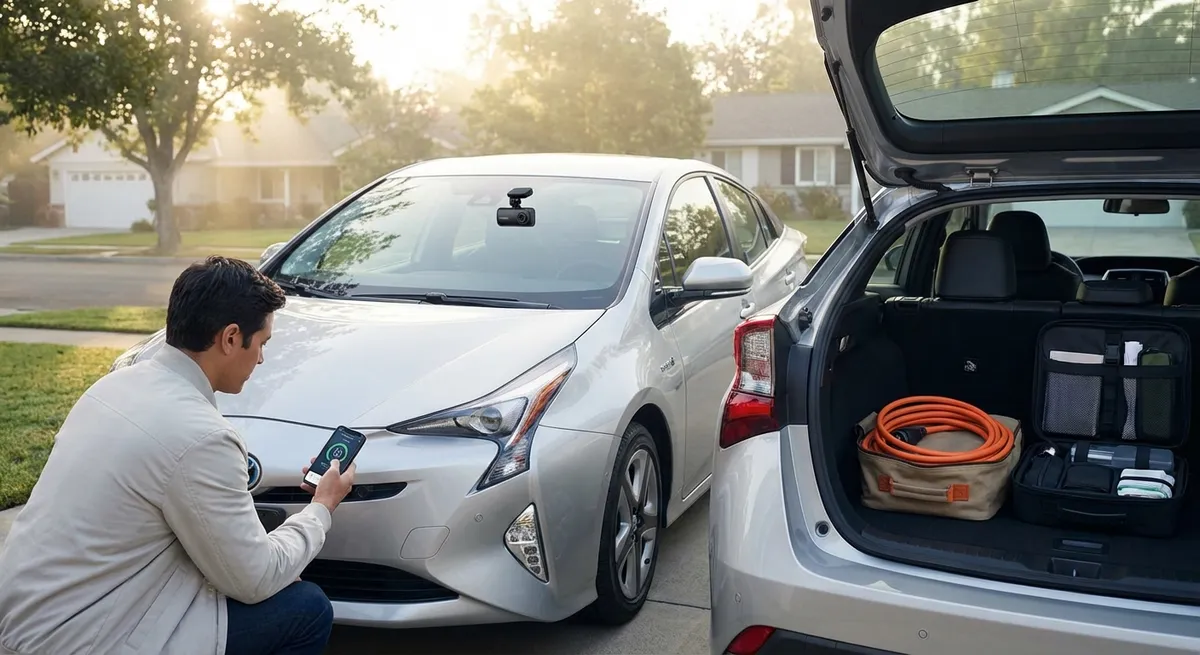
This guide focuses on five practical, tech-centered habits any driver can adopt using features many cars already have—or affordable add-ons you can easily install.
Turn Your Phone and Car Into a Unified Driving Hub
Your smartphone and your car’s infotainment system can either fight each other, or work as a single interface that simplifies your drive. Most late‑model vehicles support Apple CarPlay or Android Auto, and many older cars can gain similar functionality through an aftermarket head unit or a quality phone mount plus Bluetooth.
Treat this setup like your “driving cockpit,” not just a music player. Before you move the car, plug in or pair your phone, choose your main navigation app, and set your destination. Turn on “Do Not Disturb While Driving” or similar modes so notifications don’t constantly pull your eyes away from the road. If your system supports it, use voice commands for everything you reasonably can: starting navigation, changing playlists, or sending quick texts. For older vehicles, a stable mount, a good charging cable, and a Bluetooth adapter can create a low-cost, low-distraction setup that feels significantly more modern. The goal is simple: reduce the number of times you touch your phone to nearly zero once you’re in gear.
Use Driver-Assistance Features as Tools, Not Autopilot
Many cars now include advanced driver-assistance systems (ADAS) like adaptive cruise control, lane-keeping assist, blind-spot monitoring, and automatic emergency braking. These are not self-driving features—they’re safety nets and convenience tools that work best when you understand their limits.
Start by reading the sections of your owner’s manual that explain how each system operates and under what conditions it may not work well (poor lane markings, heavy rain, sharp curves, etc.). Practice with one feature at a time on familiar roads: try adaptive cruise on a lightly traveled highway to feel how it accelerates and brakes; enable lane-keep assist to understand how assertive the steering corrections are. Adjust settings where possible—alert volume, steering assist strength, or how early blind-spot warnings appear—so the tech supports your driving style instead of surprising you. If a feature feels intrusive, don’t just shut it off forever; tweak it or reserve it for specific conditions like long highway trips. Used deliberately, these tools can reduce fatigue and help prevent small mistakes from becoming big problems.
Turn Trip Data and Alerts Into Maintenance Clues
Your car’s tech is constantly collecting data—trip mileage, fuel economy, tire pressure, oil-life percentage, and more. Most owners glance at a warning light and move on, but that information can help you catch issues early and keep your car feeling newer, longer.
Start using your trip computer as a quick health check. If fuel economy suddenly drops compared with your normal route and driving style, that can hint at underinflated tires, a dragging brake, or a sensor issue. Treat low tire-pressure alerts as urgent, not optional; running low routinely can damage tires and hurt handling. If your vehicle has an app or telematics service (like OnStar, Hyundai Bluelink, Toyota app, etc.), enable maintenance notifications and review any diagnostic codes it surfaces. Even without a built-in system, an inexpensive OBD-II Bluetooth scanner paired with a phone app can translate check-engine codes into plain language so you know whether you’re dealing with a loose gas cap or a problem that needs a shop today. The more you respond to small alerts promptly, the fewer big surprises you’ll face later.
Optimize Lighting and Camera Tech for Real-World Visibility
Lighting and camera systems have become much more sophisticated, but they’re only as effective as their setup and your habits. Many drivers never adjust their settings after leaving the dealership—and miss out on visibility improvements that cost nothing to use.
If your car has automatic headlights or auto high beams, confirm they’re actually enabled and understand when they’ll activate. Use the headlight aim adjustment if available, and keep lenses and camera covers clean; even a thin film of dirt can reduce light output or blur a rearview camera image. In tight parking lots, rely on a combination of mirrors, sensors, and cameras—not just one of them. Get in the habit of checking camera views before backing, then confirm with shoulder checks so you don’t become dependent on the screen alone. For vehicles without factory cameras, an aftermarket backup camera or parking sensor kit can be a relatively inexpensive safety upgrade, especially if multiple drivers use the vehicle or you frequently park in crowded areas. The goal is layered visibility: lights, mirrors, cameras, and your own awareness working together.
Build a Simple “Digital Pre-Flight” Routine Before Every Trip
Airline pilots use checklists for a reason; you can adopt a much lighter version using the tech in your car. A short “digital pre-flight” before you drive can reduce distractions, improve comfort, and help you arrive with fewer surprises.
When you get in, do a quick sequence: confirm fuel or EV range is sufficient, check for any warning lights or alerts, set or confirm your destination in the navigation app, choose your audio source, then adjust climate control and seat settings. Save common seat, mirror, and driving mode profiles if your car allows it, especially if more than one person drives the vehicle. For EVs and plug-in hybrids, verify state of charge and route charging stops before you shift out of park. This routine should take under a minute once you’re used to it, but it prevents most of the mid-trip fiddling that leads to distraction and frustration. Over time, it also makes you more attuned to changes—like a new warning message or an unusually low range estimate—so you catch potential problems earlier.
Conclusion
You don’t need cutting-edge self-driving features or an expensive tech package to get more value out of your car’s technology. By treating your phone and infotainment system as a unified tool, using driver-assistance thoughtfully, reading your car’s data as early-warning signals, optimizing visibility tech, and adopting a quick “digital pre-flight” routine, you turn existing features into everyday advantages.
Auto tech works best when it quietly fades into the background and supports your driving, instead of demanding constant attention. A few deliberate habits are often all it takes to make your current car feel smarter, safer, and easier to live with.
Sources
- [NHTSA – Driver Assistance Technologies](https://www.nhtsa.gov/equipment/driver-assistance-technologies) - Overview of common ADAS features, their purpose, and limitations
- [IIHS – Crash Avoidance Technologies](https://www.iihs.org/topics/advanced-driver-assistance) - Research-based evaluations of how driver-assistance systems affect safety
- [AAA – New Vehicle Technology Education](https://exchange.aaa.com/safety/driver-assistance-technologies/) - Practical explanations of in-vehicle tech and how drivers should use it
- [FTC – Connected Cars and Privacy](https://www.ftc.gov/business-guidance/blog/2018/08/connected-cars-data-privacy) - Guidance on data, apps, and connectivity features in modern vehicles
- [Edmunds – How to Use Apple CarPlay and Android Auto](https://www.edmunds.com/car-technology/apple-carplay-android-auto-guide.html) - Step-by-step guide to integrating smartphones with in-car systems